
IT decommissioning in an office move means deciding, device by device, what goes to the new space, what gets resold or recycled, and how every data-bearing item is sanitized and documented before it leaves your control. Start about 60 to 90 days out, inventory everything, and keep the paperwork. Most problems on move day trace back to an inventory that was never finished.
TL;DR
- Begin the IT inventory 60 to 90 days before the move, and tag each asset by type, data-bearing status and age.
- Sort every item into move, reuse, resell, donate or recycle before anyone packs a box.
- Label cables and peripherals so the new office is up fast.
Table of Contents
- A realistic timeline
- Build the inventory first
- Decide what moves and what goes
- Sanitize data the right way
- Pack, label and track what moves
- Choose a recycler that can prove its work
- Keep the records
- How we can help with the retired equipment
- Our perspective
- FAQ
- Sources
A realistic timeline
The sources we reviewed agree on one point: IT work has to start long before the movers arrive. Here is how the published guidance lines up.
| Task | When to start | Source |
|---|---|---|
| Inventory of IT assets | 60 to 90 days before the move | ITAD Daily |
| Full physical IT audit | 8 to 12 weeks before | Cloudswitched |
| Phone system migration and number porting | 8 to 12 weeks before | Cloudswitched |
| Verified, tested backups | 1 to 4 weeks before | Cloudswitched |
The last two rows come from a UK consultancy’s guidance, so treat them as sensible planning windows rather than rules. Your lease end date, carrier lead times and the size of your fleet may push them earlier.
Build the inventory first
Every later decision depends on a complete list. For each asset, record the serial number, assigned user, current location and destination, as Cloudswitched recommends. The ITAD checklist adds three tags that matter for decommissioning: type, whether the device holds data, and age.
Walk the floor instead of exporting a list from your management tool. A physical count finds the things databases miss:
- Desktops and laptops in drawers, closets and the supply room
- Servers, switches and network gear in the comms closet
- External drives and backup media
- Printers and copiers, which can contain internal storage and need the same attention as a laptop
- Phones, tablets and badge or access hardware
If you also run a server room, our guide to audit-ready data center equipment recycling covers that part in more depth.
Decide what moves and what goes
Moving a five-year-old monitor costs freight, packing and desk space at the new site. Replacing it may cost little more. Before you commit, sort every line of the inventory into one of five outcomes: move, redeploy, resell, donate or recycle.
A useful guide here is the order of preference in federal guidance: reuse comes first (redeployment, refurbishment, repair), then recycling, then incineration or landfill. That document is written for federal agencies, but the logic works for any organization. Keep what still meets your needs, sell or donate working equipment, and recycle the rest.
A few practical filters help:
- Age and warranty. Devices near end of life are rarely worth the move.
- Resale value. Newer business laptops and servers often hold value, and it falls fast with each month of delay. See how recycling versus reselling plays out for business gear.
- Fit for the new space. If the new office is smaller or remote-heavy, you may need fewer desktops than you own.
- Data risk. Anything that stores data needs a sanitization decision before it is resold or donated.
Our end-of-life disposal steps and electronics disposal planning steps walk through this sorting in more detail.
Sanitize data the right way
Dragging files to the trash or reformatting a drive does not protect you. The FTC warns that ordinary deletion is not enough to prevent unauthorized recovery and advises businesses to use reasonable disposal practices, including software that overwrites data on storage devices.
The standard most U.S.
| Level | What it does | Typical use |
|---|---|---|
| Clear | Logical techniques that protect against simple, noninvasive recovery | Drives that will be redeployed internally |
| Purge | Makes recovery infeasible even with state-of-the-art laboratory techniques | Drives leaving your control for resale |
| Destroy | Makes recovery infeasible and renders the media unusable | Failed drives, highly sensitive data, end-of-life media |
A laptop that moves to a new employee may only need Clear. A server drive holding customer records that you are selling needs Purge at minimum. A drive that has failed and cannot be wiped should be destroyed.
Solid-state drives need their own approach, covered in our SSD destruction methods guide.
The FTC has also acted against companies that skipped this step. In one mortgage case, the agency alleged the company failed to use reasonable procedures such as burning, pulverizing or destruction consumer information when disposing of it. Office moves are exactly when old paper and drives get tossed in a dumpster.
Pack, label and track what moves
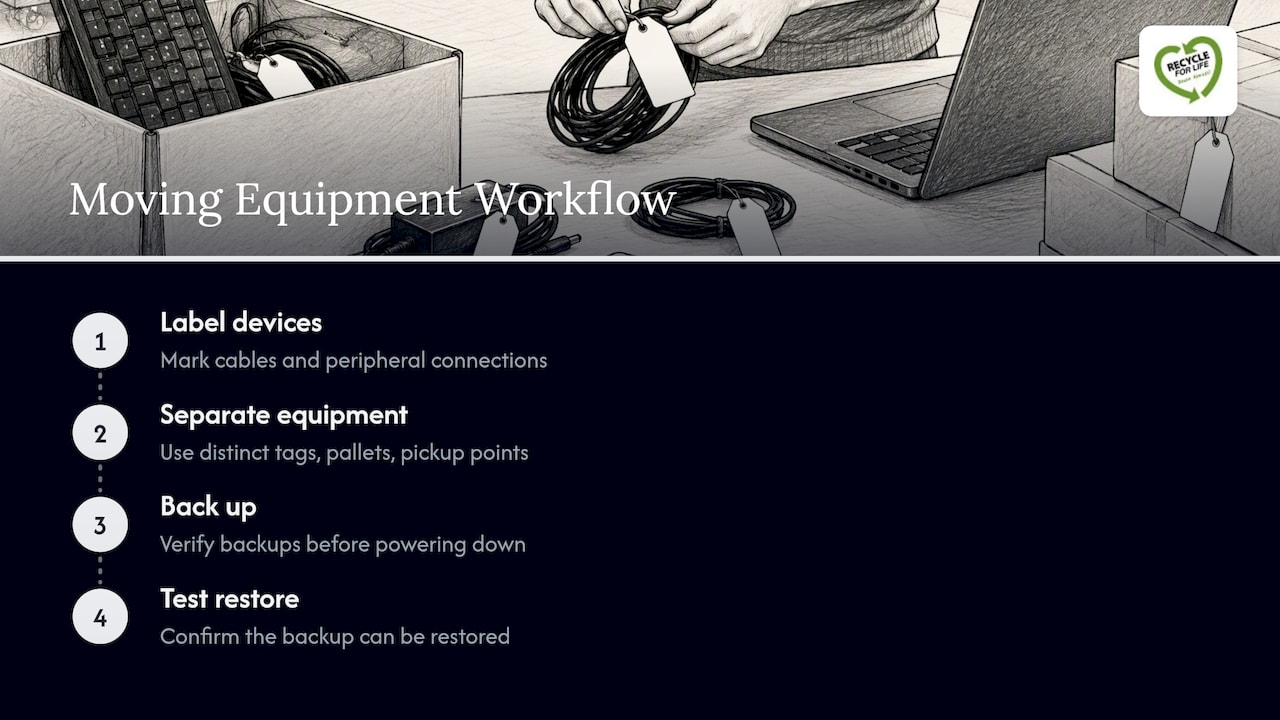
For equipment that goes to the new office, labeling saves the most time. Mark every device, and every cable and peripheral connection, so the new space can be configured correctly. Murphy McKay and Cloudswitched both call this a critical step.
Keep the retiring equipment separate from the equipment that is moving. Use different colored tags, different pallets and a different pickup point. Mixed piles are how a laptop headed for destruction ends up on a desk in the new office, or a working server ends up in the recycling bin.
Take verified backups before anything is powered down, and test a restore. A backup you have never restored is a guess.
Choose a recycler that can prove its work
It also encourages recyclers to show an accredited, independent third-party auditor that they meet those standards.
Ask any vendor for its registration, its downstream process for materials, and what documentation you will receive. Our guides on secure equipment recycling and properly recycling electronic waste list what to check.
Keep the records
Documentation is what turns a clean-out into a defensible process. The ITAD checklist says to keep asset tags, purchase receipts, serial numbers, destruction certificates and transfer logs where they can be found for audits, insurance proof or leadership changes.
In practice, each retired device should trace to one line: serial number, outcome (resold, recycled, destroyed), date, method, and the certificate or receipt that proves it. Our IT disposal documentation guide and compliance resources show what that looks like.
How we can help with the retired equipment
We handle the part of an office move that your movers do not: retiring the old IT. We offer on-site data destruction, including for 50 or more hard drives, so drives never leave your premises before they are destroyed. We also provide computer recycling, hard drive destruction, and IT asset recovery with upfront payment for equipment that still has value. Our facility is EPA-registered and registered with the California Department of Toxic Substances Control, and you receive a Certificate of Recycling within 3 days of pickup, plus a Certificate of Destruction for destroyed drives.

To plan pickup timing around your move, request an IT asset recovery quote or start from our main services page.
Our perspective
The most common mistake we see is treating IT as the last item on the move checklist. By then the lease clock is running, equipment is stacked in a hallway, and nobody is sure which drives held what. Teams that call us early get better outcomes: the inventory is done, the sensitive drives are destroyed on site, and anything with resale value is sold while it still has value.
Our advice is simple. Decide the fate of each device before packing starts. Destroy what you cannot confidently wipe. Never let an undocumented device leave the building. And ask every vendor, including us, for the certificate.
FAQ
How early should IT decommissioning start before an office move?
Begin the inventory 60 to 90 days before the move. Phone migration and number porting may need 8 to 12 weeks, and backups belong in the final one to four weeks. Larger fleets or tight lease deadlines call for an earlier start.
Do we need to destroy every hard drive?
No. Drives that are redeployed internally may only need Clear, while failed or highly sensitive drives should be destroyed.
Do printers and copiers need to be wiped too?
Yes, if they have internal storage. These devices can retain scanned and printed documents, so include them in the inventory and the sanitization plan, and ask your lessor what happens to the storage at lease return.
What proof should we keep after disposal?
These support audits, insurance claims and handovers when staff change.
Sources
- EPA: Reuse of Federal Electronic Equipment
- FTC: Protecting Personal Information, A Guide for Business
- FTC: American United Mortgage Company complaint
- EPA: Compliant Electronics Recyclers