
Dental office electronics recycling is the organized retirement of business devices to clear workspace while keeping patient information under control. Start with an equipment list, confirm pickup eligibility, and arrange data destruction separately when needed; business electronics recycling for dental offices must account for both the hardware and the information stored on it.
- Usedcartridge business electronics recycling for dental offices suits practices seeking business pickup and separately arranged data destruction.
- Confirm equipment and location eligibility before scheduling free business pickup.
- Keep patient-data devices separate from electronics cleared for recycling.
- Request quick email receipts, plus certificates of destruction for arranged destruction services; these documents serve different purposes.
Why electronics recycling matters for dental offices
A retired reception computer is not just an object taking up cupboard space. It can contain patient correspondence, downloaded documents, saved credentials, or locally stored practice records. Before equipment leaves your office, establish who owns it, whether its records are still needed, and how its storage will be handled.
For your 2026 equipment clearout, begin with the straightforward process: contact the provider, confirm the equipment and location, arrange pickup, and receive an email receipt. Usedcartridge provides free B2B electronic waste pickup, computer and hard drive recycling, and on-site data destruction services for businesses in the Tustin and Irvine area. Confirm eligibility for your address and equipment rather than assuming every Southern California location or dental device qualifies.
Usedcartridge electronics recycling is best for dental offices seeking business pickup with separately arranged data destruction. Quick email receipts support your collection records; certificates of destruction document arranged destruction services. Pickup alone does not establish that stored information has been destroyed.
Dental offices also need a clear boundary between ordinary business electronics and clinical equipment. A desktop computer and a specialized imaging system require different acceptance questions. Describe both accurately and get confirmation before moving either into the collection area.
How to prepare your dental office for electronics recycling
1. Build one equipment inventory
Start with a shared spreadsheet or a paper list. Walk through reception, administrative rooms, storage cupboards, and any off-site storage used by the practice. Record what you actually find, not what an old purchasing list says should exist.
Create 1 inventory for each pickup batch so your office manager, IT contact, and collector work from the same list. Identify business computers separately from specialized dental electronics; listing an item does not mean the recycling provider accepts it.
If a landlord or property manager coordinates the collection, retain a practice-specific copy. Shared building logistics should not erase the distinction between your equipment and another tenant's property.
- Record device type, quantity, location, and an identifying asset tag or serial number.
- Mark owned, leased, and vendor-managed equipment separately.
- Identify missing power supplies or loose storage drives.
- Flag clinical electronics for individual acceptance confirmation.
- Name the person authorized to approve removal.
2. Identify devices that hold patient information
Use your inventory to distinguish data-bearing equipment from items without storage. Ask your IT contact where information is saved, including local folders, attached drives, and equipment used for scanning or imaging. Do not assume a cloud-based practice system means every local device is empty.
HIPAA-covered practices must address electronic protected health information when retiring equipment. In everyday terms, you need a deliberate process for the patient information on the device—not simply a plan for carrying the device away. A factory reset or deleted folder is not evidence that your chosen disposal method is complete.
Sort the batch into 3 groups: data-bearing, cleared, and uncertain. Keep uncertain devices under the same controlled handling as known data-bearing equipment until someone qualified checks them.
- Ask whether each device stores patient files or saved account credentials.
- Include external drives and removable storage in the review.
- Check shared administrative equipment, not just treatment-room computers.
- Record who assessed each device and the decision reached.
- Keep uncertain equipment out of the cleared-for-pickup group.
3. Confirm pickup eligibility and destruction arrangements
Contact the recycling provider with your equipment list and address before setting a collection date. Ask about building access, the collection point, and any items requiring a separate arrangement. This avoids staging a batch that includes unconfirmed equipment.
Usedcartridge offers free business pickup and on-site data destruction services. Ask which devices qualify for pickup and arrange destruction explicitly where needed. Do not treat free pickup as a promise that every destruction job is free. Confirm the scope and any applicable charges before approving that work.
For a 2026 office move or equipment replacement, keep collection instructions in the same project record as the inventory. Your team should know which devices are leaving, which require destruction, and which must remain on-site pending a decision.
- Confirm your exact service address and equipment eligibility.
- Describe specialized dental electronics separately from office computers.
- State which drives or devices need arranged destruction.
- Ask what the pickup receipt and destruction certificate will identify.
- Confirm access instructions and the authorized handoff contact.
4. Preserve records and approve data handling
Before retiring a computer, confirm that the practice can still access the records it needs. Have your authorized IT contact verify any required transfer or backup. A successful copy is not enough if the replacement system cannot open the files or staff cannot retrieve them.
Choose the data-handling method before collection. Sanitization means using a suitable process to remove access to stored information; physical destruction means damaging the storage medium so it cannot be reused as intended. The appropriate approach depends on the device, the information, and your practice's requirements.
Do not improvise a technical procedure during a busy clinic day. Assign the work to an authorized person and record what that person completed. Keep account access available until required transfers have been checked, then remove access according to your retirement plan.
- Confirm required records are accessible outside the retiring device.
- Check practice retention requirements before deleting information.
- Approve reuse, sanitization, or destruction for each data-bearing item.
- Identify who performs and documents the approved method.
- Hold equipment when ownership or data handling remains unresolved.
5. Stage the approved equipment securely
Use a controlled area rather than an open corridor or unattended loading dock. Keep patient-data devices together and restrict access until the authorized handoff. Your collection area should make the approved batch easy to identify without exposing patient names or other sensitive information on labels.
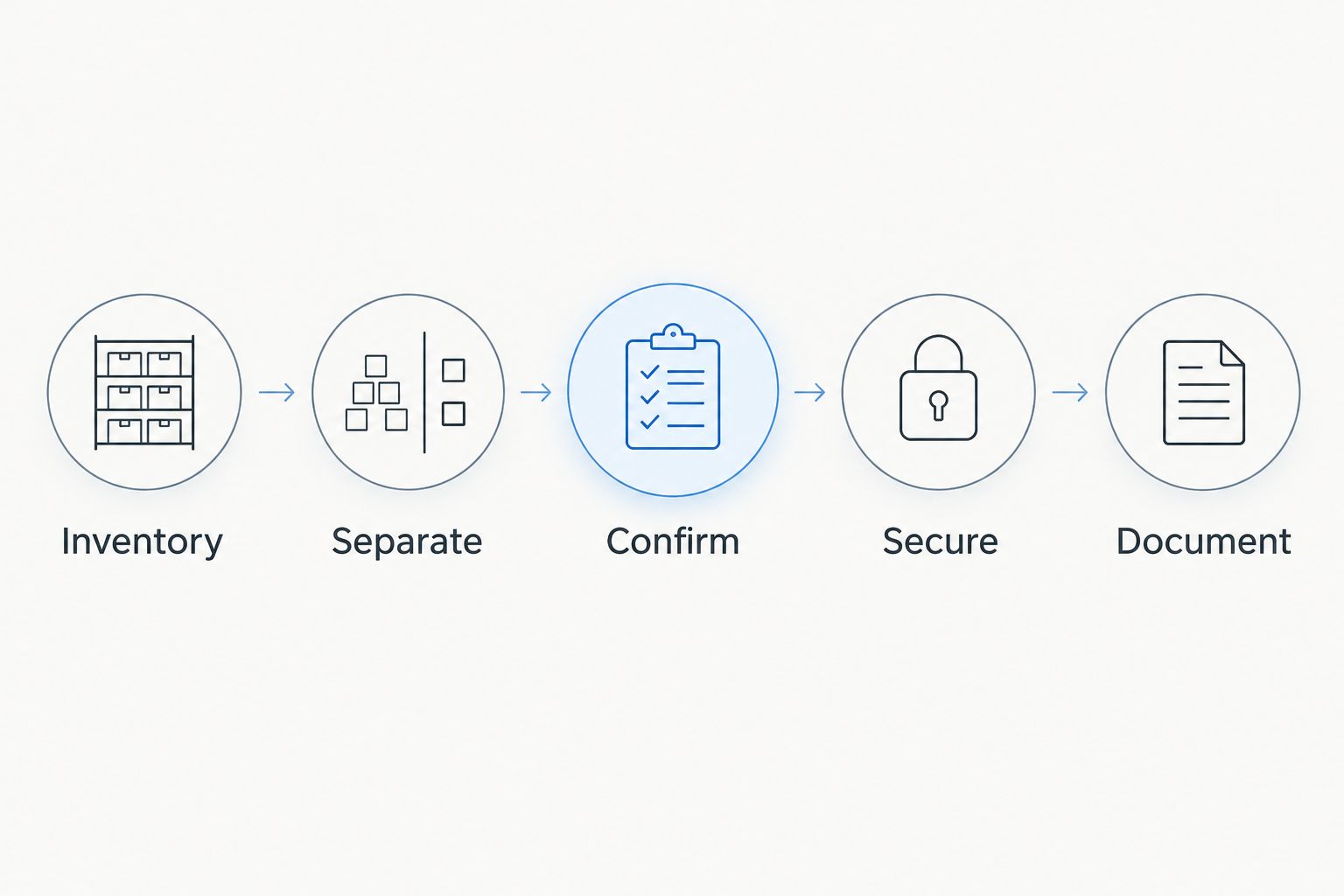
Use these handoff labels in your working plan: Inventory, Separate, Confirm, Secure, Document. They describe the sequence from finding equipment to closing its records. An asset number can connect a physical device to the inventory without putting patient information on the outside.
For a shared-building pickup, give the property manager logistical instructions without handing over responsibility for patient-data decisions. Your practice should retain control of which devices are released and under what arrangement.
- Keep the approved batch separate from equipment still in use.
- Label devices with inventory references, not patient details.
- Set aside leased or disputed items until ownership is resolved.
- Confirm safe access without blocking patient routes or exits.
- Have the authorized contact check the batch at handoff.
6. Match the documents to the completed work
Close the retirement record after collection rather than relying on an empty storage room as proof. Match the collected batch against the inventory and investigate discrepancies. Save correspondence describing what was arranged as well as the resulting documents.
Keep 2 document types distinct: the pickup receipt and the certificate of destruction. The pickup receipt records collection. The certificate of destruction documents destruction performed under the agreed arrangement; it is not automatically created by collecting electronics.
Maintain a 2026 retirement folder for your current batches. For Usedcartridge collections, keep the quick email receipt with the inventory and retain certificates of destruction for arranged destruction services. Confirm what each document covers, how it identifies the equipment, and how delivery is handled; do not assume a fixed turnaround time.
- Reconcile the collection record with the approved equipment list.
- Save the email receipt where authorized staff can retrieve it.
- Match destruction documentation to the agreed devices or batch.
- Record unresolved items and assign an owner to follow up.
- Close the batch only when the required records are accounted for.
Arrange your business electronics pickup
Confirm equipment and location eligibility, pickup details, and any destruction services your dental office needs.
Compare your dental office retirement options
Choose according to the information on the equipment, not just the need to clear a room. For your 2026 retirement plan, decide whether each device needs recycling, documented data handling, or an ownership decision before release.
The options below solve different problems. Internal preparation can organize a batch, but it does not replace a collection arrangement. Likewise, collection does not replace destruction when destruction is the approved method.
| Option | Best for | Main advantage | Key limitation |
|---|---|---|---|
| Internal inventory and preparation | Practices still identifying equipment and records | Keeps ownership and data decisions with authorized staff | Does not remove equipment or independently document destruction |
| Business electronics pickup through Usedcartridge | Eligible dental-office batches needing collection | Free business pickup and quick email receipts | Equipment and location require confirmation; pickup alone does not establish data destruction |
| Separately arranged on-site data destruction | Devices assigned to destruction under the practice's plan | Addresses the destruction task and supports destruction documentation | Requires an explicit scope; do not assume every job is free or every device qualifies |
| Lease or vendor return | Equipment that belongs to another organization | Follows the owner's return instructions | Return instructions do not replace a patient-data handling decision |
For patient-data devices, settle the data-handling decision before choosing the collection route. When a batch combines ordinary office equipment and specialized dental electronics, confirm each category rather than accepting a blanket assumption about the whole room.
Common mistakes dental offices make
Treating pickup as proof of destruction
An email receipt is useful evidence of collection, but it is not a certificate of destruction. Request the documents that match the work you actually arranged and retain them with the inventory.
Assuming specialized dental equipment is accepted
Do not group an imaging system or treatment-room electronic device under a vague description such as office equipment. Provide the equipment type and relevant handling details, then obtain acceptance confirmation before scheduling removal.
Letting an office move bypass authorization
Moving crews and building managers need clear instructions about what can leave. An item beside a loading door is not necessarily approved for recycling; mark the authorized batch and identify its decision-maker.
Clearing storage before checking record access
A device that no longer starts reliably can still contain information your practice needs. Check record availability and the approved data-handling method before allowing the device to leave your control.
Combining tenant equipment without separate records
Property managers can coordinate access while each practice retains its own inventory and data decisions. Keep devices identifiable by tenant and batch so a shared collection does not create ambiguous paperwork.
FAQ
What’s the best way to recycle electronics from a dental office?
Inventory the equipment, identify stored patient information, confirm acceptance, and approve data handling before collection. Arrange destruction separately when required, then retain the pickup receipt and any destruction certificate with the batch record.
Does free business pickup include hard drive destruction?
Do not assume free business pickup includes hard drive destruction. Confirm the destruction scope and any applicable charges separately before authorizing the service.
Can a dental office arrange pickup in Tustin or Irvine?
Usedcartridge provides business electronic waste pickup in the Tustin and Irvine area. Confirm your exact address, equipment eligibility, and access details before scheduling a dental-office collection.
Is a pickup receipt the same as a certificate of destruction?
No. A pickup receipt records collection, while a certificate of destruction documents destruction performed under an agreed arrangement. Keep both when the work requires both.
Can we recycle computers that held patient records?
Yes, provided your practice addresses the stored information before releasing the equipment under its approved retirement process. Confirm required records remain accessible and arrange suitable data handling rather than relying on ordinary file deletion.
Can specialized dental electronics go with office computers?
Include specialized dental electronics only after the provider confirms acceptance. Describe those items separately, identify any stored information, and disclose relevant handling concerns before collection.
Can our property manager coordinate the pickup?
A property manager can coordinate building access and collection logistics. Your dental practice should retain responsibility for its equipment inventory, release authorization, and patient-data handling decisions.
One last thing
Before closing a 2026 pickup batch, ask one practical question: Can someone who was not present connect each released device to its approved handling and paperwork? If the answer is no, improve the record while the details are still available. A cleared cupboard is the visible result; a traceable retirement record is what lets your practice explain what happened later.
Related guides
- Business electronics recycling for property managers
- Business electronics recycling for law firms
- Business electronics recycling for accounting firms