
Costa Mesa business hard drive destruction is the controlled destruction of retired storage devices to prevent reuse of the information they hold. Send Recycle for Life your equipment list, schedule your free business pickup, and keep the Certificate of Recycling and the Certificate of Destruction for your records.
Need drives destroyed? See our hard drive destruction service in Orange County, Los Angeles and San Diego: free for 50 or more drives, on-site destruction you can watch on request, and a signed Certificate of Destruction.
- Send us your equipment list and address, and we will schedule your pickup.
- Recycle for Life offers free business pickup and arranged destruction services; pickup alone does not destroy data.
- Keep the Certificate of Recycling and certificate of destruction as separate records.
- Inventory drives, resolve retention requirements, and agree on destruction documentation before equipment leaves your control.
Why hard drive destruction matters for Costa Mesa businesses
Retiring office computers involves more than clearing a storage room. Your IT team needs to identify the equipment, authorize disposal, protect retained business records, and document what happens to the storage devices. A property manager also needs clear instructions about which tenant owns each batch.
The pickup date is not the destruction date. Equipment collection records a handoff; destruction requires a separate service and evidence of its completion. Build your 2026 retirement plan around both events rather than treating removal as the finish line.
Recycle for Life's hard drive destruction suits business teams that want free pickup and a Certificate of Destruction; destruction is free for 50 or more drives. Recycle for Life serves businesses throughout Costa Mesa, as part of a service area that runs from San Diego County to Los Angeles County.
Free business pickup, a Certificate of Recycling within 3 days, and certificates for arranged destruction services address different needs. Pickup removes the equipment, the Certificate of Recycling documents collection, and the certificate documents completed destruction. Do not assume that destruction is included without a separate agreement.
Arrange hard drive destruction in 6 steps
1. Inventory the equipment and identify its owner
Start with a spreadsheet. List each computer, loose drive, external storage device, or other item you intend to retire, using existing asset records wherever possible. Distinguish a whole computer from a drive already removed from its enclosure so the collection request describes the actual load.
Record storage devices in your own inventory. A computer asset tag and a drive serial number identify different things; decide which identifiers you need before equipment is packed.
For shared offices, assign each batch to its owning business. A building manager should obtain authorization from the tenant rather than treating electronics left in a common area as approved for destruction. Name 1 responsible custodian for the collection so questions do not bounce between departments.
- Record the equipment type and quantity.
- Capture readable asset tags or serial numbers.
- Identify the owning company and approving person.
- Separate tenant batches in your inventory.
- Mark devices whose ownership or contents remain unresolved.
2. Resolve retention and account access before disposal
Ask the person responsible for business records whether the information can be destroyed. A retired device can still contain files subject to an internal retention schedule or a legal hold. Destruction should follow authorization, not replace it.
Have IT confirm that required files are accessible elsewhere and that necessary backups can be restored. Do not rely on a folder appearing in a cloud account as proof that everything needed has transferred. Check the actual records your team expects to retain.
Deleting files or resetting a computer is not the same as documented drive destruction. Avoid improvising with drilling, crushing, or other office-based methods; give the service provider an accurate description of the media and request an appropriate destruction process.
- Obtain written disposal approval from the equipment owner.
- Resolve retention requirements and legal holds.
- Verify access to required files and backups.
- Have IT address accounts associated with retired devices.
- Keep unresolved equipment out of the approved batch.
3. Agree on the destruction scope
Send your inventory and pickup address before choosing a collection date. A spreadsheet and clear equipment photographs give the provider a practical starting point without requiring specialized software. Include access details that affect the handoff, such as the floor, loading area, and building contact.
Recycle for Life offers free B2B electronic waste pickup and on-site data destruction services. Pickup is free for businesses, and hard drive destruction is free for 50 or more drives; smaller destruction jobs are quoted.
Agree on where destruction will happen and what documentation will follow. If you need to witness the work, make that a scheduling requirement before accepting the arrangement. If you want serial numbers listed on the Certificate of Destruction, supply your serial list before pickup.
- Provide the exact business address and equipment inventory.
- Tell us what equipment you have and where it is.
- Specify whether you need on-site destruction.
- Agree on the destruction method for each media type.
- Confirm the service scope and any separate destruction charges.
- Send any serial list you want attached to the Certificate of Destruction.
4. Stage approved devices without losing control of them
Use a restricted staging area and keep the approved batch separate from working equipment. You can manage a straightforward collection with printed inventory sheets and clearly marked containers; the important part is controlling access and avoiding accidental additions.
Do not dismantle unfamiliar equipment just to simplify collection. Ask whether devices should remain intact, particularly when removal would involve embedded storage, batteries, or components your staff are not trained to handle. Confirm preparation instructions rather than guessing acceptance rules.
Property managers should keep tenant equipment separate until the handoff. For an office move, coordinate collection with the lease schedule, but do not let a clearance deadline override disposal approval. The guide to business electronics recycling before an office lease ends addresses that related planning task.
- Restrict access to the staging area.
- Separate approved devices from equipment still in use.
- Keep tenant batches and inventory sheets together.
- Follow agreed packing and preparation instructions.
- Keep exits, walkways, and working areas clear.
5. Reconcile the equipment at the handoff
Compare the staged equipment with your approved inventory before collection begins. Resolve missing devices, unexpected additions, and unreadable identifiers while the equipment remains under your control. A mismatch is easier to investigate before the batch leaves the office.
Identify who can authorize a change to the collection. If a department adds another computer at the last minute, confirm its owner and disposal approval rather than placing it on the truck without a record. The same rule applies to equipment offered by another tenant.
Request the Certificate of Recycling and check that its description matches the agreed collection. Recycle for Life sends a Certificate of Recycling within 3 days. Agree on the recipient and follow-up contact beforehand.
- Reconcile collected items against the approved inventory.
- Record approved additions or removals.
- Note the collection date and handoff contact.
- Confirm the email address for the Certificate of Recycling.
- Escalate discrepancies before closing the collection record.
6. Close the job with separate collection and destruction records
Keep 2 documents distinct: the Certificate of Recycling and the certificate of destruction. The Certificate of Recycling records the equipment handoff. The Certificate of Destruction documents completed destruction; check that it covers your batch.
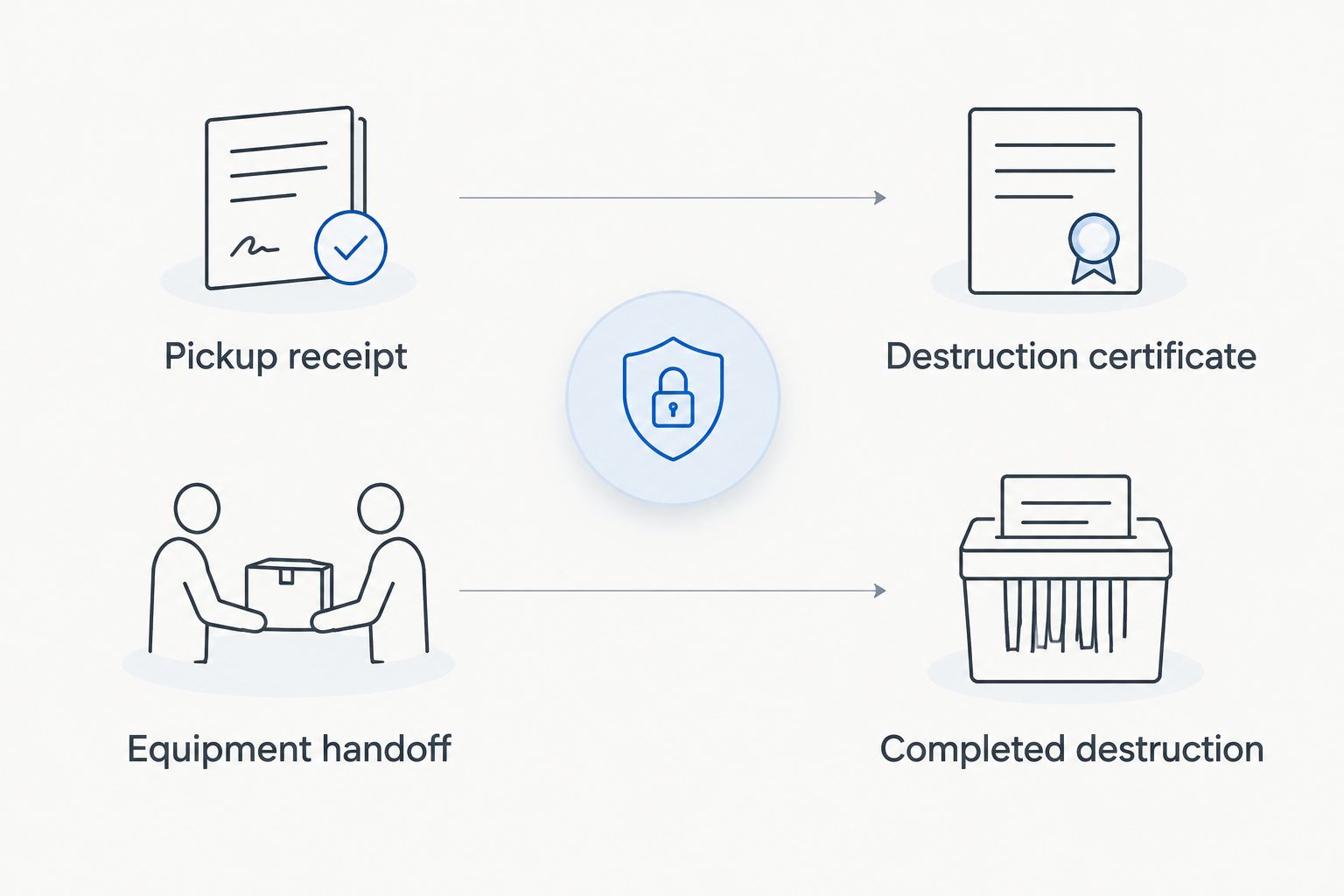
Before booking, request the certificate fields your organization needs. These can include the business name, job reference, destruction date, method, and device identifiers where agreed. Treat those as requirements to confirm, not features to assume every certificate includes.
For your 2026 disposal records, connect the approval, inventory, Certificate of Recycling, and destruction certificate through a common job reference. If documentation contains an error or does not cover the expected devices, request clarification before marking destruction complete.
- Save the Certificate of Recycling against the collection record.
- Obtain the certificate for arranged destruction services.
- Match the certificate to the agreed batch.
- Resolve missing information and discrepancies.
- Close the asset record only when required evidence is complete.
Arrange your business equipment pickup
Compare arrangements for your business
Choose the arrangement that matches the outcome you need, not just the fastest way to empty a room. For a 2026 retirement project, separate equipment removal from data destruction in the written scope. The options below describe service arrangements to discuss, not confirmed acceptance or coverage for every location.
| Option | Best for | Main benefit | Key limitation |
|---|---|---|---|
| Business electronics pickup | Removing retired equipment | Coordinates equipment collection and a Certificate of Recycling | Pickup alone does not establish that data was destroyed |
| On-site destruction | Teams requiring destruction at their premises | Keeps the destruction event at the business location | Location, method, access, and documentation need advance agreement |
| Off-site destruction | Teams considering destruction after collection | Separates collection logistics from the destruction event | Requires confirmation of service availability, custody arrangements, and completion evidence |
| Internal preparation followed by arranged destruction | Businesses with IT staff managing retirement approvals | Keeps inventory, retention checks, and authorization under internal control | Internal preparation is not proof that destruction occurred |
A provider's ability to collect equipment does not answer every security question. Ask who receives the devices, where the agreed work happens, and how the completed job is connected to your inventory. Keep the answers with the service request so another employee can understand the arrangement without reconstructing phone conversations.
Common mistakes Costa Mesa businesses make
Treating an empty office as a completed disposal project
Clearing desks and storage rooms solves the space problem, not the documentation problem. Keep the retirement task open until you have the required collection and destruction records. An office move deadline should not become the reason an undocumented batch leaves the building.
Combining tenant equipment without ownership records
A shared loading area does not make equipment a single authorized batch. Property managers should record which tenant owns each group and who approved its disposal. Keep separate references when different businesses need separate recycling or destruction certificates, and confirm that arrangement before collection.
Requesting a certificate only after pickup
A certificate request can involve details that must be agreed before work starts, such as a serial list you want attached. State those needs when arranging destruction. Do not assume a Certificate of Recycling can later be converted into evidence for a service that was never ordered.
Submit the address and inventory first. Recycle for Life hard drive destruction services should be scheduled only after the relevant location, equipment, and destruction requirements are confirmed.
FAQ
Can my Costa Mesa business arrange hard drive destruction with Recycle for Life?
Does free business pickup include hard drive destruction?
Free business pickup does not automatically include hard drive destruction. Agree on the destruction scope before pickup; destruction is free for 50 or more drives, and smaller jobs are quoted.
Is a Certificate of Recycling the same as a certificate of destruction?
No. A Certificate of Recycling records equipment collection, while a certificate of destruction documents completed destruction for the arranged service. Keep both records when your retirement process requires them.
Can I request on-site hard drive destruction?
Recycle for Life offers on-site data destruction services. Confirm the media involved, access requirements, and the documentation you need before booking.
Should I remove hard drives before a business pickup?
Confirm preparation instructions before removing drives. Tell the provider whether you have complete computers, loose drives, or other storage devices so the agreed service matches the equipment.
What should a property manager do with equipment left by a tenant?
Establish ownership and obtain disposal authorization before arranging destruction. Keep each tenant’s inventory and approval separate, and confirm how collection and destruction records will identify the batches.
How quickly will I receive the receipt and destruction certificate?
Confirm document delivery expectations when arranging the job. A Certificate of Recycling and a Certificate of Destruction follow different events and should not be assumed to arrive together.
One last thing
Give the equipment list a job reference before you request collection. Use that same reference in your approval, scheduling correspondence, Certificate of Recycling, and certificate request. It creates a practical way to connect the records without assuming that every document will reproduce your entire inventory.
For your next 2026 retirement batch, make the final checklist question specific: can another employee identify what left, who authorized it, and what evidence confirms the agreed destruction? If the answer is no, resolve the record before closing the job.
Related guides
- Hard drive destruction services for Irvine businesses
- Business electronics recycling for property managers
- Business electronics recycling in multi-tenant offices