
A single improperly disposed hard drive can expose thousands of customer records, trigger regulatory fines reaching $4.4 million under HIPAA, and permanently damage your organization’s reputation. IT managers face mounting pressure from regulations like GDPR, HIPAA, and SOX to prove that decommissioned storage media is truly unrecoverable. Yet many organizations still rely on ad hoc deletion or basic formatting, which leaves data fully retrievable. This guide walks you through the certified, regulation-aligned steps for hard drive destruction, from understanding compliance standards to executing verified physical destruction, so your team can close every compliance gap with confidence.
Table of Contents
- Understand certification and regulatory standards
- Prepare: Inventory, classify, and plan
- Execute: Certified hard drive destruction methods
- Document, verify, and audit results
- A practical checklist IT pros rarely use — but should
- Get certified e-waste and data destruction solutions
- Frequently asked questions
Key Takeaways
| Point | Details |
|---|---|
| Compliance is critical | Following certified destruction standards protects against data breaches and regulatory risk. |
| Plan before you destroy | Accurate inventory and risk classification ensure the right method and documentation. |
| Choose the right method | Use certified shredding or disintegration with vendor audits for high-security needs. |
| Verify and document all steps | Maintain thorough records and verify destruction for compliance and peace of mind. |
Understand certification and regulatory standards
Certified hard drive destruction is not just about physically breaking a drive. It means following documented, auditable processes that meet recognized standards, so your organization can prove data is unrecoverable to regulators, auditors, and clients.
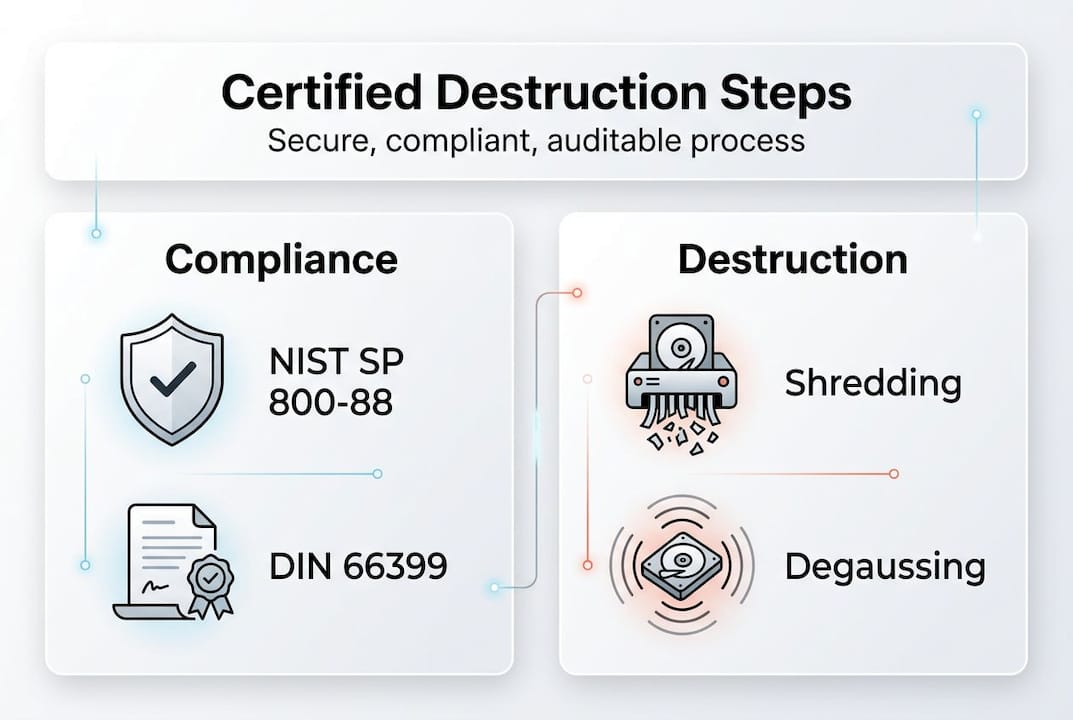
The two most referenced frameworks are NIST SP 800-88r2 and DIN 66399. NIST SP 800-88r2 defines and updates sanitization methods and size requirements for all types of storage media, from spinning hard disk drives (HDDs) to solid-state drives (SSDs) and magnetic tapes. DIN 66399 is a German standard widely adopted across Europe that categorizes media into protection classes and specifies particle sizes for physical destruction.
NIST organizes sanitization into three methods:
- Clear: Overwriting data using software tools, effective for low-sensitivity media being reused internally.
- Purge: Using cryptographic erasure or degaussing to render data unrecoverable even with laboratory techniques.
- Destroy: Physical destruction through shredding, disintegration, or pulverization, making media completely non-functional.
For most businesses handling regulated data, the Destroy method is the only defensible choice when retiring drives permanently. Review the equipment destruction standards that align with these methods to understand which applies to your hardware.
| Sanitization method | Recovery risk | Best use case |
|---|---|---|
| Clear | Low to moderate | Internal reuse, low-sensitivity data |
| Purge | Very low | Moderate-sensitivity, regulated environments |
| Destroy | None | High-sensitivity, end-of-life media |
Compliance also requires an audit trail. Every destruction event must be documented with serial numbers, destruction method, date, technician identity, and a certificate of destruction. Without this paper trail, you cannot satisfy a HIPAA audit or a GDPR data subject request. The NIST guidelines specifically require organizations to maintain records that verify sanitization was performed correctly.
“The goal of media sanitization is to render data access infeasible for a given level of effort.” This framing from NIST is critical: the standard is not perfection in theory, it is making recovery impractical for any realistic attacker or auditor.
Understanding e-waste compliance requirements alongside data destruction standards ensures your program covers both environmental and security obligations simultaneously.
Prepare: Inventory, classify, and plan
With standards clearly defined, the next step is building the foundation before a single drive is touched. Skipping preparation is the most common reason organizations end up with compliance gaps.
Start with a complete media inventory. This means cataloging every storage device in your environment, including HDDs, SSDs, USB drives, magnetic tapes, and embedded storage in printers or network equipment. Many IT teams are surprised to discover storage media in devices they never considered, like multifunction printers with internal hard drives.
Once inventoried, classify each asset by sensitivity level. Program setup requires inventory, risk classification, and annual vendor audit as foundational steps in a compliant media sanitization program. Use these four tiers:
- Low risk: Publicly available data, no regulatory obligations.
- Moderate risk: Internal business data, some regulatory exposure.
- High risk: Customer PII (personally identifiable information), financial records, health data.
- Classified: Government or defense contractor data requiring NSA-approved methods.
With classification complete, build a destruction workflow using NIST’s decision flow approach. Map each asset type to its required sanitization method, assign responsible staff, and set timelines for decommissioning. This workflow becomes your repeatable process, not a one-time project.
Pro Tip: Before signing any vendor contract, request their certificate of destruction template, proof of liability insurance, and a sample audit report. A vendor who hesitates to share these documents is a vendor you should not trust with your regulated data.
Vendor due diligence is non-negotiable. Verify that any third-party destruction provider holds certifications such as NAID AAA (National Association for Information Destruction) or R2 (Responsible Recycling). Check their facility security practices, employee screening policies, and chain-of-custody procedures. Use e-waste logistics planning resources to understand how compliant vendors structure their pickup and transport protocols.
| Vendor evaluation criteria | What to verify |
|---|---|
| Certifications | NAID AAA, R2, ISO 27001 |
| Chain of custody | Documented from pickup to destruction |
| Certificate of destruction | Issued per drive with serial numbers |
| Annual audit | Third-party verified compliance |
A well-prepared plan transforms destruction from a reactive task into a controlled, auditable program.
Execute: Certified hard drive destruction methods
Once your plan is ready, execution is where compliance becomes real. Choosing the wrong method for your media type or security level is a costly mistake.
Shredding is the most widely used physical destruction method. Industrial shredders process 200 to 1,000 drives per hour, and NSA requires degauss plus shred for H-5 security classification. For HDDs, certified shredding must produce particles smaller than 6mm. For SSDs, the requirement tightens to less than 2mm because flash memory chips are smaller and can survive larger particle sizes intact.

Degaussing uses a powerful magnetic field to erase data on magnetic media. It is fast and effective for HDDs and magnetic tapes, but it does nothing to SSDs, which store data on non-magnetic flash chips. This is a critical distinction many IT teams miss.
Pulverization and disintegration are used for the highest security environments. Pulverizers crush media into fine powder. Disintegrators cut media into particles as small as 0.6mm. These methods are typically reserved for classified government or defense applications.
- Shredding: Best for most commercial and regulated environments.
- Degaussing alone: Insufficient for SSDs; use only as a first step for HDDs.
- Degaussing plus shredding: Required for NSA H-5 and recommended for all high-risk data.
- Pulverization: Reserved for classified or extremely sensitive environments.
The NIST SP 800-88r2 update reinforces that method selection must match both the media type and the sensitivity of the data stored on it.
“Applying the wrong sanitization method to the wrong media type is functionally equivalent to not sanitizing at all.”
For on-site destruction, ensure the shredder or degausser is certified for the media type, and that a witness or camera records the process. Off-site destruction requires a locked, tamper-evident container and a documented chain of custody from your facility to the destruction site. Review HDD destruction equipment options to understand what certified devices look like in practice.
Pro Tip: Always request a live demonstration or video evidence of destruction for your first batch with any new vendor. This one step catches non-compliant practices before they become your liability.
Document, verify, and audit results
Physical destruction is only half the job. Without rigorous documentation and verification, your organization cannot prove compliance when it matters most.
Follow these steps for every destruction event:
- Record asset details: Serial numbers, make, model, and data classification level for every drive destroyed.
- Log destruction details: Date, time, method used, technician or vendor name, and location of destruction.
- Issue a certificate of destruction: A signed document from the responsible party confirming destruction was completed per the specified standard.
- Conduct physical inspection: For the Destroy method, verify remnant particle size meets the required threshold, under 6mm for HDDs and under 2mm for SSDs.
- Perform readback verification: For Clear and Purge methods, attempt to read overwritten sectors to confirm data is inaccessible.
Verification steps include readback for Clear and Purge methods, inspecting remnant size for Destroy, and auditing vendors yearly as part of a complete compliance program.
Pro Tip: Store destruction records for a minimum of seven years. HIPAA requires six years, SOX requires seven, and some state privacy laws extend beyond that. When in doubt, keep records longer.
| Regulation | Minimum record retention | Key requirement |
|---|---|---|
| HIPAA | 6 years | Document destruction of PHI media |
| SOX | 7 years | Financial data destruction audit trail |
| GDPR | Duration of processing plus proof | Erasure verification on request |
Use tracking and handling media systems to automate record-keeping and reduce human error in your audit trail. Annual vendor audits should verify that your destruction partner’s certifications remain current, their processes have not changed, and their security controls still meet your requirements.
A practical checklist IT pros rarely use — but should
Most data destruction guides stop at the technical steps. Here is where we diverge from that approach.
The biggest compliance failures we see are not technical. They happen because organizations treat hard drive destruction as a one-time cleanup rather than an ongoing program. Drives accumulate in storage closets for months. Vendors get renewed without re-auditing. Certificates of destruction get filed in a shared drive nobody can find during an audit.
The fix is a repeatable, signed-off checklist that runs every quarter. It should include confirmation that new assets were added to the inventory, that any drives held in staging have a scheduled destruction date, and that your vendor’s certifications are still current. Share this checklist with your compliance officer and your CFO. When upper management sees destruction as a scheduled, documented program rather than an IT task, budget and resources follow.
The equipment destruction perspective reinforces that proactive programs consistently outperform reactive ones in audit outcomes. Ad hoc destruction creates gaps. A repeatable process closes them before regulators ever ask.
Get certified e-waste and data destruction solutions
If your organization is ready to move from ad hoc disposal to a fully certified, documented destruction program, the right partner makes all the difference.

UsedCartridge.com provides certified e-waste solutions that cover hard drive destruction, IT asset decommissioning, and environmentally responsible recycling under one roof. Our services include on-site destruction with witnessed certificates, computer recycling services for full device disposal, and a streamlined IT asset disposition process that handles inventory, destruction, and documentation for you. Get a free quote and let us handle the compliance complexity so your team can focus on what matters.
Frequently asked questions
What qualifies as certified hard drive destruction?
Certified destruction meets standards like NIST SP 800-88r2 or DIN 66399, ensuring drive remnants are physically unrecoverable and all processes are audited with documented certificates of destruction.
Should I choose shredding, degaussing, or both?
For maximum security, use both degaussing and shredding. NSA and NIST recommend the combined approach for H-5 security classification and any high-risk regulated data environment.
How do I verify my hard drives were destroyed properly?
Verification involves physical inspection of particle size, review of destruction certificates, and third-party audits. Readback verification for Clear and Purge methods confirms data is inaccessible before media leaves your control.
Why is particle size important in hard drive shredding?
Particle size determines whether destroyed drives can be reassembled to recover data. HDDs require shredding to under 6mm and SSDs to under 2mm for the highest security assurance.
How often should vendors be audited for compliance?
Audit vendors at least annually to confirm their certifications remain current, their destruction processes have not changed, and their security controls still meet your regulatory requirements.