
Improper hard drive disposal is not a minor oversight. It is a breach waiting to happen. A single improperly disposed drive can expose sensitive employee records, financial data, or protected health information, triggering regulatory fines and reputational damage that far outweigh any cost savings from cutting corners on disposal. NIST SP 800-88 defines three sanitization levels, Clear, Purge, and Destroy, giving IT teams a clear compliance framework. This guide walks you through exactly how to execute secure, audit-ready hard drive destruction while keeping environmental responsibility at the center of the process.
Table of Contents
- Understanding hard drive destruction: Requirements and standards
- Preparation: Pre-destruction steps and tools checklist
- Secure destruction methods: Execution for HDDs, SSDs, and hybrids
- Verification and audit: Ensuring compliant destruction
- Hard drive destruction: What most IT managers miss
- Responsible drive destruction with E-waste Logistics
- Frequently asked questions
Key Takeaways
| Point | Details |
|---|---|
| Compliance first | Following NIST standards ensures both legal compliance and robust data protection for your organization. |
| Physical destruction required | Only physical destruction guarantees irretrievable data loss for most high-risk scenarios and obsolete drives. |
| SSDs need special care | SSDs require shredding or specialized erasure as overwriting and degaussing are unreliable. |
| Verification prevents breaches | Routine verification and documented destruction minimize costly audit failures or data leaks. |
| Partner with certified experts | Using certified providers adds accountability and audit-readiness to your hard drive destruction process. |
Understanding hard drive destruction: Requirements and standards
Before you can protect your organization, you need to understand what “secure destruction” actually requires. The landscape is more nuanced than most IT teams expect, especially once SSDs and hybrid drives enter the picture.
NIST SP 800-88 defines three sanitization levels: Clear (overwrite methods for basic protection against casual recovery), Purge (degaussing, cryptographic erasure, or ATA sanitize commands that resist lab-grade forensic attacks), and Destroy (physical shredding, disintegration, crushing, or incineration that renders data completely irretrievable). For most enterprise use cases involving sensitive or regulated data, nothing short of Purge or Destroy is acceptable.
The critical gap that trips up many IT departments is SSD-specific behavior. Traditional overwrite methods work reasonably well for magnetic HDDs, but SSDs use wear-leveling algorithms that distribute writes across the drive. This means overwrite is unreliable for SSDs because the controller deliberately skips some cells to extend drive life, and degaussing has zero effect on NAND flash storage. The NSA standard requires shredding or disintegrating SSDs to particles of 2mm or smaller.
Edge cases compound this risk: SSD wear-leveling and over-provisioning can leave 15 to 30 percent of data intact after a standard overwrite, hybrid drives store data on both magnetic platters and flash chips requiring dual treatment, and obsolete interfaces such as PATA or older proprietary connections may not support modern sanitize commands at all, meaning Destroy is the only compliant option.
Understanding the data destruction essentials before you build your policy will prevent you from applying the wrong method to the wrong media.
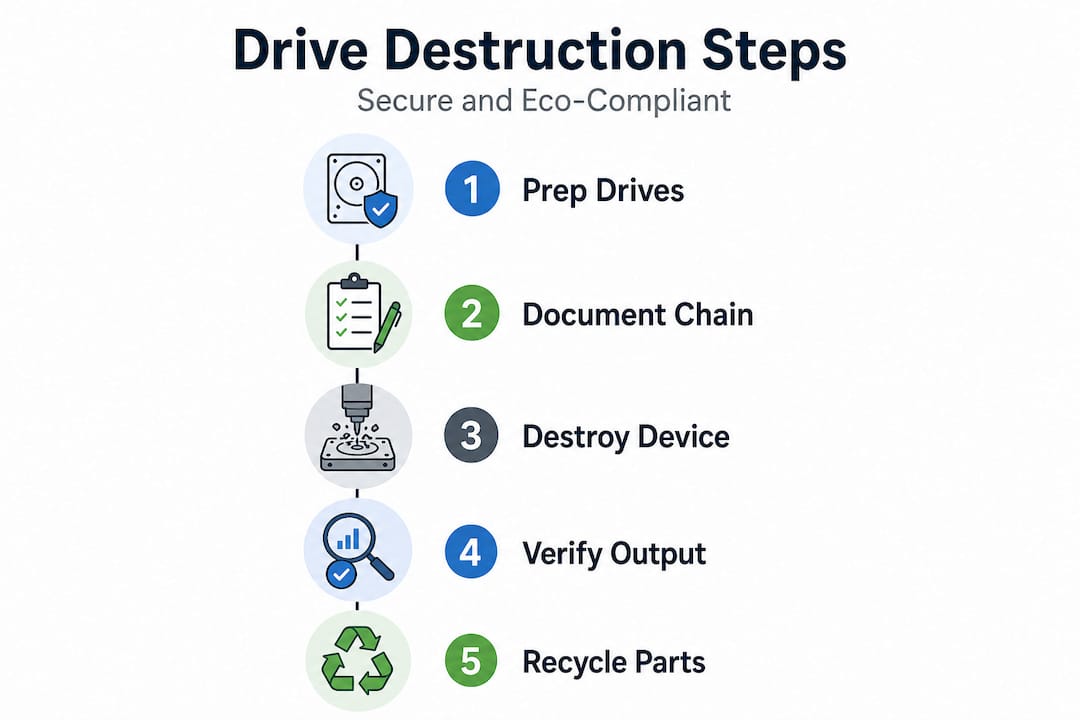
Device type comparison: Destruction requirements
| Device type | Recommended method | NIST level | Notes |
|---|---|---|---|
| Standard HDD | Degauss + shred | Purge/Destroy | Overwrite acceptable for lower sensitivity |
| SSD (SATA/NVMe) | Crypto erase + shred to ≤2mm | Purge/Destroy | Degauss ineffective; overwrite unreliable |
| Hybrid HDD+SSD | Degauss + crypto erase + shred | Destroy | Both components must be treated |
| Obsolete interfaces | Physical destruction only | Destroy | Software commands may not be supported |
| Encrypted drives | Crypto erase + verify | Purge | Key destruction renders data unreadable |
Regulatory triggers that require formal destruction:
- HIPAA device retirement for covered entities and business associates
- PCI DSS decommissioning of cardholder data environment storage
- SOX and GLBA compliance for financial record-bearing media
- State-level breach notification laws requiring demonstrable destruction
- Federal contractor obligations under CMMC and DFARS
- Internal policy audits and third-party vendor assessments
Preparation: Pre-destruction steps and tools checklist
Understanding the standard is one thing. Executing it cleanly requires preparation that most organizations underinvest in. The steps you take before physical destruction often determine whether your process holds up in an audit.
Chain-of-custody documentation is non-negotiable. Every drive entering your destruction pipeline should be logged with a unique asset ID, serial number, device model, data classification level, and the name of the person who removed it from service. This log becomes evidence in an audit, proving that no drive slipped through the cracks between decommissioning and certified destruction.
Post-sanitization verification reduces destruction failures from 23 percent to under 2 percent, which is a statistic worth internalizing before you skip the verification step because it seems redundant. Selecting NAID AAA certified providers is equally important for organizations that outsource destruction, since certification guarantees auditable chain-of-custody and compliant processing.
Before any drive is destroyed, complete the following steps in sequence:
- Disable active accounts and revoke access tied to the device being decommissioned
- Log the asset in your IT inventory system, including all identifying information and data classification
- Confirm backup status to ensure no unique data exists solely on the drive being destroyed
- Classify the drive under NIST SP 800-88 categories to select the correct destruction method
- Screen your destruction provider for NAID AAA certification, insurance, and chain-of-custody documentation practices
- Schedule on-site witnessing or arrange for live-stream verification if using an off-site service
- Prepare transport packaging that prevents physical access to drives during transit
- Assign a destruction date and assign responsibility to a named staff member or compliance officer
Pro Tip: Always schedule on-site witnessing when destroying drives containing regulated data. It is the single most effective way to eliminate questions about chain-of-custody and ensure the destruction event is documented with a witness signature.
Common destruction tools and providers
| Tool/Service type | Best for | Key advantage |
|---|---|---|
| Industrial shredder (on-site) | Large batch HDD/SSD destruction | Immediate verification, no transport risk |
| Certified off-site vendor | Organizations without shredding equipment | NAID AAA certification, documented process |
| Degausser (for HDDs only) | Magnetic media pre-processing | Adds a Purge layer before physical destroy |
| Crypto erase software | SSDs with self-encrypt capability | Fast, auditable, no physical hardware needed |
| Crushing device | Small volumes, mixed media | Lower cost than shredding for low volumes |
For comprehensive tracking and verification steps, aligning your preparation process with your post-destruction audit is essential to closing compliance gaps.
Secure destruction methods: Execution for HDDs, SSDs, and hybrids
With devices cataloged and tools ready, you execute destruction. The method you choose determines whether you meet the regulatory threshold for your data classification and device type.
Physical destruction methods recognized by NIST include shredding, disintegration, pulverization, crushing, melting, and incineration, all of which render media permanently unusable. For most organizations handling sensitive data, physical destruction is not optional. It is the only method that definitively satisfies the Destroy level.
For standard HDDs, follow this execution sequence:
- Degauss first using an NSA/CSS-approved degausser to erase magnetic media before physical destruction
- Feed into an NSA-listed industrial shredder capable of reducing platters to particles below 2 inches for HDDs
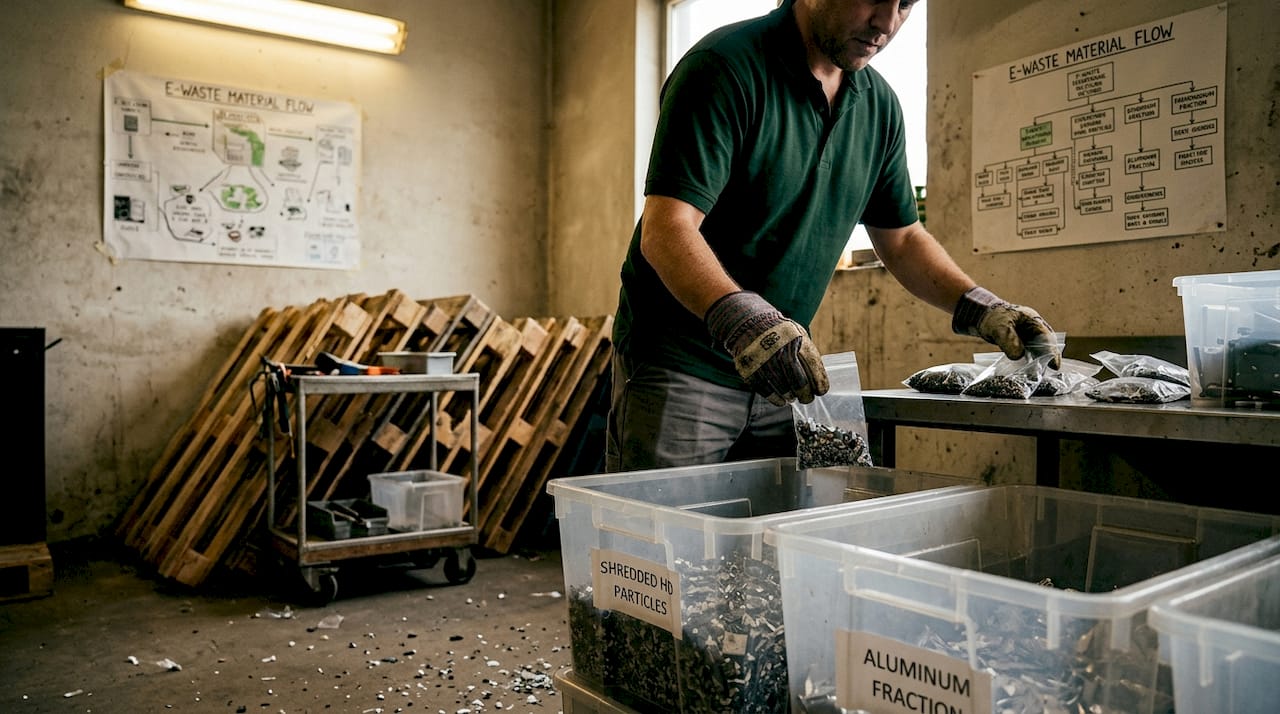
- Collect and inspect shred output visually to confirm no full platter sections remain
- Transfer shred waste to a licensed recycler to handle metals and components responsibly
For SSDs, the approach is different and more critical:
- Execute crypto erase using the manufacturer’s ATA Secure Erase or NVMe sanitize command if the drive supports it
- Confirm erasure via software verification before physical processing
- Shred or disintegrate to ≤2mm particles using NSA-listed equipment. This is the minimum particle size for flash media under NSA standards and CMMC requirements
- Document both the digital and physical destruction steps with timestamps and responsible party signatures
Caution: Incomplete SSD destruction is the most common compliance failure in enterprise IT disposal. A drive that has been degaussed, drilled, or simply overwritten still contains recoverable data on intact NAND flash chips. Only verified shredding to ≤2mm or certified incineration eliminates residual data risk.
For hybrid drives, apply dual treatment. Run crypto erase to address the SSD component, then degauss the HDD component, then shred the entire unit to meet Destroy level for the most sensitive data classification present on the device.
NIST SP 800-88 recommends prioritizing Destroy for all end-of-life drives leaving your organization’s physical control, especially for high-sensitivity data. On-site witnessing for this event creates the chain-of-custody record your auditors will ask for.
Pro Tip: For SSDs, only ≤2mm particle shredding or certified incineration meets NSA, CMMC, and NIST standards. Do not accept a vendor’s assurance that “shredding” was performed without requesting the equipment specification and particle size certification.
Proper execution also means thinking about what happens after destruction. The shredded metal, plastics, and electronic components are regulated waste streams. Partnering with a provider who handles safe e-waste recycling methods ensures that compliant destruction does not create an environmental liability downstream.
Verification and audit: Ensuring compliant destruction
Destroying drives correctly is only half the compliance equation. If you cannot prove it happened, it might as well have not happened at all from a regulatory standpoint. Verification and documentation close the loop.
Post-sanitization verification is a concrete practice that cuts destruction failure rates from 23 percent to under 2 percent. That is not a marginal improvement. It is the difference between a defensible compliance posture and an audit that uncovers gaps your team did not know existed. NAID AAA certified providers build this verification into their documented process, which is why certification matters when selecting a vendor.
Follow these audit steps after every destruction event:
- Visual confirmation of shred output or incineration residue, verified by a named witness
- Serial number reconciliation between your pre-destruction asset log and the certified destruction certificate
- Obtain a certificate of destruction from your vendor that includes serial numbers, method used, date, and certifying officer signature
- Retain records in accordance with your regulatory framework (HIPAA requires six years, PCI DSS requires one year minimum for related documentation)
- Schedule periodic provider audits to confirm your vendor’s certifications remain current and their processes have not changed
- Update your asset management system to mark devices as permanently destroyed, preventing future audit confusion
Key statistic: Organizations that implement post-destruction verification reduce sanitization errors from 23 percent to below 2 percent. This single process change eliminates the most common gap in enterprise data disposal programs.
Always request certificates from NAID AAA or equivalent certified providers. A certificate without serial numbers is not a certificate for compliance purposes. It is a generic receipt. Insist on line-item documentation that maps every destroyed drive in your inventory to the destruction event.
For organizations under HIPAA, PCI DSS, SOX, or CMMC, your secure destruction certification documentation is a first-line defense in any breach investigation or compliance audit. Treat it with the same rigor as your incident response records.
Hard drive destruction: What most IT managers miss
Most organizations treat hard drive destruction as a terminal task. A drive reaches end of life, someone schedules a pickup, a certificate arrives, and the file closes. That framing is where serious risk hides.
The real gap is lifecycle thinking. Destruction is the final step, but the decisions made years earlier determine whether that final step can be executed correctly. When a device is purchased, does your procurement process capture whether it is an SSD, HDD, or hybrid? When a device is redeployed internally, does your asset log update to reflect what data was on it and how it was sanitized between users? If the answers are unclear, destruction becomes guesswork rather than a controlled process.
SSD wear-leveling and over-provisioning can leave 15 to 30 percent of data intact after overwrite, and hybrid drives need dual treatment. Yet these are the devices most likely to be miscategorized in an aging asset database. IT teams often inherit spreadsheets that call everything a “hard drive” without distinguishing between magnetic and flash storage. That single labeling error can cascade into an entire batch of SSDs processed with HDD-only methods.
“Hybrid and obsolete drive interfaces are the assets most commonly missed in compliance audits, not because they are rare, but because asset records rarely capture the level of detail needed to flag them for appropriate treatment.”
Involve your compliance team at the beginning of the device lifecycle, not just at the end. When compliance officers understand that a device classification error made at purchase can undermine destruction compliance four years later, they become advocates for better asset tagging and documentation practices up front.
Proactive policy design, including mandatory device-type tagging at procurement, periodic asset database audits, and destruction method mapping by device class, eliminates the scramble that happens when a massive batch of decommissioned equipment arrives at a vendor without proper classification. Review your onsite device workflow to see whether it captures device type at intake or assumes all drives are equivalent.
The organizations that handle destruction best are the ones that have made it boring. Boring means predictable. Predictable means auditable. That is the standard to aim for.
Responsible drive destruction with E-waste Logistics
Taking secure hard drive destruction seriously means more than selecting the right shredding specification. It means working with a partner who manages the full chain from secure intake to certified destruction to environmentally responsible disposal of the resulting waste stream.

At UsedCartridge.com, we provide certified, audit-ready hard drive destruction backed by documented chain-of-custody and compliant e-waste disposal services that keep shredded materials out of landfills and in certified recycling streams. Whether you need on-site destruction with witnessed documentation or scheduled pickups for large IT asset retirement projects, our certified drive destruction process is designed to satisfy HIPAA, PCI DSS, CMMC, and NIST SP 800-88 requirements. Explore our full range of equipment destruction solutions or request a free quote to start protecting your organization today.
Frequently asked questions
Is drilling holes in hard drives enough for data security?
No, drilling does not guarantee all platters or storage chips are destroyed. NIST-recognized methods such as shredding to standard particle sizes, disintegration, or incineration are required for compliant destruction.
How should SSDs be destroyed securely?
Degaussing and overwriting are unreliable for SSDs, so use crypto erase combined with NVMe/ATA sanitize commands, followed by shredding or disintegration to ≤2mm particles to meet NSA and NIST standards.
Why is verification after destruction necessary?
Post-sanitization verification reduces destruction errors from 23 percent to under 2 percent, confirms media is irretrievable, and produces the documented evidence your auditors require.
Can hybrid (HDD+SSD) drives be destroyed like standard HDDs?
No. Hybrid drives need dual treatment because data may reside on either the magnetic platter or the flash storage component, and each requires a different destruction method for full compliance.