
Every improperly retired hard drive is a liability waiting to materialize. Whether it ends up in a dumpster behind your office or handed to an uncertified recycler, the exposure is real: regulatory penalties, breach notification costs, and the kind of headlines no compliance officer wants to write. NIST estimates that a significant portion of data breaches trace back to inadequate end-of-life data handling, and regulators from HIPAA to GDPR are watching how your organization manages decommissioned storage. This guide gives you a structured, standards-backed approach to hard drive disposal that protects data and satisfies auditors.
Table of Contents
- Establishing criteria: What makes disposal secure?
- NIST’s three proven methods: Clear, Purge, and Destroy
- When and how to apply physical destruction
- Eco-friendly and compliant disposal: Beyond destruction
- A compliance officer’s take: Nuance matters more than ever
- Secure your hard drive disposal with expert help
- Frequently asked questions
Key Takeaways
| Point | Details |
|---|---|
| Follow NIST standards | Use NIST SP 800-88 Rev. 2 to guide every hard drive disposal decision. |
| Match method to risk | Choose Clear, Purge, or Destroy based on the device’s data sensitivity and condition. |
| Document the process | Maintain certificates and detailed records to meet compliance and audit requirements. |
| Prioritize eco-friendly methods | Work with certified e-waste recyclers to support sustainability alongside security. |
Establishing criteria: What makes disposal secure?
Before you retire a single drive, you need a decision framework. “Wipe and toss” is not a policy. It is a risk factor. True secure disposal means data must be rendered inaccessible and unrecoverable regardless of the tools available to a potential adversary.
The gold standard for this is NIST SP 800-88 Rev. 2, which defines media sanitization as making access to target data infeasible, and provides a basis for selecting sanitization and disposal actions by media type and sensitivity. This is not a one-size-fits-all instruction manual. It is a risk-based framework that requires you to evaluate what data is on the drive, what type of drive it is, and where it will go next.
Here is the core logic for building your disposal criteria:
- Classify the data on the drive. Public data, internal use data, confidential data, and regulated data (PHI, PII, financial records) each carry different risk profiles and require correspondingly rigorous sanitization.
- Identify the media type. Solid-state drives (SSDs), hard disk drives (HDDs), hybrid drives, and enterprise NVMe drives behave differently under sanitization. Some methods that work on an HDD are ineffective on flash-based storage.
- Assess the drive’s condition. A drive that powers on and responds to commands can be logically sanitized. A failed drive that cannot be read cannot be reliably wiped, which immediately shifts the decision toward physical destruction.
- Determine the destination. Will the drive be redeployed internally, sold as surplus, or sent to an end-of-life recycler? Each path has its own risk threshold and documentation requirement.
“Method selection should follow NIST’s program logic (Clear vs Purge vs Destroy) rather than relying on a one-size-fits-all wipe approach.”
Building these four criteria into your IT asset disposition policy ensures that every decommissioning decision is traceable, defensible, and consistent. For a broader look at how this maps to real-world options, understanding data destruction options is a practical starting point before you finalize your internal procedures.
Pro Tip: Document your classification logic alongside your sanitization policy. When an auditor asks why a specific method was chosen for a batch of drives, your records should tell that story without you having to reconstruct it from memory.
NIST’s three proven methods: Clear, Purge, and Destroy
Understanding the three NIST-endorsed sanitization categories is the single most important technical step for any IT manager building a disposal workflow. NIST SP 800-88 Rev. 2 describes three sanitization methods, Clear, Purge, and Destroy, and provides specific examples under each, including physical destructive techniques such as disintegrate, pulverize, and shred under the Destroy category.
Clear uses logical techniques to sanitize data. This typically means overwriting all addressable storage locations with nonsensical data. It protects against recovery through standard software tools. It does not protect against lab-level attacks using specialized hardware. Clear is appropriate for drives containing lower-sensitivity data that will be redeployed within your organization.
Purge goes deeper. It applies techniques that make data recovery infeasible even against laboratory attacks. For HDDs, this might mean degaussing with a field strong enough to disrupt the magnetic substrate. For SSDs and flash media, purging often involves manufacturer-supported cryptographic erase commands or specific block erase sequences. Purge is the right choice for drives leaving your direct control, going to resellers, or handling moderately sensitive regulated data.
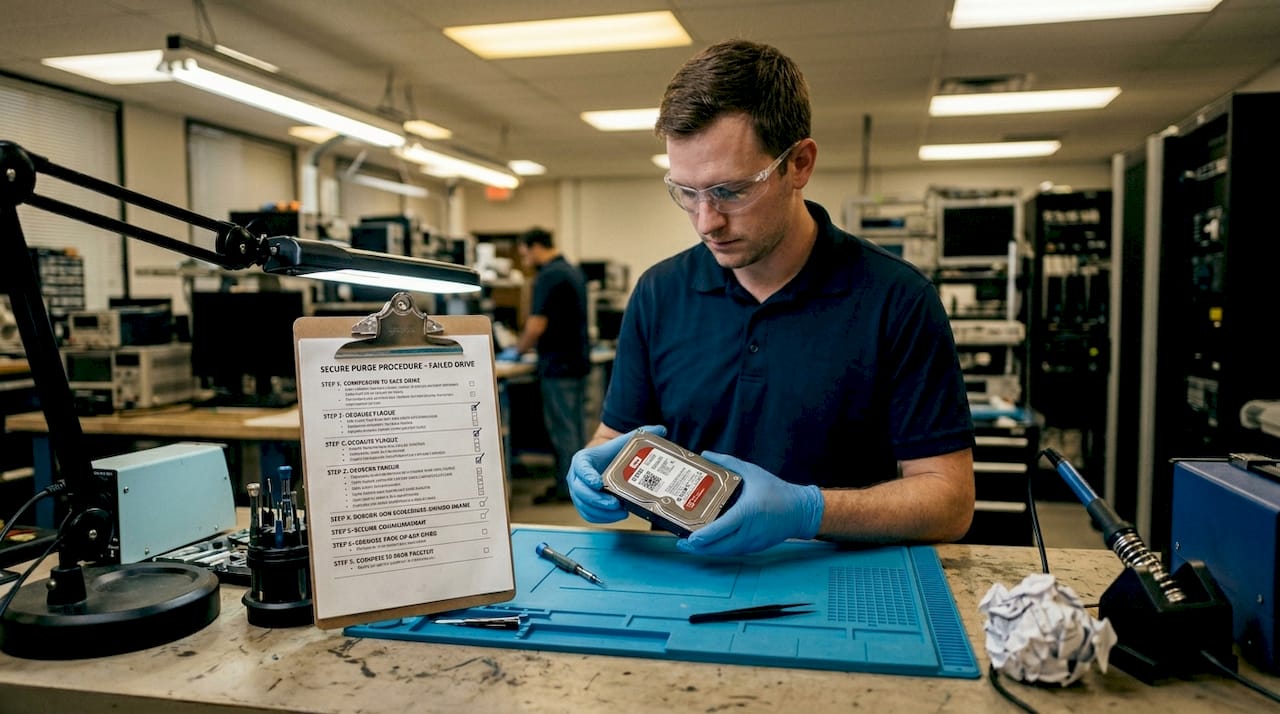
Destroy makes the physical media unusable. This is the terminal option. Once destroyed, a drive cannot be reused or repurposed in any meaningful way. Destroy is mandatory when data sensitivity is high, when logical sanitization cannot be verified, or when media is physically failed and cannot be accessed for wiping.
| Method | Threat level mitigated | Ideal use case | Key limitation |
|---|---|---|---|
| Clear | Casual/software-based attacks | Internal redeployment, low-risk data | Not lab-proof |
| Purge | Laboratory-level attacks | Third-party resale, regulated data | Requires verified tooling |
| Destroy | All known recovery methods | High-sensitivity data, failed drives, end-of-life | Irreversible, no resale value |
Real-world scenarios sharpen the decision fast. A standard refresh cycle retiring 200 office laptops with business email and productivity data? Purge is likely sufficient, provided you use certified tools and document the process. A batch of failed HDDs pulled from a healthcare records server? Physical destruction, with a certificate of destruction attached to each asset record. An NVMe drive from an executive device containing trade secrets and board communications? Destroy, period, ideally on-site.
Pro Tip: Never assume that a free disk-wiping utility meets NIST’s Purge requirements. Verify that your chosen tool complies with SP 800-88 and produces a sanitization report tied to each drive’s serial number. Our certified destruction guide breaks down what a compliant workflow should look like in practice.
Bullet points for quick reference when selecting a method:
- Use Clear when: The drive is healthy, data sensitivity is low, and the asset stays within your organizational boundary.
- Use Purge when: The asset is leaving your custody, data sensitivity is moderate to high, or regulations require evidence of data eradication.
- Use Destroy when: The drive has failed and cannot be accessed, data sensitivity is classified or highly regulated, or organizational policy mandates it regardless of data type.
When and how to apply physical destruction
Physical destruction is not the lazy option. It is the required option in several specific scenarios, and treating it as a fallback rather than a deliberate compliance tool is a mistake many organizations make. Physical destruction approaches such as disintegration, pulverization, and shredding are appropriate for edge cases where sanitization cannot be reliably verified, including failed or obsolete devices where logical sanitization is not feasible.
The scenarios that call for physical destruction are more common than many IT managers expect:
- Drive failure before sanitization. A drive that fails before it can be wiped cannot be sanitized logically. Physical destruction is the only compliant path.
- Encrypted drives with inaccessible keys. If cryptographic erase is your primary method but the encryption key is lost or corrupted, logical sanitization is not possible. Shred the drive.
- Obsolete media with no compatible interfaces. Legacy drives using deprecated connectors and controllers may not respond to modern sanitization tools. Physical destruction resolves the compatibility problem.
- High-security data environments. Classified or highly regulated data often mandates physical destruction regardless of the drive’s operational condition.
- Policy-driven destruction. Some organizations set categorical destruction policies for specific data classifications. This eliminates ambiguity and reduces the risk of human error in method selection.
NIST-approved physical destruction techniques include:
| Technique | How it works | Residue particle size | Best for |
|---|---|---|---|
| Shredding | Industrial cross-cut or granulator | Varies by equipment | High-volume destruction, HDDs |
| Disintegration | Specialized destruction machinery | Very fine | Classified data, SSDs |
| Pulverization | Hammer mill or similar | Powder-level | Maximum assurance environments |
| Incineration | Controlled high-temperature burning | Ash | Rare, facility-specific |
Chain-of-custody documentation is not optional. Every drive that enters a physical destruction workflow should carry a unique asset tag, a recorded handoff to the destruction vendor, and a returned certificate of destruction that includes the serial number, destruction method, date, and technician signature.
A compliance checklist for physical destruction workflows:
- Asset tagged and logged before removal from service
- Secure transport to destruction facility (tamper-evident packaging or on-site destruction)
- Witnessed or video-recorded destruction process
- Certificate of destruction issued per drive serial number
- Certificate filed in your IT asset management system
- Destruction record linked to the original data classification decision
Explore your equipment destruction options to understand what a certified destruction vendor should offer and what questions to ask before signing a service agreement.
Pro Tip: On-site destruction is worth the premium for high-sensitivity assets. When a vendor brings shredding equipment to your facility, you eliminate the chain-of-custody risk that exists the moment a drive leaves your building.
Eco-friendly and compliant disposal: Beyond destruction
Destroying a drive is only half the job. What happens to the physical remnants matters as much for regulatory compliance as the destruction itself, and it matters significantly for your organization’s environmental commitments and sustainability reporting.
NIST ties sanitization decisions to media type and risk sensitivity, but environmental regulations layer on top of that. E-waste disposal is governed by a patchwork of federal and state rules, and in many jurisdictions, dumping shredded hard drive material in general waste streams is illegal, not just irresponsible.
Here is what a complete, compliant post-destruction disposal workflow looks like:
- Choose a certified recycler. Look for R2 (Responsible Recycling) or e-Stewards certification. These standards require documented environmental handling, downstream vendor tracking, and worker safety protocols.
- Obtain and retain the recycling certificate. Just as with destruction, your recycler should provide documentation that the material was processed through a compliant facility.
- Track the downstream chain. Certified recyclers are required to know where shredded material goes. Copper, aluminum, and rare earth elements from hard drives have real market value, and a reputable recycler documents every step of the recovery process.
- Integrate with your IT asset recovery program. Drives that can be purged and resold generate recovery value. Combining your destruction workflow with a broader IT asset recovery program maximizes return on retiring assets while keeping the overall process streamlined.
- Document everything for sustainability reporting. If your organization publishes ESG reports or carbon disclosures, your e-waste recycling volumes and certified diversion rates are data points you will want on record.
For detailed guidance on managing the full lifecycle, how to recycle e-waste covers the process from decommissioning through certified disposal, and eco-safe e-waste practices connects environmental responsibility to your broader compliance framework.
The organizations that handle this well treat data destruction and environmental disposal as a single integrated process, not two separate workflows. A destruction certificate without a recycling certificate tells only half the compliance story.
A compliance officer’s take: Nuance matters more than ever
Here is something most disposal guides will not tell you directly: the biggest compliance failures we see are not from organizations that ignored the rules entirely. They are from organizations that followed outdated rules with full confidence.
“Wipe and toss” was once considered reasonable practice. It is not anymore, and has not been for years. But the more insidious version of this problem is the organization that invested in a certified wiping tool five years ago, documented the process carefully, and then never revisited whether that tool’s methodology still meets current standards. Technology changes. Standards evolve. NIST SP 800-88 Rev. 2 supersedes earlier guidance precisely because the old framework did not adequately account for the behavior of modern flash storage and NVMe devices.
The practical lesson from watching organizations go through audits is this: the ones that pass cleanly are not necessarily the ones with the most expensive equipment. They are the ones with the most complete paper trails. A chain-of-custody record that documents classification, method selection rationale, tool certification, asset serial numbers, and downstream disposition is more valuable in an audit than any single piece of hardware or software.
Another pattern worth calling out: organizations often invest heavily in the destruction step and neglect the environmental disposal step entirely. That gap creates exposure under environmental regulations and undermines any sustainability claims your organization makes publicly. It also creates practical risk if a recycler who received your material is later found to be non-compliant. Your documentation of their certification at the time of disposal is your protection.
The actionable takeaway is to build a review cycle into your disposal policy. Annually at minimum, verify that your sanitization tools are still certified, your recycling partners still hold current credentials, and your documentation requirements still satisfy the most current version of your governing regulatory frameworks. For IT managers preparing devices for compliance, the pre-retirement stage is where the best organizations differentiate themselves from the ones that find out about gaps during an audit rather than before one.
Secure your hard drive disposal with expert help
Managing a defensible, fully documented hard drive disposal program requires expertise across data security, logistics, and environmental compliance simultaneously. That is a significant operational burden for most IT teams, especially during large refresh cycles or office transitions.

UsedCartridge.com handles the full scope of that challenge, from certified e-waste logistics solutions to our certified destruction process that produces the serial-number-level certificates of destruction your auditors will ask for. We align our services with NIST SP 800-88 Rev. 2 standards and provide complete chain-of-custody documentation throughout. If you want to dig into what the right destruction method looks like for your specific asset mix, more on proven data destruction gives you the technical foundation to start that conversation. Contact us for a free quote and pickup options tailored to your organization’s size and compliance requirements.
Frequently asked questions
What is the best method to dispose of hard drives?
The best method depends on the drive’s sensitivity and condition. NIST recommends selecting Clear, Purge, or Destroy based on the data’s risk level and the media type, not a single universal approach.
Is physical shredding always required for old or failed hard drives?
Physical shredding is the right call when logical sanitization is not feasible. Shredding is appropriate for failed or obsolete drives where a verified wipe cannot be completed, regardless of the data sensitivity level.
How can IT managers prove compliance after disposing of hard drives?
Keep certificates of destruction from certified vendors, each tied to individual drive serial numbers, alongside your internal classification and method selection records. This paper trail is what auditors examine during compliance reviews.
Does NIST SP 800-88 Rev. 2 replace previous data sanitization guidance?
Yes, NIST SP 800-88 Rev. 2, published in 2025, supersedes Rev. 1 and should be the reference document for any new or updated disposal policies your organization puts in place.