
Donating used business electronics sounds like a responsible, feel-good decision. But mishandle it, and you’re staring down a potential data breach, a regulatory fine, or both. Corporate laptops, tablets, and servers carry layers of sensitive information that a quick factory reset won’t fully erase. This guide lays out a practical, step-by-step process for organizations that need to donate or recycle electronics compliantly, covering everything from device prep and secure data destruction to partner vetting and final documentation. Follow it, and you’ll close every gap between good intentions and defensible compliance.
Table of Contents
- Preparing electronics for secure donation
- Ensuring secure data destruction: Beyond factory reset
- Selecting certified donation and recycling partners
- Verifying and documenting the donation process
- Why moving beyond the basics sets leaders apart
- Take next steps with secure electronics donation solutions
- Frequently asked questions
Key Takeaways
| Point | Details |
|---|---|
| Preparation is crucial | Always remove batteries and unlock devices before donation to meet safety and compliance requirements. |
| Data destruction goes beyond resets | Use secure wipe tools and request certificates to prove proper data erasure. |
| Certified partners protect you | Choose certified recycling partners who provide chain-of-custody documentation and destruction proof. |
| Keep your compliance records | Maintain all certificates and reports for internal audits and regulatory checks. |
Preparing electronics for secure donation
Once you understand what’s at stake, the first step is preparing your electronics correctly. Preparation is where most businesses either build a solid compliance foundation or create problems they’ll deal with months later during an audit or breach investigation.
The EPA’s guidance on electronics recycling makes clear that a core workflow is to prepare devices for safe handling, including removing batteries as required, before routing them through certified pathways. That’s not a suggestion. It’s a baseline expectation for any organization that wants to stay on the right side of environmental and data privacy regulations.
Device preparation checklist
Before any device leaves your facility, run through the following:
- Batteries: Lithium-ion and lithium-polymer batteries require separate handling. They cannot be included with most e-waste pickups and must go through designated battery recycling channels to avoid fire hazards and environmental violations.
- Activation locks and accounts: Devices still tied to corporate accounts or consumer IDs (Apple ID, Google account, Microsoft account) can render donated hardware useless or, worse, expose your organization to unauthorized access. Clear every account and disable every lock before transfer.
- Device inventory: Log each device’s make, model, serial number, and storage type before it leaves your hands. This list becomes the backbone of your chain-of-custody documentation.
- Accessories and peripherals: Remove company-tagged accessories, cables with proprietary connectors, and any licensed software dongles.
- Physical condition assessment: Flag broken screens, damaged ports, or swollen batteries. These affect downstream usability and may change how the receiving partner handles the equipment.
According to guidance on prepping donated electronics for reuse, edge cases that break donation outcomes include batteries needing separate handling, devices with lingering accounts or locks, and storage types where a factory reset alone is insufficient without encryption or a trusted secure erase method. These aren’t rare situations. They’re routine problems that organizations run into without a formal prep process.
| Device type | Remove battery? | Account unlock required? | Storage type concern |
|---|---|---|---|
| Corporate laptop | Yes (if removable) | Yes (BIOS/OS login) | SSD/HDD: needs secure wipe |
| Smartphone/tablet | No (sealed) | Yes (Apple ID/Google) | Flash: factory reset insufficient |
| Desktop computer | Not applicable | Yes (OS login) | HDD/SSD: needs secure wipe |
| External hard drive | Not applicable | No | Full secure erase required |
| Copier/MFP | Not applicable | Yes (admin console) | Internal storage: full wipe |
“For businesses donating or recycling electronics, the core workflow is to prepare devices for safe handling and use certified recycling pathways.” — EPA, Electronics Donation and Recycling
For organizations running regular refresh cycles, this prep work can feel time-consuming. The smarter move is to build it into standard IT offboarding procedures rather than treating it as a one-time event.
Pro Tip: Assign a dedicated staff member or team lead to own the prep checklist for each batch. When accountability is shared by everyone, it ends up owned by no one. One named owner per cycle means nothing slips through.
Connecting this prep work to your broader sustainability and compliance goals is also worth considering. The benefits of certified recycling benefits extend beyond avoiding fines. They include documented environmental outcomes that support ESG reporting, vendor audits, and corporate responsibility initiatives. If you’re pursuing B2B electronics recycling at scale, a structured prep process is what makes that program repeatable and defensible.
Ensuring secure data destruction: Beyond factory reset
With devices prepped, the next critical phase is protecting your business and customer information. This is where many organizations make their most expensive mistake: assuming a factory reset is equivalent to data destruction. It’s not.
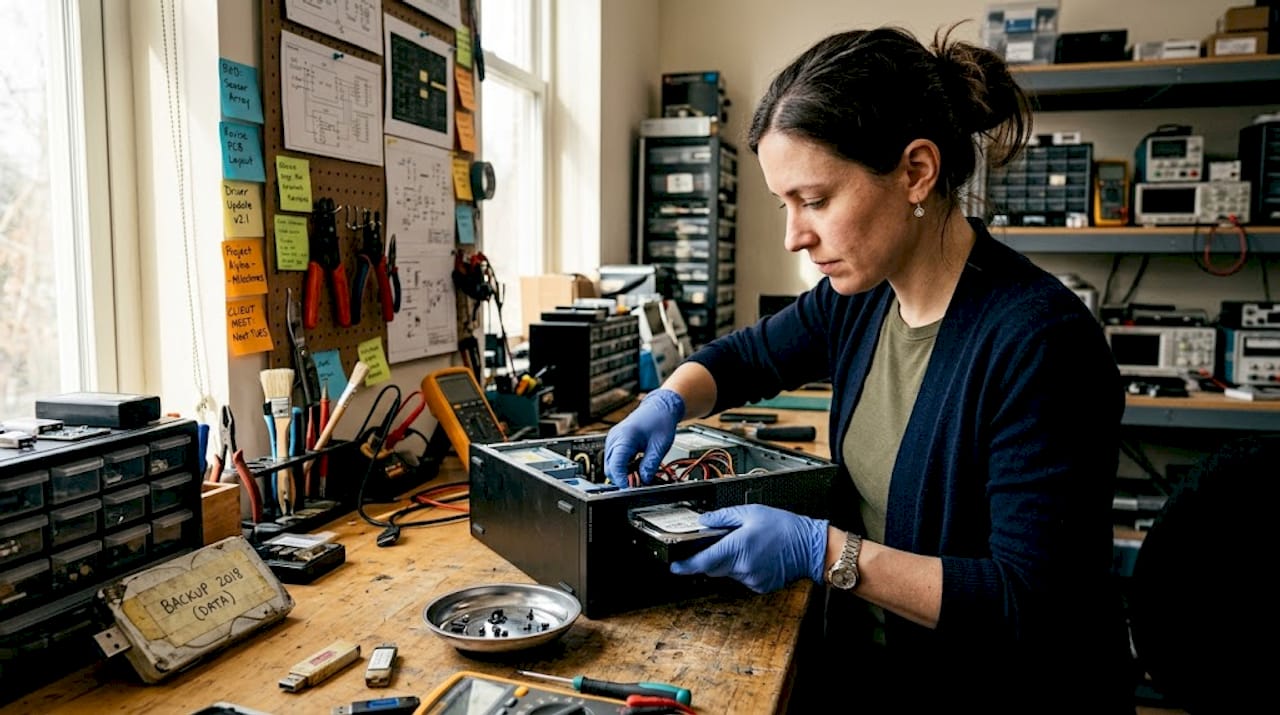
A factory reset removes the operating system’s pointer to your files. It doesn’t overwrite the underlying data. With freely available forensic tools, a motivated bad actor can recover financial records, customer PII, login credentials, and proprietary business data from a “reset” device in under an hour. The guidance from human-i-t.org on protecting identity when donating technology is explicit: donors should use sanitization methods designed to remove recoverable data and request verifiable documentation to prove it was done.
Sanitization methods compared
| Method | Data recovery risk | Best use case | Produces documentation? |
|---|---|---|---|
| Factory reset | High | None for business use | No |
| Software-based secure wipe | Low | Functioning drives | Yes (with right tools) |
| Cryptographic erase | Very low | Encrypted SSD/flash | Yes |
| Physical destruction | Zero | End-of-life drives | Yes (Certificate of Destruction) |
| Degaussing | Zero | Magnetic HDDs only | Yes |
Step-by-step data sanitization process
- Classify storage type. Identify whether each device uses a traditional hard disk drive (HDD), a solid-state drive (SSD), or embedded flash storage. The right sanitization method depends entirely on storage type.
- Select the appropriate method. For HDDs, use NIST 800-88 Rev. 1-compliant software wiping or physical destruction. For SSDs and flash storage, use cryptographic erase or physical destruction. A factory reset is not an option for either.
- Execute and log. Run the sanitization tool, capture the output report for each device, and log it against your device inventory from the prep phase.
- Validate the result. On a sample basis, attempt data recovery to confirm the wipe succeeded. If you’re using a third-party service, request validation evidence as part of the contract.
- Request a Certificate of Destruction. For every device that undergoes physical destruction or secure wipe by a service provider, demand a serialized certificate tied to that device’s serial number.
The chain-of-custody requirements for e-waste cybersecurity are clear: a business secure donation and recycling program must maintain an auditable chain-of-custody and provide Certificates of Destruction as part of compliance and risk management. Without that paper trail, you have no proof of due diligence if a breach investigation points back to a donated device.
Pro Tip: Don’t wait until the end of a large donation batch to request certificates. Build certificate delivery into the contract terms with your partner so documentation is generated device-by-device, in real time.
For organizations handling end-of-life storage media, the process behind certified hard drive destruction outlines exactly what defensible destruction looks like and what documentation you should receive. And if your program spans multiple device categories, knowing how to recycle electronic waste properly ensures the environmental side of your program matches the security side.
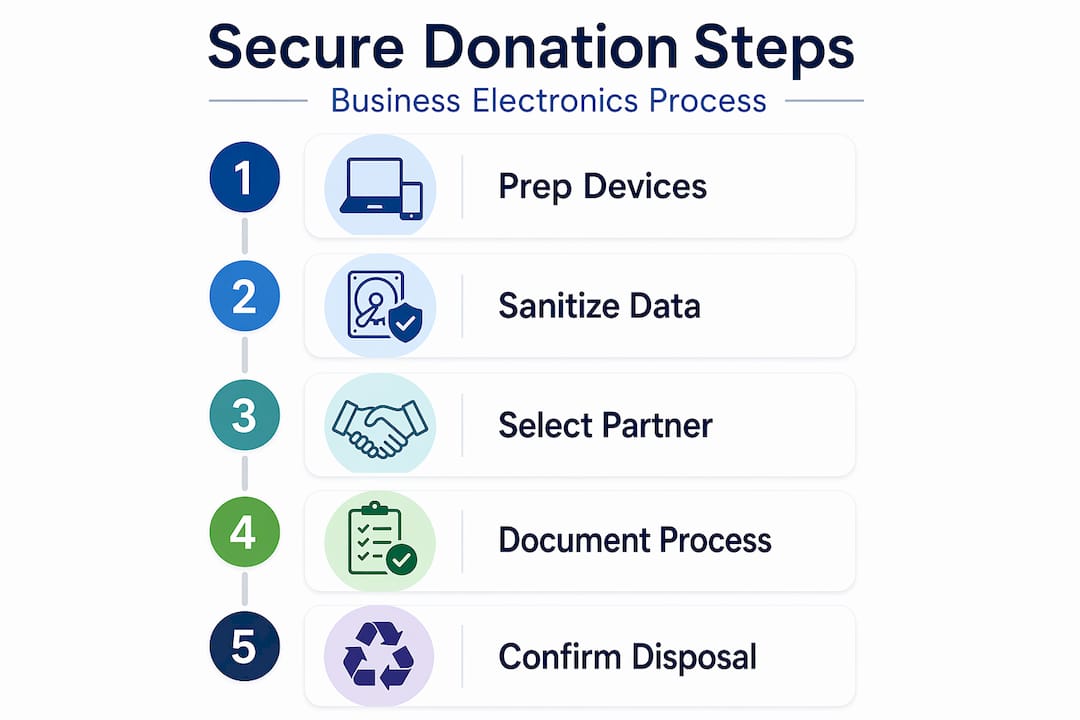
Selecting certified donation and recycling partners
After secure erasure, choosing the right partner ensures your compliance doesn’t end at your loading dock. Many organizations secure their data correctly, then hand devices to an uncertified recycler who undoes all that work by reselling devices without further verification.
When vetting a donation or recycling partner, apply the following criteria:
- Environmental certifications: Look for R2 (Responsible Recycling) or e-Stewards certifications. These are the two most recognized third-party standards for responsible electronics recycling in the U.S.
- Data security standards: Verify that their sanitization process aligns with NIST 800-88 compliance expectations, meaning documented methods, controls, and validation, not just marketing language.
- Serialized chain-of-custody reporting: Your partner should be able to provide a report that ties every serial number to a specific sanitization event and downstream outcome (donated, wiped, shredded, or recycled).
- Certificates of Destruction: These should be issued per device, not per batch, and should include date, device ID, method used, and the certifying party’s name.
- Liability and insurance: Confirm the partner carries professional liability insurance and that your contract includes data breach indemnification provisions.
Questions to ask before signing with a partner
Ask these questions directly. Vague answers are a red flag:
- What specific NIST 800-88 method do you use for SSDs versus HDDs?
- Can you provide sample sanitization reports and Certificates of Destruction from past clients?
- How do you handle devices that fail sanitization?
- What is your downstream disposition process for devices that can’t be donated?
- How do you document chain-of-custody from pickup to final outcome?
The EPA’s framework for electronics recycling emphasizes using certified pathways because those pathways carry built-in accountability mechanisms that informal channels simply don’t have. A certified partner isn’t just a vendor. It’s a documented extension of your compliance program.
For a broader view of how responsible partner selection connects to environmental outcomes, exploring green e-waste management practices helps frame the full picture. Your choice of partner also affects your organization’s overall footprint, which matters more each year as environmental reporting requirements expand. Reviewing your electronic waste recycling options gives you a clearer picture of what service models are available for businesses of different sizes.
Verifying and documenting the donation process
Once devices are in the partner’s hands, your responsibility is ensuring verifiable closure and audit readiness. This phase is where compliance either holds up under scrutiny or falls apart. Most organizations underinvest here because the physical work is done. But documentation is the difference between “we followed best practices” and “we can prove it.”
Documentation your business should collect and retain
- Device inventory log: The original list from prep, including make, model, serial number, and storage type for every device.
- Sanitization records: Output reports from secure wipe software, or certificates from physical destruction, tied to individual serial numbers.
- Certificates of Destruction: Serialized, dated, and signed by the certified partner.
- Chain-of-custody records: A documented record of every handoff point from your facility to the final downstream outcome.
- Partner certification documentation: Copies of your partner’s current R2, e-Stewards, or equivalent certifications for the period in which work was performed.
- Disposition confirmation: Written confirmation of what happened to each device, whether donated to a specific nonprofit, recycled, or destroyed.
“A business secure donation and recycling program should maintain auditable chain-of-custody and provide Certificates of Destruction as part of compliance and risk management.” — human-i-t.org, Cybersecurity Measures for E-Waste
Retain these records for a minimum of three years, or longer if your industry has specific data retention requirements (HIPAA, for example, sets a six-year retention standard for certain records). Store them in a centralized location accessible to your compliance and legal teams.
Building repeatable processes matters as much as the documentation itself. After each donation cycle, review your prep checklist, your partner’s performance, and any gaps in documentation. Update your internal policy to reflect what you learned. Organizations that treat each cycle as a rehearsal for the next one build the kind of muscle memory that makes compliance routine rather than stressful.
For a structured approach to what compliant device retirement looks like from start to finish, the framework behind responsible computer recycling covers the full lifecycle in detail.
Why moving beyond the basics sets leaders apart
Having covered the must-haves, it’s worth being direct about what truly secure businesses do differently. Most organizations stop at a basic wipe and a handshake with a recycler they found online. That approach was marginal ten years ago. Today, it’s a liability.
Data privacy enforcement has matured significantly. Regulators in multiple states now have the authority and the appetite to pursue organizations that can’t document their data destruction practices. The question an auditor will ask is not “did you try to erase the data?” It’s “can you prove it, device by device, with a defensible method?” Those are very different questions.
The organizations that answer the second question confidently are the ones that built their programs around traceability from the start. They treat the Certificate of Destruction the same way a finance team treats a signed invoice. It’s not optional paperwork. It’s a business record with legal weight.
There’s also a competitive angle worth naming. Clients, partners, and regulators increasingly ask B2B organizations how they handle IT asset disposal. A mature program with documented chain-of-custody and certified partners is something you can actually point to as a differentiator in RFPs and vendor reviews. That’s rare leverage.
For organizations ready to build that maturity, the roadmap behind electronics recycling mastery goes deeper into what a fully developed program looks like at each stage of organizational scale.
Pro Tip: Use your compliance documentation as a trust asset. Share sanitization and chain-of-custody summaries with key clients proactively. It signals that you take data handling seriously, not just with your own systems, but at every stage of the asset lifecycle.
Take next steps with secure electronics donation solutions
Your business’s reputation and compliance posture depend on more than good intentions when it comes to electronics disposal. You need a partner who closes the loop with certified processes, real documentation, and environmentally responsible outcomes.

UsedCartridge.com provides business e-waste solutions built around the exact standards this guide covers: certified data destruction, serialized chain-of-custody reporting, and environmentally compliant disposal pathways for every device category. Whether you need to recycle electronic waste properly at scale or require certified device destruction with on-site options and documented proof, we’re equipped to match your process to your regulatory requirements. Contact us today for a free quote or compliance consultation tailored to your organization’s size and needs.
Frequently asked questions
What should be removed from electronics before donation?
Batteries, storage devices with unverified data, and activation locks must all be addressed before any device leaves your organization to avoid safety hazards and security gaps. Each of these creates a separate compliance risk if overlooked.
Is a factory reset enough to erase business data securely?
No. Factory resets leave recoverable data on most storage types, meaning any organization that relies on them exclusively is exposed to potential breach liability. Secure wipe tools or physical destruction, combined with documented proof, are the required standard.
What documentation should my business ask for when donating electronics?
You should request Certificates of Destruction and chain-of-custody records for every device, tied to individual serial numbers, to support audit readiness and demonstrate compliance with data privacy regulations.
How do I verify a certified electronics recycler?
Check for recognized certifications like R2 or e-Stewards, and ask for sample documentation before engaging. The EPA recommends certified recycling pathways specifically because they carry third-party accountability mechanisms that informal vendors can’t provide.