
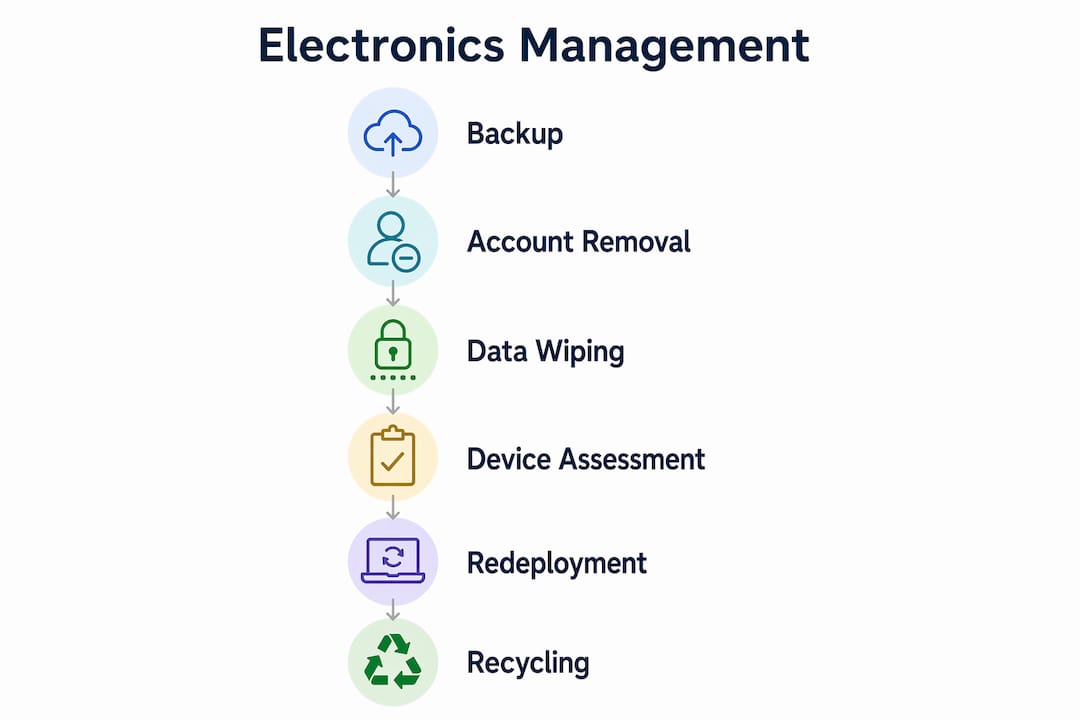
Managing redundant electronics means securely wiping data, extending device use, and recycling what cannot be redeployed. The industry term for this process is IT asset disposition, or ITAD. Knowing how to manage redundant electronics protects your organization from data breaches, reduces legal exposure, and keeps hazardous materials out of landfills. 25 states and D.C. now prohibit throwing electronics in regular trash, with fines for violations. Certifications like R2 and e-Stewards set the standard for responsible recycling partners. This guide covers every step from backup to final disposal.
How to manage redundant electronics before you start
Before any device leaves your hands, preparation determines whether you succeed or create a liability. Skipping this stage is the most common mistake individuals and businesses make.
Back up everything first
The 3-2-1 backup rule is the baseline standard: keep three copies of your data, on two different media types, with one stored offsite. Tools like Apple Time Machine, Google Drive, Microsoft OneDrive, and Dropbox all qualify. Verify that your backup actually opens and reads correctly on a separate device before you wipe anything. A backup you cannot restore is not a backup.
Remove accounts and physical media
Failing to disable Factory Reset Protection (FRP) on Android devices can lock the next user out permanently, making the device worthless for redeployment or resale. Sign out of iCloud, Google, and Microsoft accounts before resetting any device. Then physically remove every SIM card, microSD card, external drive, CD, and DVD. These steps protect both your data and the device’s future usability.
Gather the right tools
You will need Torx and Phillips screwdrivers for most laptops and desktops. Data wiping software like DBAN (Darik’s Boot and Nuke) or Blancco handles software-level erasure. For physical destruction, a drill works on hard drives, but never on batteries.
Pro Tip: Puncturing or drilling a lithium-ion battery can cause fire or explosion. Treat swollen or damaged batteries as hazardous waste and route them to a certified battery recycler like Call2Recycle.
- Torx screwdriver set (T5, T6, T8 are most common)
- Phillips screwdrivers (sizes 0, 1, 2)
- Anti-static wrist strap for internal components
- DBAN or Blancco for software wiping
- Asset tags and a spreadsheet or ITAD platform for logging
- Sealable bags for removed SIM and SD cards
How do you securely erase data before disposal?
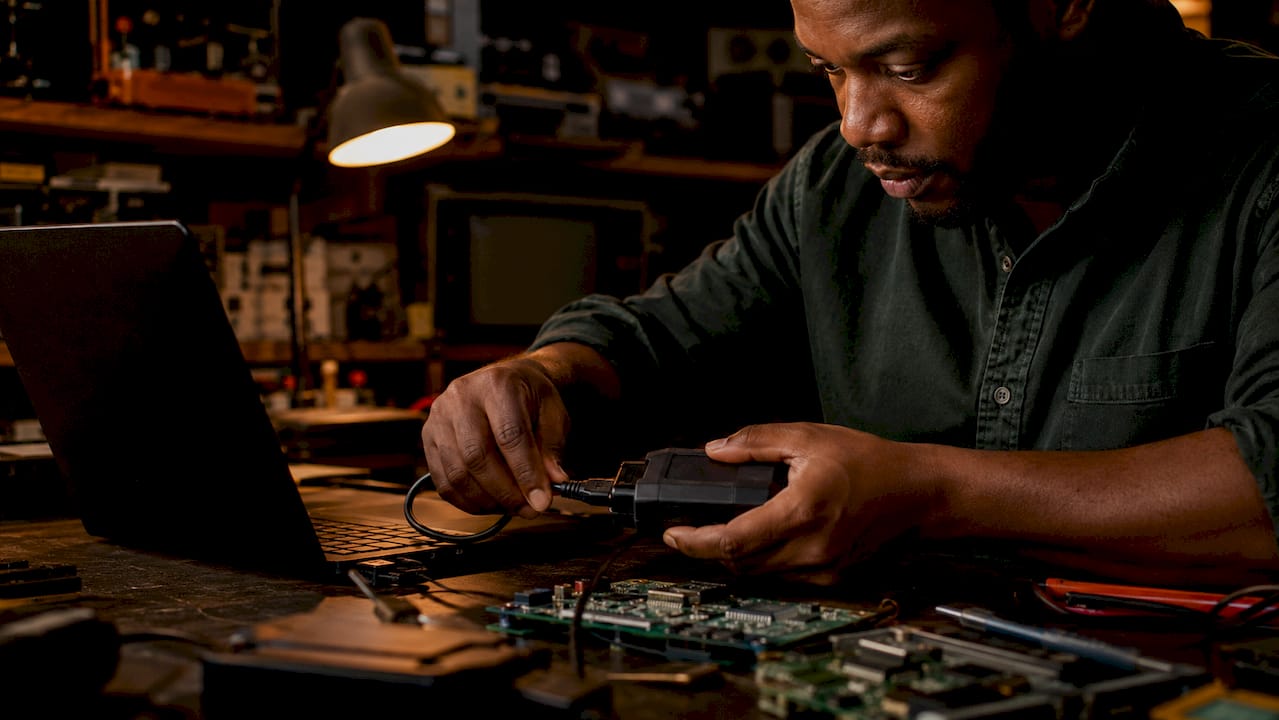
A factory reset does not fully protect sensitive data. Professional wiping or physical destruction is the only reliable standard for devices that held confidential information. This distinction matters enormously for businesses subject to HIPAA, GLBA, or state privacy laws.
Software wiping methods
Overwriting storage with zeros or random data multiple times makes recovery effectively impossible for most threat models. DBAN is free and works on spinning hard drives. Blancco and White Canyon WipeDrive are paid tools that generate audit-ready certificates. For solid-state drives (SSDs), use the manufacturer’s Secure Erase command or ATA Secure Erase, since overwriting methods designed for spinning drives are less effective on flash storage.
Cryptographic erase
Modern iPhones and Android devices use hardware encryption by default. Performing a factory reset on an encrypted device scrambles the remaining data by discarding the encryption key. This method is fast and effective for consumer devices. For enterprise deployments, document which devices used cryptographic erase and retain those records for compliance audits.
Physical destruction
Physical destruction is the final option for drives that held the most sensitive data or that cannot be wiped due to hardware failure.
Physical destruction of a hard drive, through drilling, shredding, or degaussing, guarantees that data recovery is impossible. Always remove the drive from the device first and work on a stable, non-flammable surface. Never attempt to drill or shred a device that still contains a lithium-ion battery.
- Remove the hard drive or SSD from the device chassis.
- Confirm no battery is attached to the drive.
- Use a drill with a 1/4-inch bit to punch through the drive platters in at least three locations.
- Place destroyed drives in a labeled container for certified recycler pickup.
- Document the serial number, destruction method, date, and technician name for your chain-of-custody record.
Pro Tip: Documented chain-of-custody records are not optional for businesses. Insurance providers and regulators increasingly require verified sanitization logs as proof of due diligence.
What are the best ways to extend device lifecycles?
Internal redeployment and refurbishment are the most effective strategies for reducing electronic waste and cutting hardware costs. Recycling should be the last resort, not the first response to an aging device.
Assess before you discard
Run a hardware diagnostic on every device before labeling it redundant. Tools like PassMark PerformanceTest and HWiNFO give you a clear picture of CPU, RAM, storage, and battery health. A laptop that cannot run your primary business software may still serve perfectly well as a training station, a hot-desk terminal, or a dedicated video conferencing unit.
Build a redeployment workflow
Treating reuse as a repeatable lifecycle stage requires a documented process, not ad hoc decisions. Here is what that workflow looks like in practice:
- Log and tag: Assign every device an asset ID and record its make, model, serial number, and condition in a spreadsheet or ITAD platform like Snipe-IT.
- Test: Run diagnostics and note any failing components.
- Sanitize: Wipe or reimage the device using a documented method.
- Categorize: Assign to a redeployment pool (primary use, secondary use, parts only, or recycle).
- Redeploy or repair: Push a fresh OS image, replace a failed RAM stick or battery, and assign to the new user.
Repair and upgrade before replacing
Adding RAM or swapping a spinning hard drive for an SSD can extend a device’s useful life by two to three years at a fraction of replacement cost. Check vendor support windows before investing in repairs. A device whose manufacturer has ended security patch support is a liability regardless of its hardware condition. Also review vendor take-back programs. Dell, Apple, and Lenovo all offer trade-in or take-back options that can offset the cost of new hardware while keeping old devices out of landfills.
You can find redeployment and refurbishment options that help businesses extend device life before committing to full disposal.
How do you responsibly recycle electronics you can’t reuse?
When a device cannot be repaired or redeployed, responsible recycling is the only compliant path. Throwing electronics in the trash is illegal in 25 states and D.C., and penalties vary by state but can include significant fines for businesses. Ignorance of local law is not a defense.
Choose certified recyclers only
The two certifications that matter most are R2 (Responsible Recycling) and e-Stewards. R2 and e-Stewards certifications confirm that a recycler meets audited standards for downstream processing, worker safety, and data security. Uncertified recyclers frequently export e-waste to developing countries where it is processed unsafely. The EPA’s eCycler locator and the e-Stewards website both let you search for certified recyclers by zip code.
| Certification | Governing Body | Key Focus |
|---|---|---|
| R2 | SERI (Sustainable Electronics Recycling International) | Responsible reuse, data security, downstream accountability |
| e-Stewards | Basel Action Network | Zero export of hazardous e-waste, worker safety |
| ISO 14001 | ISO | Environmental management systems (supplementary) |
Separate hazardous components
Batteries, toner cartridges, CRT monitors, and fluorescent backlights all require separate handling. Never mix these with standard e-waste streams. Call2Recycle handles lithium-ion and nickel-cadmium batteries at no cost through retail drop-off locations. Staples, Best Buy, and many municipal waste facilities accept consumer electronics for certified recycling at no charge.
- Remove and separately bag all batteries before handing devices to a recycler.
- Keep toner cartridges and ink cartridges out of general e-waste bins.
- Request a certificate of recycling or certificate of destruction from your recycler for every batch.
- For businesses, maintain a disposal log that includes device serial numbers, recycler name, certification number, and date of transfer.
Reviewing your state’s specific rules through a business compliance regulations list can prevent costly violations before they happen.
Key takeaways
Effective IT asset disposition requires secure data wiping, documented redeployment workflows, and certified recycling to meet legal and environmental standards.
| Point | Details |
|---|---|
| Back up before wiping | Use the 3-2-1 rule with tools like Google Drive or Time Machine and verify restores. |
| Factory resets are not enough | Use professional wiping software or physical destruction for any device with sensitive data. |
| Redeploy before recycling | Assess, log, and reimage devices for lower-demand roles to cut costs and reduce waste. |
| Use certified recyclers | Choose R2 or e-Stewards certified partners to prevent illegal dumping and ensure compliance. |
| Document everything | Maintain chain-of-custody records for sanitization, redeployment, and final disposal. |
The discipline nobody talks about
I have reviewed a lot of electronics disposal programs over the years, and the failure point is almost never the technology. It is the process. Organizations buy the right wiping software, then skip the documentation step because it feels bureaucratic. Individuals do a factory reset, assume they are covered, and hand the device off. Both groups are wrong, and both groups eventually pay for it.
The mindset shift that actually works is treating every device as a data liability until proven otherwise. That means the question is never “should I wipe this?” It is always “can I prove I wiped this?” A certificate of destruction or a signed sanitization log is not paperwork for its own sake. It is your defense when an auditor, a regulator, or an insurance adjuster asks what happened to the laptop that held your customer records.
The second thing I have learned is that redeployment programs fail when they are informal. If your process depends on one person remembering to run diagnostics, it will break the moment that person is out sick. Build the workflow into a checklist, assign ownership, and review it quarterly. The organizations that do this consistently spend less on hardware and generate less waste than those that treat disposal as a one-time event.
Selecting a recycling partner deserves the same rigor. Ask for their R2 or e-Stewards certificate number and verify it on the certifying body’s website. A legitimate recycler will not hesitate. One that deflects that question is telling you something important.
— Keith
Certified recycling and data destruction made simple
Managing redundant electronics at scale requires partners you can trust with both your data and your compliance record. Usedcartridge provides certified e-waste recycling services for individuals and businesses, covering everything from single devices to full data center decommissions. Services include on-site data destruction, certificates of destruction, and IT asset recovery that can offset disposal costs.

Whether you need secure data destruction for a handful of laptops or a recurring pickup program for your organization, Usedcartridge handles the logistics, the documentation, and the compliance paperwork. Request a free quote and find out how straightforward responsible disposal can be.
FAQ
What does “redundant electronics” mean?
Redundant electronics are devices that are no longer needed for their original purpose, whether due to age, replacement, or organizational change. The formal industry term for managing these assets is IT asset disposition (ITAD).
Is a factory reset enough to protect my data?
No. Factory resets alone are insufficient for devices that held sensitive data. Professional overwriting software or physical destruction is required to make data recovery impossible.
Which recycler certifications should i look for?
Look for R2 (Responsible Recycling) and e-Stewards certifications. These third-party certifications confirm audited standards for data security, downstream processing, and worker safety.
Can i throw old electronics in the trash?
In most U.S. states, no. 25 states and D.C. prohibit disposing of electronics in regular trash, with fines for violations. Check your state’s specific rules before disposal.
What is the best first step before disposing of any device?
Back up all data using the 3-2-1 rule, then sign out of all accounts and remove physical media like SIM and SD cards. This protects your data and prevents device lockout issues for the next user.