
Device decommissioning is the formal, multi-step process of retiring IT assets from active service to prevent data breaches, eliminate ghost assets, and meet environmental compliance standards. The industry term for this practice is IT asset disposition, or ITAD, though “device decommissioning” describes the full lifecycle retirement workflow that ITAD encompasses. Every organization managing laptops, servers, mobile devices, or cloud-connected endpoints needs a structured decommissioning process. Without one, sensitive data lingers on retired hardware, regulatory audits expose gaps, and inactive devices create security vulnerabilities that attackers exploit.
What is device decommissioning and why does it matter?
Device decommissioning is a structured, multi-step process covering data sanitization, physical asset removal, and final disposition to prevent ghost assets from appearing operational in your records. Ghost assets are devices that no longer function but remain listed as active in asset management systems. They distort financial reporting, complicate audits, and create real security exposure if they still hold recoverable data.
The process applies to physical hardware such as desktops, laptops, servers, and printers, as well as software licenses and cloud-connected devices. Each asset type carries its own data risks and disposal requirements. A decommissioned server, for example, may hold years of customer records across multiple storage volumes. A cloud-managed tablet may retain cached credentials that persist even after the device is wiped.

Formal documentation is the backbone of any decommissioning workflow. Without records linking each device’s serial number to its sanitization method and final disposition, your organization cannot prove compliance during an audit. Standards like NIST SP 800-88 define exactly what that documentation must include.
What are the essential steps in the device decommissioning process?
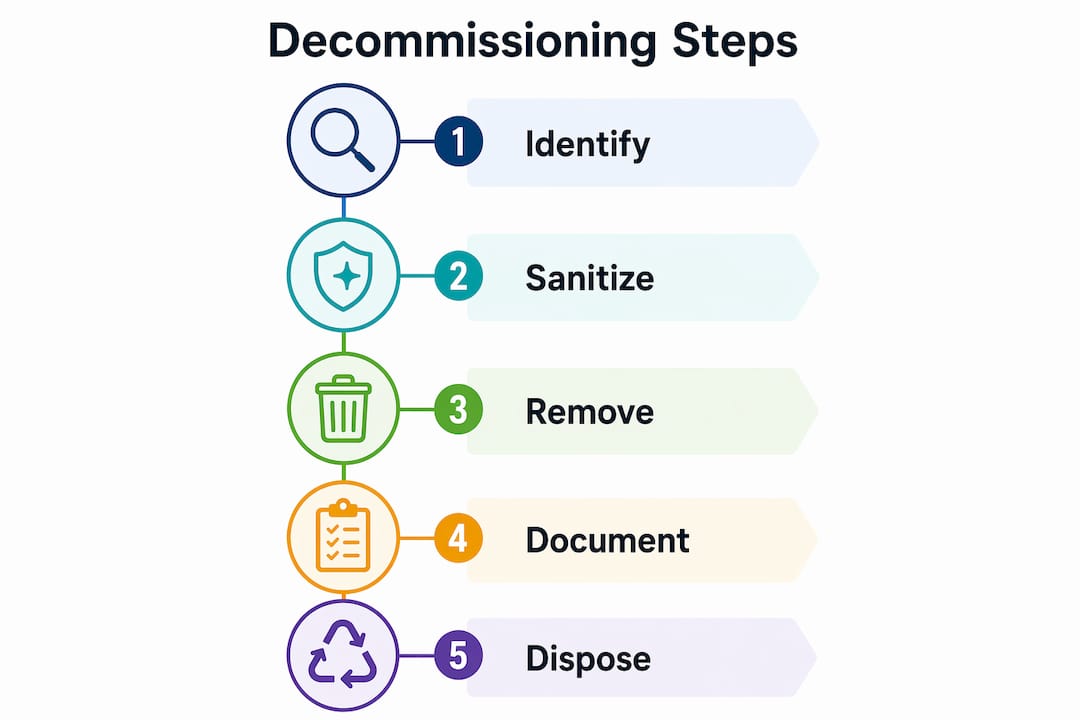
The device decommissioning process follows a clear sequence. Skipping any step creates gaps that expose your organization to data loss or legal liability.
-
Inventory and classification. Audit every device scheduled for retirement. Record the asset tag, serial number, assigned user, and data classification level. Devices holding regulated data, such as personal health information or financial records, require stricter sanitization than general-use workstations.
-
Legal hold verification. Confirm with legal counsel that no device is subject to a litigation hold before authorizing destruction. Destroying devices under legal hold can create adverse inferences in litigation. This step is the most commonly skipped, and the most legally dangerous.
-
Data backup and transfer. Preserve any data the business still needs. Transfer files to approved storage, revoke user access, and confirm the backup before wiping the source device.
-
Data sanitization. Apply the appropriate method under NIST SP 800-88: Clear for low-sensitivity devices, Purge for moderate-risk storage, and Destroy for high-sensitivity media that cannot be reused. Each method requires a certificate of destruction from a certified provider, mapped to the device’s serial number.
-
Physical removal and hardware assessment. Disconnect the device from all networks and power sources. Assess its condition to determine whether it qualifies for reuse, resale, donation, recycling, or physical destruction.
-
Identity and access cleanup. Unenroll the device from all management platforms, revoke authentication tokens, and delete device profiles. This step is covered in detail in the cloud device section below.
-
Documentation and audit trail. Record every action taken, from sanitization method to final disposition. This file is your proof of compliance for GDPR, CCPA, Sarbanes-Oxley, and any sector-specific regulation your organization follows.
Pro Tip: Create a decommissioning checklist template tied to your asset management system. Attach it to each device record at procurement so the retirement workflow starts the moment the asset enters service.
Why is device decommissioning critical for data security and compliance?
Outdated or unsupported assets increase vulnerability and make decommissioning a direct cybersecurity control, not just an administrative task. A device that leaves your organization without proper data sanitization carries every file, credential, and configuration it held while in service.
Regulatory frameworks treat improper disposal as a compliance failure. GDPR requires organizations to protect personal data throughout its lifecycle, including at disposal. CCPA mandates reasonable security measures for consumer data, which courts have interpreted to include secure destruction. Sarbanes-Oxley requires financial records to be retained and then destroyed according to documented schedules. Failing any of these standards carries financial penalties and reputational damage.
“Device decommissioning is a lifecycle process, not a one-time event. Continual asset governance reduces risk and vulnerability across the organization.” — National Cyber Security Centre
The financial consequences of poor decommissioning extend beyond regulatory fines. Ghost assets distort balance sheets and complicate depreciation calculations. Failing to document properly complicates financial reporting and audit processes due to phantom assets that appear active but generate no value.
Key risks your organization faces without a formal decommissioning program:
- Residual data on retired devices accessible to anyone who acquires the hardware
- Ghost assets inflating your IT inventory and skewing security patch coverage
- Audit failures when regulators request destruction certificates you cannot produce
- Legal exposure when devices under litigation hold are destroyed without clearance
- Environmental liability from improper disposal of hazardous electronic components
Proper electronics disposal planning addresses each of these risks through documented, repeatable workflows.
How do device disposal methods compare for security and environmental goals?
Not every retired device requires physical destruction. The right disposition method depends on the device’s condition, the sensitivity of the data it held, and your organization’s environmental commitments.
| Disposition method | Best for | Data sanitization required | Environmental impact |
|---|---|---|---|
| Reuse (internal) | Functional devices with low data risk | Clear or Purge | Lowest: extends device life |
| Resale | Devices with market value after wiping | Purge with certificate | Low: recovers asset value |
| Donation | Older but functional devices | Purge with certificate | Low: extends useful life |
| Recycling | Devices beyond economic repair | Destroy or Purge | Moderate: recovers materials |
| Physical destruction | High-sensitivity media, damaged drives | Destroy with certificate | Highest: no reuse possible |
Recycling and destruction both require certified vendors following federal and state environmental regulations. Choosing an uncertified vendor to save money creates liability: if that vendor improperly disposes of hazardous materials, your organization may share responsibility.
Resale and donation offer a financial or reputational return, but only when paired with verified data sanitization. A Purge-level wipe under NIST SP 800-88, confirmed by a certificate of destruction, is the minimum standard before any device leaves your control for external use.
Pro Tip: Before choosing a disposition path, check whether your device qualifies for IT asset recovery. Recovered value from resalable hardware can offset the cost of certified destruction for devices that cannot be reused.
What are the challenges of decommissioning cloud-connected devices?
Cloud-connected and managed devices present a decommissioning challenge that physical wiping alone cannot solve. Simply wiping devices in management platforms does not complete decommissioning. Identity layers persist and require manual cleanup.
In Microsoft Endpoint Manager, for example, the retire, wipe, and reset actions are distinct operations with different impacts. Retiring a device removes company data but leaves the device object in Azure Active Directory. That stale object can trigger conditional access policy failures and appear in compliance reports as an active device. Deleting it requires a separate step in the directory, not just the device management console.
Decommissioning cloud-connected devices requires identity cleanup including unenrollment, revoking tokens, and deleting device profiles. Ignoring this step risks data breaches from lingering credentials even after physical destruction.
A complete cloud device decommissioning checklist includes:
- Unenroll the device from all MDM and EMM platforms, including Microsoft Endpoint Manager, Jamf, or Google Workspace
- Revoke all OAuth tokens and application-specific passwords tied to the device
- Delete the device object from Azure Active Directory or your identity provider
- Remove the device from all conditional access policies and named device lists
- Audit security logs to confirm no authentication activity from the device after unenrollment
- Verify removal from certificate trust stores and VPN client configurations
Cloud forensics best practices confirm that identity artifacts are the most persistent risk in cloud device retirement. Physical destruction of the hardware does not revoke a valid authentication token stored in a cloud identity provider.
Key Takeaways
Secure device decommissioning requires data sanitization, identity cleanup, certified disposal, and complete documentation to protect your organization from data breaches, regulatory penalties, and ghost asset risks.
| Point | Details |
|---|---|
| Follow NIST SP 800-88 | Apply Clear, Purge, or Destroy based on data sensitivity and obtain a certificate for each device. |
| Verify litigation holds first | Legal clearance must precede any data destruction to avoid adverse inferences in litigation. |
| Clean up identity layers | Unenroll devices from MDM platforms and revoke all tokens; physical wiping alone leaves credentials active. |
| Document every step | Link each serial number to its sanitization method and final disposition for audit-ready recordkeeping. |
| Choose disposition by condition | Reuse, resale, donation, recycling, and destruction each carry different security and environmental requirements. |
Why I think most organizations decommission too late and too fast
The most common mistake I see is treating decommissioning as an end-of-life event rather than a lifecycle discipline. Planning device disposal at procurement increases efficiency and compliance throughout the asset’s life. When you configure remote wipe capability and asset tracking on day one, the retirement process takes hours instead of weeks.
The second most common mistake is rushing through identity cleanup. Teams focus on the physical device and forget that the real data risk lives in the identity layer. A wiped laptop sitting in a recycling bin is harmless. An active device object in Azure AD with valid certificates is not.
I have also seen organizations skip the litigation hold check because legal and IT rarely communicate during offboarding. That gap is where the most serious legal exposure lives. One destroyed device under a litigation hold can compromise an entire case.
The organizations that get decommissioning right treat it as a compliance workflow with legal, IT, finance, and operations all involved. They partner with certified vendors for destruction and recycling, and they keep documentation that survives audits. Balancing security with environmental responsibility is not a tradeoff. Certified recyclers handle both simultaneously when you choose the right partner.
— Keith
Usedcartridge supports secure device retirement and e-waste compliance
Retiring IT assets without a certified partner creates gaps that audits and regulators will find. Usedcartridge provides secure e-waste disposal services built for organizations that need documented, compliant, and environmentally responsible device retirement.

Usedcartridge handles data destruction, certified recycling, and IT asset recovery for businesses managing end-of-life hardware at any scale. Every disposition comes with documentation that satisfies GDPR, CCPA, and environmental reporting requirements. Whether your organization needs on-site hard drive destruction, bulk device recycling, or a data destruction guide to build your internal policy, Usedcartridge offers free quotes and pickup options to make compliant disposal straightforward.
FAQ
What is device decommissioning in simple terms?
Device decommissioning is the process of securely retiring an IT asset from active use by wiping its data, removing it from all systems, and disposing of it responsibly. The goal is to eliminate data risk and ensure the asset no longer appears as active in your records.
What does NIST SP 800-88 require for device sanitization?
NIST SP 800-88 defines three sanitization levels: Clear for low-sensitivity media, Purge for moderate-risk storage, and Destroy for high-sensitivity devices. Each level requires documented proof, including a certificate of destruction tied to the device’s serial number.
What happens if you skip identity cleanup when decommissioning a device?
Stale device objects and cached credentials remain active in your identity provider, creating conditional access failures and potential unauthorized access. Physical destruction of the hardware does not revoke authentication tokens stored in cloud platforms like Azure Active Directory.
How do ghost assets affect my organization?
Ghost assets are inactive devices that still appear operational in asset records. They inflate IT inventory counts, distort financial reporting, and create security gaps because they may not receive patches or monitoring despite holding recoverable data.
When should a device be destroyed rather than recycled or resold?
Physical destruction is required for high-sensitivity media, damaged storage drives, or any device where Purge-level sanitization cannot be verified. Certified destruction with a documented certificate is the only method that eliminates all data recovery risk for these assets.