
The most secure, audit-ready path is certified physical destruction, witnessed on-site whenever possible, backed by a signed destruction certificate. Software overwrites can work for low-risk devices but leave weaker proof for auditors. The FTC’s copier data security guidance and providers like Usedcartridge both point the same direction: get physical destruction, get it documented, get it witnessed.
TL;DR:
- Physical destruction of copier drives is the only fully reliable method, especially for solid-state drives, as shredding ensures no recoverable fragments remain.
- On-site destruction offers greater chain-of-custody control and easier verification, but off-site services can be faster for large fleets and better for recycling.
- Certified vendors should provide detailed certificates including drive serial numbers, destruction method, date, and witness signatures to satisfy audit requirements.
- Overwriting or software wiping may be suitable for low-risk devices but cannot guarantee data safety for high-sensitivity or regulated information.
- Confirm ownership, request witness signatures, and plan destruction ahead of peak periods to ensure compliance and thorough documentation.
Table of Contents
- Why Copier Hard Drives Are a High-Risk Asset
- Which Destruction Method Actually Makes Data Unrecoverable?
- On-Site vs Off-Site Destruction: Operational Tradeoffs
- Procurement Checklist: What to Require From a Destruction Provider
- Compliance, Documentation, and Audit Readiness
- How Usedcartridge Implements Certified Copier Hard Drive Destruction
- Author Perspective: Recommended Immediate Steps
- Request a Certified Onsite or Offsite Hard Drive Destruction Service
- Sources
- FAQ
Why Copier Hard Drives Are a High-Risk Asset
Every networked copier built in the last decade stores more than most IT teams realize. The internal drive holds scanned documents, faxed contracts, printed job logs, and often a cached address book of every recipient the machine has ever emailed a document to.
A factory reset does not touch most of that. Deleting a file just removes its pointer. The data sits on the platter until something overwrites it, and forensic recovery tools can pull it back months later. The FTC’s guidance for businesses confirms this directly: copier drives retain recoverable images and document data unless someone properly erases or destroys them.
What typically sits on a copier hard drive:
- Scanned images of contracts, invoices, and HR documents
- Fax transmission logs and archived fax content
- Print and copy job history, including file names and timestamps
- Cached network credentials and address books
- Stored “scan to email” or “scan to folder” destination lists
A copier that has processed five years of internal paperwork is, functionally, a five-year archive of your organization’s sensitive records sitting in a box nobody thinks to lock.
Which Destruction Method Actually Makes Data Unrecoverable?
Not every method offers the same level of certainty, and the right choice depends on your risk tolerance and the drive type inside the machine.
- System overwrite or software wiping. Many copiers include a built-in overwrite utility, and third-party wiping software can do the same job externally. This works by writing patterns of data over every sector, and multiple passes reduce recoverability significantly. The catch: overwriting may miss data in reserved or protected firmware areas, so it is acceptable for low-sensitivity devices but weaker for audit purposes than physical destruction.
- Degaussing. This exposes a drive to a powerful magnetic field that scrambles the data on traditional spinning platters. It has one major limitation: it does nothing to solid-state drives or flash memory, which store data electronically rather than magnetically. A growing share of newer copiers use SSD-based storage, which makes degaussing an unreliable default.
- Physical destruction. Crushing, shearing, or shredding the drive is the option that leaves no ambiguity. Certified vendors typically shred drives into fragments too small to reassemble, then recycle the shredded metal.
For SSD and flash-based copier drives, shredding to a small particle size is generally the more reliable route, since crushing alone can leave memory chips partially intact. Spinning disks respond well to either degaussing or shredding. If your compliance team needs a single rule to hand down to facilities staff: when in doubt, shred it.
On-Site vs Off-Site Destruction: Operational Tradeoffs
Choosing where destruction happens is as important as choosing how it happens.
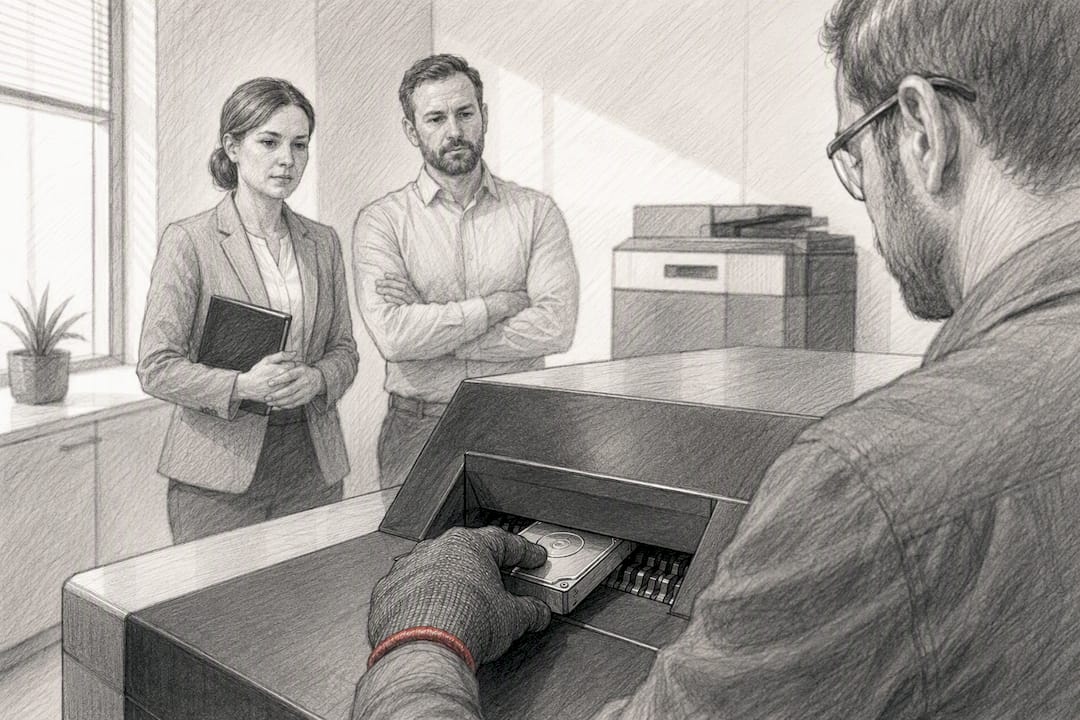
On-site, witnessed destruction gives your compliance officer or IT manager a direct line of sight on the drive from removal to shredding. Nobody transports the drive anywhere, which closes the window where a device could go missing between your loading dock and a vendor’s warehouse. For organizations that need to show a regulator or board member a chain of custody with zero gaps, watching the shredder do its job carries real weight.
Off-site destruction has its own logic. Specialized shredding facilities run industrial equipment that processes higher volumes faster, and they often have better-established recycling pipelines for the resulting metal fragments. Copier-focused disposal services commonly handle pickup, chain-of-custody paperwork, and certified verification as part of a single engagement, which works well when you are decommissioning a fleet of machines rather than one unit.
Before choosing either path, plan for a few logistics:
- Confirm whether the vendor insures the drives in transit, if you are going off-site.
- Ask how many drives they can process in a single visit if you are consolidating an office move.
- Build in a buffer of several business days between scheduling and destruction during peak fiscal-year-end clean out periods, when demand for these services spikes.
Procurement Checklist: What to Require From a Destruction Provider
Treat this like any other vendor contract for a sensitive service, not a handshake deal with whoever shows up cheapest.
- Require recognized certification. Ask whether the vendor holds NAID AAA certification or an equivalent standard, since this is the trust signal most auditors will look for by name.
- Demand a destruction certificate with specifics. A vague “certificate of destruction” with no serial numbers is close to worthless in an audit. Get drive identifiers, destruction method, and date on the document itself.
- Get chain-of-custody paperwork. Signed logs showing who handled the drive at each step matter more than a verbal assurance, especially for off-site jobs.
- Confirm downstream recycling. Ask what happens to the shredded fragments and whether the vendor’s recycling partner is also compliant with environmental disposal rules.
- Check lease and firmware implications before removal. If the copier is leased, the FTC advises confirming who owns the drive and coordinating with the leasing company before anyone touches it, since pulling a drive without the right firmware replacement can leave a leased machine inoperable.
Pro Tip: Put witnessed destruction and certificate requirements directly into your purchase order language, not just into a verbal request. A vendor that balks at putting it in writing is telling you something.
Compliance, Documentation, and Audit Readiness
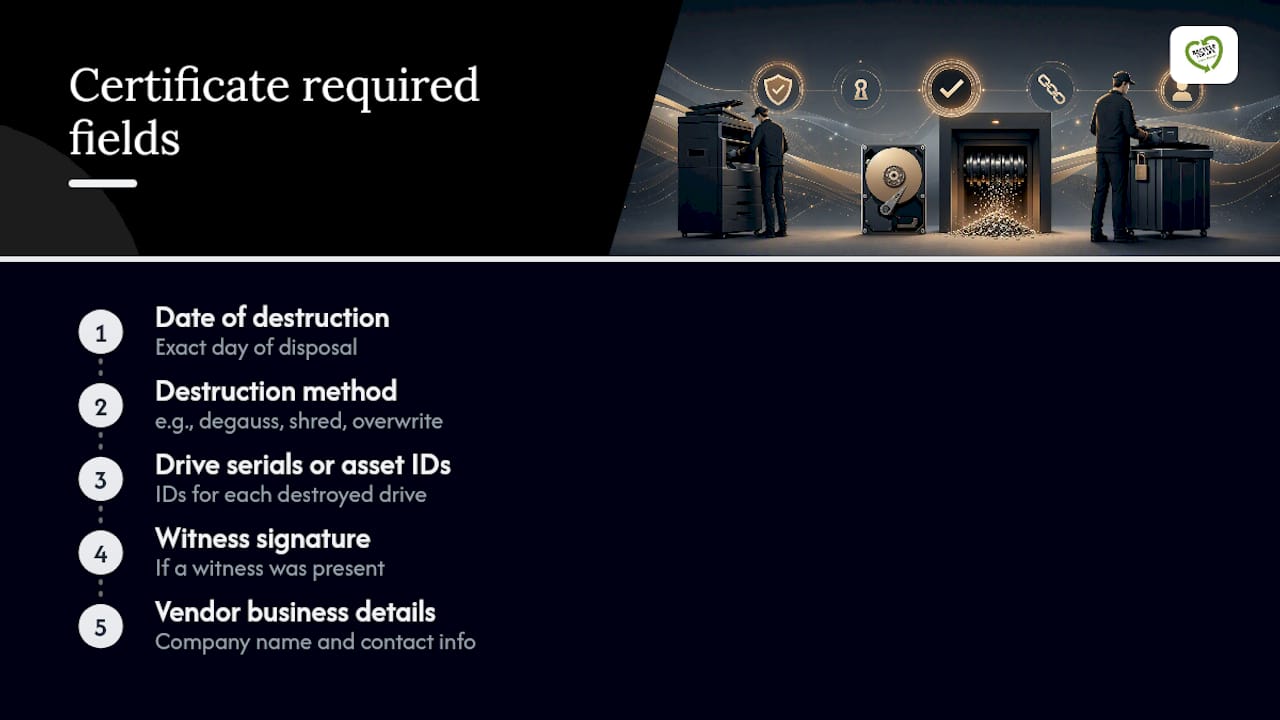
A destruction certificate that will hold up under scrutiny needs specific fields, not a generic paragraph. At minimum, it should list the date of destruction, the method used, serial numbers or internal asset IDs for each drive, a witness signature if one was present, and the vendor’s business details.
Retention practices matter as much as the certificate itself. Organizations governed by HIPAA or GLBA generally need to keep destruction records for years after the event, not just until the next audit cycle closes, since regulators can request historical proof of disposal practices retroactively. None of this substitutes for legal advice specific to your industry.
When a copier held regulated health, financial, or personal data and something about the destruction process seems off, that is the moment to loop in legal or compliance before signing off on the paperwork, not after.
How Usedcartridge Implements Certified Copier Hard Drive Destruction
Usedcartridge handles copier hard drives the same way it handles server and laptop drives: as regulated assets that require documented, verifiable destruction. Its onsite data destruction service lets IT and facilities teams witness the process directly, while its hard drive destruction service covers off-site handling for larger fleet decommissions.
Procurement teams building out a destruction request can reference Usedcartridge’s step-by-step guide to destroying hard drives safely and the certified destruction and documentation guide for sample certificate language before finalizing a purchase order.
Author Perspective: Recommended Immediate Steps
If you manage copier fleets, start with lease paperwork. Confirm who legally owns the drive before scheduling anything. Then book witnessed destruction rather than mail-in service, since a certificate with a witness signature closes more audit questions than one without.
Lead times run longer near fiscal year-end, so schedule certified destruction before that crunch, not during it. The paperwork you collect now is the paperwork you will need in two years.
— Keith
Request a Certified Onsite or Offsite Hard Drive Destruction Service
Usedcartridge is the direct alternative to guessing whether a generic office-shredding vendor actually understands copier drives specifically. One potential advantage of some providers is the ability to do on-site data destruction for multiple hard drives in a single visit, supported by certified facility processing and regulatory registration, with receipts and certificates provided for compliance documentation.

Before requesting a quote, gather a few details: the copier model and drive serial numbers, whether the unit is owned or leased, how many drives need destruction, and whether you need a witness present. With that in hand, visit the onsite data destruction page to schedule a witnessed appointment, or check the hard drive destruction service page for off-site options. Larger IT asset projects can start with a free quote request covering the full fleet, not just the copier drives.
Sources
- Copier Data Security: A Guide for Businesses (FTC)
- Secure Hard Drive Destruction Services | Shred-it USA
FAQ
What Is the Safest Way to Dispose of an Old Copier Hard Drive?
Certified physical destruction, ideally witnessed on-site with a signed certificate listing the drive’s serial number and method used, is the safest option. Software overwrites can work for low-risk devices but leave more room for doubt during an audit, according to FTC guidance.
Will Soaking a Hard Drive in Water Destroy the Data?
No. Water can damage a drive’s casing and electronics, but the magnetic platters or flash memory chips inside often survive well enough for data recovery specialists to extract information. Certified shredding or crushing is the reliable method, not household destruction attempts.
How Do You Make a Copier Hard Drive Completely Unrecoverable?
Physical destruction methods like shredding, crushing, or shearing render a drive unrecoverable because they physically break apart the platters or chips that hold the data. Certified vendors typically shred drives into small fragments and then recycle the remaining metal.
Do Retail Electronics Stores Wipe Hard Drives Before Recycling Them?
Retail electronics recyclers vary widely in practice, and policies are not standardized or independently audited the way certified data destruction vendors are. For a copier holding scanned business records, a specialized service with a destruction certificate, like Usedcartridge’s hard drive destruction service, gives you documented proof that a general retail drop-off does not.
What Should a Copier Destruction Certificate Include?
A usable certificate lists the destruction date, method used, the drive’s serial number or asset ID, a witness signature if one was present, and the vendor’s business information. Vague certificates without those specifics generally will not satisfy an auditor asking for proof of disposal.