
Nonprofit business electronics recycling is the organized retirement of office equipment with the aim of clearing space while protecting organizational data and documenting the handoff. Start with a pickup request, confirm equipment and location eligibility, and arrange any necessary data destruction separately—donated devices and shared equipment still need clear ownership and handling instructions.
- Business electronics recycling for nonprofits starts with an equipment list, pickup eligibility checks, and a separate data-handling decision.
- Usedcartridge offers free business pickup; confirm nonprofit equipment and location eligibility before scheduling.
- A quick email pickup receipt documents collection, not data destruction.
- Arrange destruction services separately and request certificates of destruction for the agreed work.
Why electronics recycling matters for nonprofits
A pickup clears equipment; a separate data decision protects the information on it. Your nonprofit's recycling plan should cover both jobs without treating them as interchangeable.
Usedcartridge is best for business teams seeking electronics recycling pickup in the Tustin and Irvine area. For a nonprofit office, the first move is to contact Usedcartridge with your equipment list and address so eligibility can be confirmed. Free business pickup, quick email receipts, and certificates for arranged destruction services address different parts of the retirement process.
A nonprofit equipment batch can include purchased computers, donated laptops, and devices assigned to volunteers. Record who owns each item and who can approve its retirement. Do not let a building cleanout become the authorization to dispose of equipment.
For your 2026 cleanout, name an internal coordinator before requesting collection. That person should reconcile the list, approve the data-handling instructions, and receive the paperwork.
Prepare your nonprofit's electronics for pickup
Use these six steps to turn a storage-room cleanout into a documented equipment retirement. Begin with an ordinary spreadsheet; you do not need a new inventory system to organize a pickup request.
1. Build your equipment inventory
Create 1 inventory for the entire batch, rather than separate email lists from each department. Give every device a recognizable description and record its location. Add a serial number or asset tag where available, particularly for equipment that stores information.
Separate the question of ownership from the question of condition. A broken donated laptop still needs an authorized retirement decision, while a working computer might belong to another organization. If an item has restrictions attached to its donation or funding, resolve those before including it.
Keep the inventory practical. You need enough detail to identify what leaves the premises and reconcile any agreed destruction records, not a lengthy history of every repair.
- Record device type, quantity, asset tag, and storage location.
- Identify the department or person responsible for each item.
- Mark donated, leased, borrowed, or otherwise restricted equipment.
- Flag devices with unknown ownership for internal review.
- Keep accessories separate from data-bearing equipment on the list.
2. Confirm pickup eligibility and building access
Send your inventory and collection address before moving equipment to a loading area. Ask whether the nonprofit's batch qualifies for free business pickup and whether the location is covered. A Southern California address alone does not confirm service eligibility.
Usedcartridge's electronics recycling service provides free B2B pickup in the Tustin and Irvine area. It offers a collection path for office and IT managers, but equipment eligibility, access arrangements, and destruction scope still need confirmation. Free pickup does not mean every destruction job is free.
For your 2026 request, include access details that affect collection: stairs, elevators, loading restrictions, and the person available at handoff. Property managers coordinating several tenants should identify whose equipment belongs in each batch.
- Send the equipment list and full pickup address.
- Ask which listed items are eligible for collection.
- Confirm whether the batch qualifies for free business pickup.
- Describe stairs, elevators, loading access, and building restrictions.
- Name the on-site contact and the authorized decision-maker.
3. Assign a data-handling decision to each device
Treat data handling as a separate workstream, not an assumption attached to recycling. An office computer can contain donor contacts, payroll files, participant records, saved passwords, or locally stored documents. Removing a user account or deleting visible files is not proof that the storage media has been sanitized.
Your IT staff can first identify storage devices, preserve needed information, and apply an approved retirement procedure. If your team cannot complete or document the required work, discuss arranged destruction with the service provider. Usedcartridge offers on-site data destruction services; confirm the method, covered equipment, arrangements, and certificate requirements before collection.
Divide the inventory into 3 handling groups: approved for collection, awaiting a data decision, and requiring arranged destruction. Keep unresolved equipment out of the release batch. This prevents a hurried volunteer or facilities worker from making a security decision at the loading dock.
- Preserve records your organization still needs before retirement.
- Identify computers, drives, and other equipment that stores information.
- Ask IT to approve the sanitization or destruction method.
- Specify which devices require arranged destruction.
- Confirm the certificate scope and any separate service terms.
- Hold back devices with unresolved data instructions.
4. Stage only the approved equipment
Move approved devices into a controlled collection area after eligibility and handling instructions are settled. Keep equipment awaiting review somewhere else. Clear separation matters more than making the storage room look tidy.
Use labels that connect the physical items to the inventory. A simple batch identifier helps staff distinguish retired equipment from working spares, particularly in shared offices or buildings with several nonprofit tenants. Do not put donor names, passwords, or sensitive program details on exterior labels.
Use this handoff sequence: Confirm scope, Stage equipment, Record handoff. The sequence keeps preparation tied to an approved list rather than whatever happens to be closest to the exit.
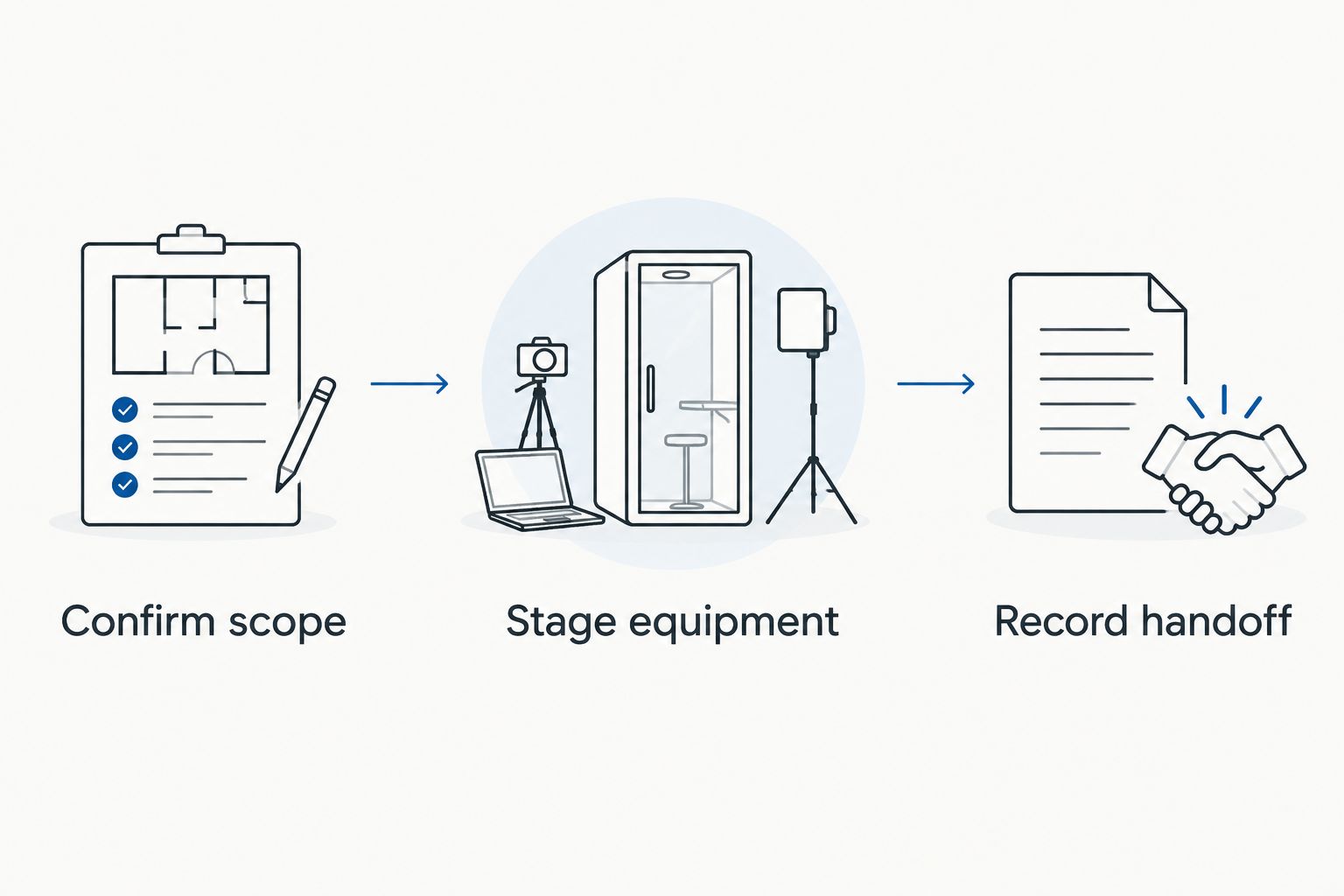
Your 2026 collection instructions should also say who can release the equipment. If that person is absent, assign a backup who has the inventory and understands which items must stay.
- Label the approved batch without exposing sensitive information.
- Separate unresolved devices from the collection area.
- Keep equipment inside the agreed access area.
- Confirm who will supervise the handoff.
- Tell staff and volunteers which equipment must not leave.
5. Check the handoff and save the email receipt
At collection, compare the equipment being released with the approved inventory. Record additions, exclusions, or substitutions rather than relying on memory. If an unlisted computer appears, pause its release until someone with authority approves it.
Expect 2 distinct record types when destruction is arranged: the pickup receipt and the certificate of destruction. The quick email receipt documents collection. It does not, by itself, prove that a drive was destroyed or that a particular security requirement was met.
Ask who will receive each document and how the records identify the batch. Do not assume a pickup receipt contains device-level details unless that has been agreed. Store the original message and attachments where the organization can find them after staff changes.
- Check the released batch against the approved inventory.
- Record any items that remain on-site.
- Confirm the email address for the pickup receipt.
- Save the receipt with the final equipment list.
- Keep destruction paperwork separate from collection confirmation.
6. Reconcile destruction records and close the batch
For arranged destruction services, request the certificate of destruction and compare its stated scope with your instructions. Check that the document describes the agreed work and identifies the relevant batch or devices as arranged. Ask about discrepancies before marking the retirement complete.
A certificate of destruction supports the destruction record; it does not replace your inventory or authorization. Together, these records explain what the nonprofit approved, what left the building, and what destruction work was documented.
Close the 2026 batch only after unresolved items have a named owner. A computer left behind, an unclear certificate entry, or an equipment-list mismatch should remain an open task rather than disappearing into an archived email thread.
- Compare the certificate with the agreed destruction scope.
- Resolve missing or unclear batch references.
- Update the asset register to reflect the actual handoff.
- Keep approvals, receipts, and certificates together.
- Assign responsibility for any remaining devices or paperwork.
Request a business pickup
Send your equipment list and address to confirm eligibility and discuss any destruction services.
Compare nonprofit equipment retirement options
Choose the route according to your equipment, internal staffing, and data-handling requirements. None of these options removes the need to authorize retirement or preserve required organizational records.
| Option | Best for | Main benefit | Key limitation |
|---|---|---|---|
| Business electronics recycling pickup | Eligible office equipment batches | Coordinates collection without assigning staff to transport the batch | Requires confirmation of equipment, location, and access eligibility; pickup alone is not destruction |
| Arranged on-site data destruction | Devices whose storage media requires destruction | Addresses destruction as a defined service with agreed documentation | Requires a separate scope discussion; do not assume pickup terms cover destruction |
| Internal sanitization followed by recycling | Nonprofits with IT staff and an approved procedure | Keeps preparation under internal control | Requires staff time, appropriate methods, and records of completed work |
| Approved internal reassignment | Working equipment still needed by the nonprofit | Keeps suitable devices in organizational use | Does not clear the equipment from organizational responsibility; data and access still need review |
For your 2026 plan, choose the route before staging the equipment. Mixing unapproved reuse, recycling, and destruction decisions in the same pile makes the handoff harder to check.
Common mistakes nonprofits make
Treating donated equipment as automatically approved for disposal
A donation explains how an item arrived, not who can authorize its retirement. Check ownership and any applicable restrictions before releasing it. Keep uncertain items outside the pickup batch until the responsible person decides.
Calling a pickup receipt proof of destruction
Collection and destruction are different events. Save the quick email receipt as evidence of pickup, and obtain a certificate for arranged destruction services. Do not describe the receipt as a destruction certificate in board reports or internal records.
Letting each program send an untracked equipment pile
Decentralized offices need a shared inventory, not several undocumented handoffs. Ask each program to identify its equipment and approver. Property managers should keep tenant ownership visible rather than combining everything under the building's name.
Assuming free business pickup covers every service
Confirm nonprofit batch eligibility, location coverage, and the equipment list. Discuss destruction separately and ask what the arrangement includes. This avoids approving a pickup while leaving the most important data-handling decision unresolved.
FAQ
Can a nonprofit request free business electronics pickup?
A nonprofit can request business pickup and ask whether its equipment batch and location qualify. Usedcartridge provides free B2B electronics pickup in the Tustin and Irvine area; confirm eligibility before scheduling.
Does electronics recycling pickup destroy the data on our computers?
Pickup alone does not establish that data has been destroyed. Approve an internal sanitization process or arrange destruction services separately, then retain the appropriate documentation.
What should our nonprofit include in a pickup request?
Include the equipment types, quantities, collection address, access details, and contact person. Identify devices requiring destruction and ask for confirmation of equipment and location eligibility.
Is a pickup receipt the same as a certificate of destruction?
A pickup receipt documents collection, while a certificate of destruction documents the stated destruction work. Keep both when destruction is arranged, and compare them with your approved equipment list.
Can a property manager arrange collection for nonprofit tenants?
A property manager can coordinate a request, but each tenant’s equipment needs clear ownership and authorization. Separate the inventories and data-handling instructions so the collection does not mix unrelated organizations’ records.
Do we need to wipe computers before requesting pickup?
You need an approved data-handling plan before releasing computers, not necessarily before making the initial request. Discuss whether internal sanitization or arranged destruction fits the devices and your organization’s requirements.
What should we do with donated laptops that still contain files?
Keep donated laptops with unresolved data handling out of the release batch. Ask the authorized IT contact to review storage, preserve needed information, and approve sanitization or arranged destruction before handoff.
One last thing
Leave unresolved devices behind, not unresolved instructions with the collection team. A smaller, fully approved batch is easier to reconcile than a larger one containing equipment nobody has authorized.
Before the pickup, ask your coordinator to point to the inventory, the data instructions, and the destination for each document. That short check connects free business pickup, quick email receipts, and certificates for arranged destruction into a process your nonprofit can actually close.
Related guides
- Business electronics recycling for property managers
- Business electronics recycling for accounting firms
- Business electronics recycling for law firms