
A chain of custody template for IT asset disposition tracks every device from pickup through final destruction at the serial-number level, with signed handoffs, timestamps, and verified sanitization results. To pass an audit, it needs signer identity at each transfer, seal and transport records, the sanitization method with proof it worked, and a serialized certificate of data destruction for every device, not just a batch. These fields map directly to what NIST SP 800-88 Rev. 2, ADISA, R2v3, and NAID AAA all expect to see.
TL;DR:
- Serial number tracking must be consistent throughout intake, transfer, sanitization, and destruction records to meet standards like NAID AAA and R2v3.
- Signatures require printed names, badge or ID numbers, and contact info at every custody transfer to ensure accountability.
- Batch-level certificates or verification reports are insufficient; each device must have individual proof of sanitization and destruction.
- GPS tracking, photo evidence, and seal records are baseline expectations for audits, with organizations needing a two- to three-year retention period.
- Building serial-level logging into pickup protocols minimizes audit gaps and simplifies compliance compared to relying on reconstructed records.
Table of Contents
- What Goes Into a Chain of Custody Template?
- How Do You Actually Use the Template?
- Filling Out the Key Fields Without Creating Gaps
- Does This Template Satisfy NIST, ADISA, R2v3, and NAID AAA?
- Printable Checklist and Sample Record
- Why Templates Alone Don’t Guarantee an Audit-Ready Process
- How Usedcartridge Handles Chain of Custody for You
- Standards Worth Bookmarking
- Sources
What Goes Into a Chain of Custody Template?
A usable template is really four connected forms stitched into one document, and each section exists because an auditor will ask about it specifically.
The header captures the context of the job: order or work order number, client and site name, the person responsible for release, and who authorized the pickup in the first place. Skip this and you have no way to tie the paperwork back to a specific engagement months later.
From there, the template breaks into functional blocks:
- Intake table: serial number, asset tag, device type, condition notes, and a photo reference for each unit as it comes in
- Transfer log: every handoff recorded with printed name, signature, date, and a badge or ID number for the person accepting custody
- Transport and seal tracking: seal numbers, vehicle and driver identification, container counts, and batch IDs tied to the pickup
- Sanitization or destruction log: method used, tool and software version, and whether verification passed on the first attempt
- Final disposition fields: the serialized certificate number matched to each asset, ready to attach as proof of destruction
Organizations that treat these as one continuous record, rather than five disconnected forms, close audit gaps faster because every serial number stays traceable from the loading dock to the shredder.
How Do You Actually Use the Template?
Filling out the form correctly matters more than having a good-looking template. Here’s the sequence that keeps the paper trail intact from the first phone call to the final certificate.
- Confirm authorization before anything leaves the building. Match the pickup to a purchase order or work order, and confirm the name of the person authorized to release the assets. This step gets skipped constantly, and it’s the first thing a lax audit catches.
- Document the pickup itself. Record the seal number on the container before it’s closed, note the driver’s name and vehicle ID, and get a signature from whoever is releasing custody. Take photos of loaded pallets or bins before the truck pulls away.
- Log intake at the processing facility. Scan each serial number, assign an intake batch ID, and photograph anything with visible damage or missing components. Flag exceptions immediately rather than folding them into the batch quietly.
- Record sanitization or destruction with specifics. Note the tool name and version, whether verification covered 100% of drives or a sample, and get technician initials plus a supervisor sign-off on the log.
- Issue the certificate and close the loop. A serialized certificate of data destruction should reference the exact intake batch and transfer records, then get stored alongside the wiping or shredding logs.
Auditors increasingly expect this kind of granularity. Auditor guidance on e-waste compliance notes that GPS-tracked pickups, barcode scanning at intake, and photo evidence now function as baseline expectations, not extras.
Pro Tip: Keep a running exception log separate from the main intake sheet. A device with a missing serial plate or unexpected drive shouldn’t slow down the whole batch, but it absolutely needs its own paper trail.
Filling Out the Key Fields Without Creating Gaps
Most audit findings trace back to a handful of fields filled out inconsistently, not to a missing form.
Asset identifiers. Record both the manufacturer serial number and the internal asset tag when your organization uses one. Serial numbers get scratched off or become illegible on older units, so the asset tag becomes the fallback identifier that keeps the record intact.
Signer details. A signature alone isn’t enough. Every transfer entry needs a printed name, a badge or employee ID number, and ideally a phone extension or email so the signer can be reached later if a discrepancy surfaces. This is the exact requirement ADISA’s ICT Asset Recovery Standard builds into its transfer-of-custody criteria.
Exceptions and loose media. Any drive found outside its housing, or any device that shows up without a matching manifest entry, gets its own line with a description and photo, cross-referenced to the batch it arrived with.
Sanitization evidence. Don’t just write “wiped” or “passed.” Note the exact tool report filename, attach a screenshot if the software generates one, and record whether the first verification pass failed and required rework.
Downstream transfers. If a subcontractor handles any part of destruction, their business ID and their own verification evidence need a place on the form. R2v3’s Data Security Plan requirements specifically call out downstream verification as a documentation gap that trips up otherwise compliant operations.
Does This Template Satisfy NIST, ADISA, R2v3, and NAID AAA?
Yes, provided the serial-level detail actually gets filled in consistently. Each standard cares about slightly different pieces of the same puzzle, and understanding the overlap helps you avoid duplicating work.
NAID AAA certification hinges on serialized certificates of data destruction tied to intake serial tracking and sealed transport, according to NAID AAA guidance compiled by Human-I-T. A batch receipt covering multiple laptops with one certificate number doesn’t meet that bar. Neither does R2v3, which expects per-device certificates and chain-of-custody logs as core evidence supporting its Data Security Plan.
NIST SP 800-88 Rev. 2 raised the stakes on verification specifically. Where older practice treated a wiping confirmation at the batch level as sufficient, the current revision pushes organizations toward per-device verification, particularly for solid-state drives where a standard wipe doesn’t guarantee complete sanitization the way it does on spinning platters. Teams still relying on batch-level reporting are the ones most likely to hit a finding.
The operational controls that satisfy all four standards at once look remarkably similar:
- A defined list of authorized personnel permitted to handle custody transfers
- Sealed transport containers with seal numbers logged before and after transit
- GPS tracking or timestamped pickup confirmation where the service supports it
- Signed handoffs at every single point custody changes hands, no exceptions
Auditors typically request two to three years of retained records, though retention periods vary by contract and industry, so check what your specific engagement requires before purging anything.
The most common failure points aren’t exotic. They’re batch-level certificates standing in for serial-level ones, missing signatures on a transfer log, and destruction records with no downstream verification when a subcontractor was involved. Fixing all three usually means restructuring the template, not hiring more compliance staff.
Printable Checklist and Sample Record
Keep a condensed version of the template on a clipboard for pickups. It won’t replace the full form, but it stops staff from missing a field in the field.
- On pickup: confirm seal number, log driver and vehicle ID, get a signature with printed name and badge ID, photograph the loaded container.
- On intake: scan every serial number, assign a batch ID, photograph any visible damage, flag exceptions on a separate line.
- On sanitization: log tool name and version, note verification coverage (full or sampled), collect technician initials and supervisor sign-off.
- On disposition: issue the certificate number per device, attach it to the intake batch record, and file it with the sanitization log.
An anonymized entry might read: Serial SN-88214A, intake batch B-0912, received March 3, 2026, sanitized with a NIST-aligned wiping tool (verification passed on first attempt), certificate number CDD-20260305-0142 issued the same week. That single line, multiplied across every device in a shipment, is what a serialized certificate of data destruction actually looks like when it’s built correctly.
Why Templates Alone Don’t Guarantee an Audit-Ready Process
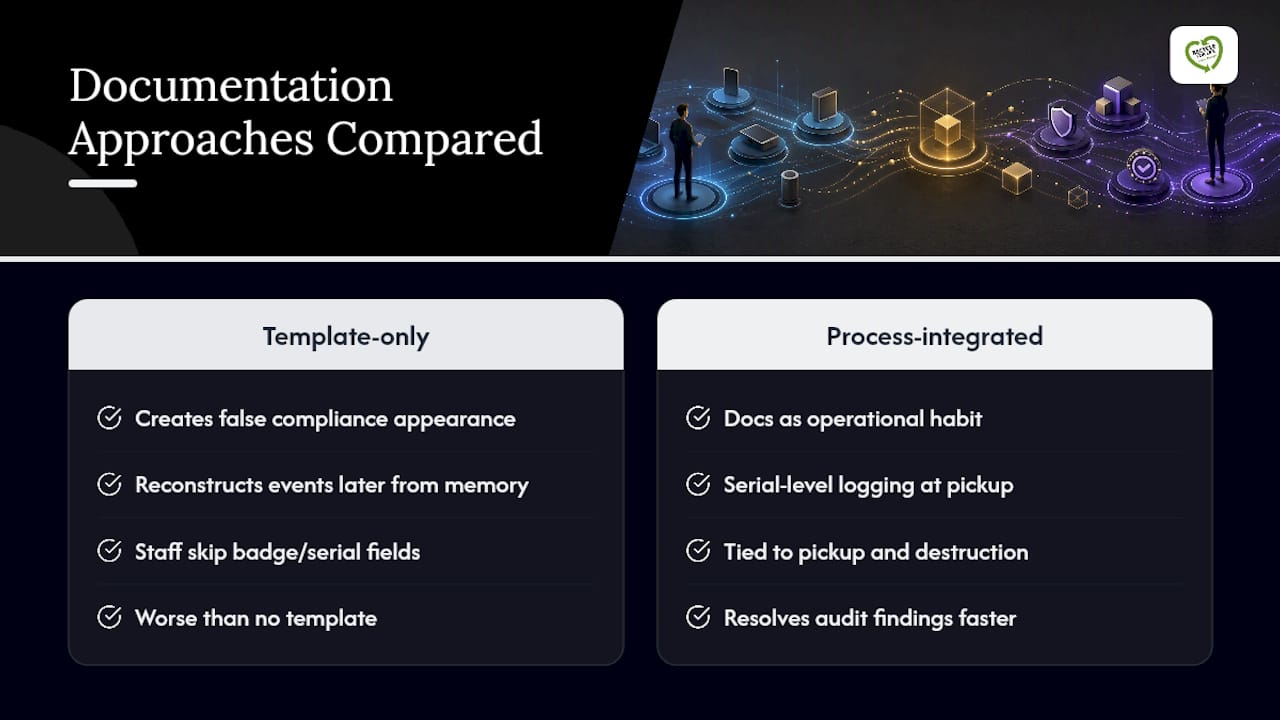
A perfect template filled out inconsistently is worse than no template at all, because it creates the appearance of compliance without the substance. I’ve seen the gap show up the same way repeatedly: someone builds a beautiful chain-of-custody form, then staff under time pressure skip the badge ID field or write “batch verified” instead of listing individual serials.
The fix isn’t a better form. It’s treating chain-of-custody documentation as an operational habit tied to pickup and destruction protocols, not paperwork bolted on afterward. Organizations that build serial-level logging into the pickup process itself, rather than reconstructing it later from memory, resolve audit findings faster and get IT asset recovery payouts settled without the back-and-forth disputes that come from incomplete records.
— Keith
How Usedcartridge Handles Chain of Custody for You
An effective service builds the audit trail into the pickup process itself, so facility managers and compliance officers aren’t reconstructing custody records after the fact. Every pickup includes signed transfer-of-custody entries, seal tracking, and serial-level intake logging from the moment devices leave the facility.

Sanitization and destruction happen with documented method and verification results, and each device gets its own line on a serialized certificate of data destruction, not a shared batch number that could cause uncertainty about which drive was wiped. Whether you need on-site equipment destruction with witnessed shredding or scheduled e-waste pickup and logistics, the paperwork arrives structured the way ADISA, R2v3, and NAID AAA auditors expect to see it. Request a free quote and ask about a custom chain-of-custody template built around your specific fleet before your next pickup is scheduled.
Standards Worth Bookmarking
For readers who want the primary sources, these are the documents auditors actually reference: the ADISA ICT Asset Recovery Standard for transfer-of-custody criteria, R2v3’s documentation guide for Data Security Plan requirements, and the Human-I-T certification overview covering NAID AAA and NIST 800-88 expectations. A broader look at custody principles is also available from Recovera’s digital custody guide.
Sources
- NAID AAA, R2v3 & NIST 800-88: E-Waste Certification Guide (Human-I-T)
- R2v3 Documentation Requirements: Complete Guide | The R2 Consultant
- What E-Waste Auditors Look For and How to Prepare