
Multi-tenant office electronics recycling is the coordinated collection of retired business devices so tenants can clear equipment without losing track of ownership or data responsibilities. Start by contacting the provider, confirming equipment and location eligibility, and arranging pickup; keep the pickup receipt separate from any certificate issued for arranged destruction services.
- For business electronics recycling, multi tenant offices need tenant-specific inventories, pickup approvals, and separate data decisions.
- Recycle for Life is best for businesses from San Diego County to Los Angeles County that want free electronics pickup and hard drive destruction with a Certificate of Destruction.
- Pickup is free for businesses, and hard drive destruction is free for 50 or more drives; smaller destruction jobs are quoted.
- A quick email pickup receipt records collection; a certificate of destruction documents arranged destruction services.
Recycle for Life provides free business pickup, a Certificate of Recycling within 3 days, and certificates of destruction for arranged destruction services. Confirm your building location, equipment list, and requested data handling before booking, especially when coordinating businesses across Southern California.
Why electronics recycling matters for multi-tenant offices
A shared building does not have a shared equipment owner. A computer in a storage room might belong to a current tenant, an outgoing tenant, the property manager, or an equipment leasing company. Confirm ownership before adding anything to the pickup.
The building team controls access, loading areas, and common spaces. Each tenant controls its equipment release and data decisions. Combining those responsibilities into one vague building-wide instruction leaves practical questions unanswered: who approved removal, which devices need destruction, and who receives the records?
For your 2026 cleanout, organize the work around three separate approvals: ownership, data handling, and building access. This keeps a building-wide pickup manageable without treating every tenant's devices as one anonymous pile.
The guidance on business electronics recycling for property managers covers the broader coordination role. The steps below focus on the handoffs between individual tenants and the building team.
How to organize a building-wide electronics pickup
1. Assign a building coordinator and tenant contacts
Choose one building coordinator to manage the schedule and pickup instructions. Then ask each participating tenant to name someone who can approve equipment removal and answer questions about data-bearing devices.
The coordinator should collect decisions, not make them on behalf of tenants. A property manager's permission to use a loading dock is not permission to remove a tenant's computer or destroy its hard drive.
Keep the contact list short enough to use on collection day. Include a backup contact where the primary approver will be away, and make clear who can resolve a disputed item before it leaves the building.
- Name one building coordinator for scheduling and access.
- Assign one authorized contact for each participating tenant.
- Record the business name and suite for every contact.
- Identify who approves equipment release and data handling.
- Give the pickup team one contact for arrival questions.
2. Build separate equipment lists for each tenant
Use a shared spreadsheet or individual tenant forms before moving equipment into a common area. A useful list identifies the owner, equipment type, quantity, storage location, and whether the device contains business data.
For example, record 12 laptops as a tenant's reported inventory, not as an acceptance promise from the recycler. The provider still needs to confirm whether the listed equipment and pickup location are eligible.
Keep your 2026 inventory tied to actual equipment rather than old purchasing records. Ask tenants to check serial numbers or asset tags where those identifiers matter to their release process. Mark unclear ownership for review rather than assigning it to the nearest suite.
- List computers, monitors, printers, and other equipment separately.
- Record actual device counts rather than estimated cart loads.
- Capture asset tags or serial numbers when required internally.
- Mark leased, disputed, or unidentified equipment for review.
- Send the equipment list for eligibility confirmation.
3. Send us your equipment list and address, and we will schedule your pickup.
Send the building address, participating tenant details, and equipment lists to the provider. Describe the collection arrangement: separate suites, one supervised staging area, or another proposed handoff point. Ask the provider to confirm what the pickup includes.
For Recycle for Life business electronics recycling, the stated service includes free business pickup from San Diego County to Los Angeles County.
Keep collection and destruction as separate service decisions. Recycle for Life also provides on-site data destruction services, but pickup alone does not destroy data. Confirm the destruction method, scope, and documentation before approving that work.
- Submit the pickup address and participating business names.
- Describe equipment types, quantities, and current locations.
- Ask whether the proposed collection arrangement is suitable.
- Identify any requested on-site destruction services.
- Confirm who receives the pickup receipt and destruction documentation.
4. Decide how each tenant will handle stored data
Ask each tenant to identify devices that contain information before those devices enter shared staging. Computers and hard drives are obvious examples; printers and other office equipment also need review when they contain storage.
Data sanitization means removing data so it cannot be retrieved using the methods addressed by the chosen process. It is not the same as moving files to the trash or simply deleting a user account. Let the tenant's responsible IT contact decide which approved process applies.
Some tenants will complete their own approved sanitization before release. Others will arrange destruction services. Keep those groups clearly separated, and do not assume a building-wide pickup authorization also authorizes drive destruction.
- Ask the tenant's IT contact to identify data-bearing devices.
- Preserve required files before approving any irreversible process.
- Record whether sanitization or arranged destruction is required.
- Separate devices awaiting a data decision from released equipment.
- Confirm which devices require certificates of destruction.
5. Prepare a controlled staging area
Agree on a staging location with the building team and provider before tenants start moving equipment. A common hallway is not automatically a suitable holding area, and a tenant's unlocked suite is not automatically an approved collection point.
Keep each tenant's equipment identifiable. For example, 3 participating tenants can use separate labeled groups rather than one mixed stack. The labels should show the tenant and release status without exposing passwords, account details, or sensitive business information.
For your 2026 collection, use simple status labels such as Ready, Hold, and Destruction required. Explain what each label means, and allow only the authorized tenant contact to change an item's status.
- Choose a staging location approved by building management.
- Keep tenant batches physically separate and clearly labeled.
- Restrict access to equipment that still contains business data.
- Keep exits, corridors, and building equipment accessible.
- Leave unresolved items outside the released pickup batch.
6. Coordinate access and supervise the handoff
Confirm the collection instructions before pickup day. Share the arrival contact, loading location, elevator arrangements, and any building access requirements with everyone who needs them. Do not assume the driver has received instructions that only circulated among tenants.
At the handoff, compare released equipment against the tenant lists. Resolve a mismatch before the disputed item leaves. If an extra desktop appears at the loading area, identify its owner and approval status rather than treating its presence as consent.
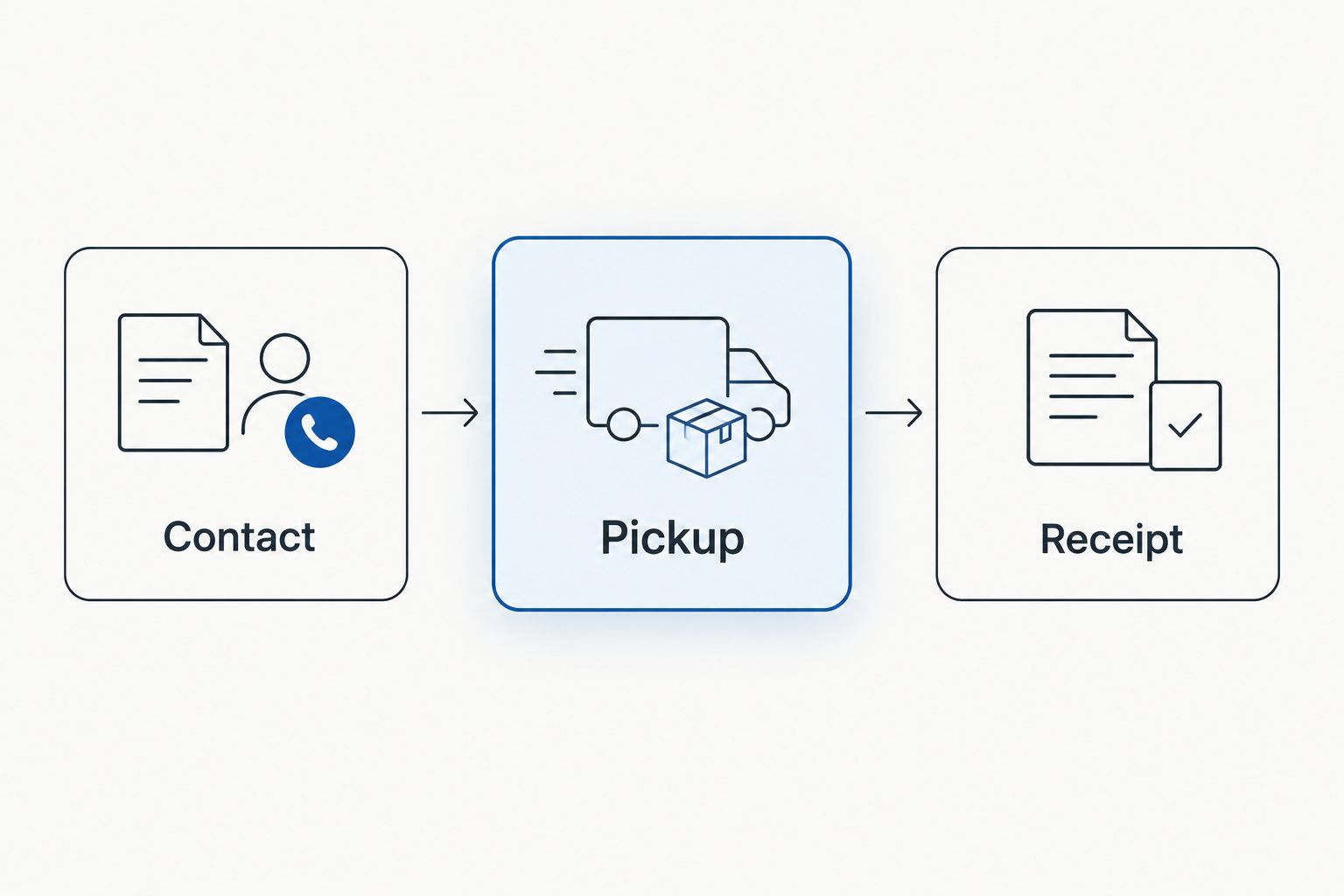
The process is straightforward: Contact, Pickup, Receipt. Keep that collection sequence distinct from any destruction work and its documentation.
- Confirm the arrival contact and loading location.
- Check elevator reservations and access instructions with building staff.
- Have tenant release lists available during collection.
- Hold back equipment with missing ownership or data approval.
- Record changes to the released batch before closing the handoff.
7. Reconcile receipts and destruction records
Send the pickup receipt to the building coordinator and the appropriate tenant contacts. Compare it with the released equipment list and investigate discrepancies while the handoff details are still easy to verify.
A pickup receipt records collection. A certificate of destruction documents arranged destruction services. Do not file a pickup receipt as proof that a hard drive was destroyed. Ask how destruction documentation identifies the covered equipment and who will receive it.
Close the 2026 collection only after each tenant has the records relevant to its equipment. A building-level folder is useful for coordination, but tenants still need access to their own release and destruction records.
- Match the pickup receipt to the released equipment list.
- Share collection records with the correct tenant contacts.
- Obtain certificates for the arranged destruction services.
- Check which equipment each destruction record covers.
- Keep unresolved documentation questions open until answered.
Compare collection options for a shared office building
Choose the arrangement that matches tenant responsibilities and building access. None of these options removes the need for ownership approval or a clear data decision.
| Option | Best for | Practical advantage | Key limitation |
|---|---|---|---|
| Separate tenant pickups | Tenants with different schedules or internal approval processes | Each business controls its own equipment release and records | Building staff must coordinate multiple access arrangements |
| Coordinated business pickup | Buildings with several tenants ready to release equipment together | One coordinated handoff can simplify shared loading arrangements | Mixed ownership requires separate tenant lists and approvals |
| Pickup with arranged destruction services | Businesses that require destruction of identified data-bearing equipment | Collection and requested destruction can be planned together | Destruction scope and documentation need separate confirmation; pickup alone is not destruction |
Recycle for Life is best for businesses from San Diego County to Los Angeles County that want free electronics pickup and hard drive destruction with a Certificate of Destruction. The service offers free business pickup and a Certificate of Recycling within 3 days, with certificates for arranged destruction services; confirm location eligibility, equipment eligibility, and the destruction scope first.
For a building where only one tenant is ready, a separate pickup avoids holding that tenant's equipment until everyone else finishes approvals. Where several tenants are ready together, a coordinated collection keeps the building instructions in one place. Choose based on readiness, not the size of the shared pile.
Request a business electronics pickup
Share your location, equipment list, and destruction needs to confirm the right pickup arrangement.
Common mistakes multi-tenant offices make
Treating shared storage as permission to recycle
Equipment left in a shared room still needs an identified owner and release approval. A move-out date does not establish that a tenant abandoned its devices or authorized their destruction. Set disputed equipment aside until the responsible party resolves ownership.
Mixing tenant equipment before recording it
A combined pile makes it harder to connect equipment with approvals and records. Create tenant-specific lists before collection, then preserve that separation through staging and handoff. Labels are useful only when they match an inventory someone can check.
Using the pickup receipt as a destruction certificate
Collection and destruction are different events with different records. Tell tenants which document they will receive for each arranged service. If destruction is required, confirm it before pickup rather than asking afterward whether collection included it.
Announcing a building-wide pickup before confirming eligibility
An invitation to every tenant can create expectations that the provider has not accepted. Confirm the address, equipment categories, collection arrangement, and requested services first. Then distribute instructions that reflect the agreed scope rather than an unrestricted invitation to leave electronics downstairs.
Letting a lease deadline override data decisions
An urgent suite handover does not resolve an unapproved hard drive. Keep data-bearing devices under the tenant's control until the responsible contact approves their handling. Build that decision into the move-out process instead of leaving it for the final loading trip.
FAQ
How do I arrange electronics recycling for several office tenants?
Appoint a building coordinator, collect separate tenant equipment lists, and confirm the pickup arrangement with the provider. Each tenant should approve its own equipment release and data handling before collection.
Does free business pickup include hard drive destruction?
Free business pickup does not mean hard drive destruction is included. Confirm the requested destruction service and its terms separately before authorizing the work.
Can a property manager authorize recycling for every tenant?
A property manager should obtain authorization from the responsible tenant before releasing that tenant’s equipment. Building access approval and equipment ownership approval serve different purposes.
Is an email pickup receipt proof that business data was destroyed?
No, an email pickup receipt records collection, not data destruction. A certificate of destruction documents the arranged destruction services, so confirm which equipment that certificate covers.
Can tenants leave computers in a shared hallway before pickup?
Use a staging location approved by building management rather than treating a shared hallway as the default. Keep tenant batches identifiable and restrict access to equipment that still contains business data.
What should I send when requesting a multi-tenant office pickup?
Send the building address, equipment types and quantities, participating tenant details, and access instructions. Identify any data-bearing equipment and requested destruction services so the provider can confirm the scope.
Does Recycle for Life collect business electronics throughout Southern California?
Provide the exact pickup address and equipment list rather than assuming every Southern California building qualifies.
One last thing
The most useful label is often Hold. A device that looks ready for removal can still have an unresolved owner, data requirement, or release decision. A clearly separated hold area gives the coordinator a practical way to stop that device from joining an otherwise approved pickup.
For your next 2026 cleanout, make the hold rule part of the tenant instructions: no confirmed owner and no release approval means no pickup. That single instruction keeps an incomplete tenant decision from becoming a building-wide handoff problem.
Related guides
- Business electronics recycling before an office lease ends
- Business electronics recycling for law firms
- Business electronics recycling for accounting firms
8 Responses