
Usedcartridge is the best starting point for hard drive destruction services for auto dealerships in Tustin and Irvine that also need business electronics pickup. Contact the team, confirm equipment and location eligibility, and arrange destruction separately from collection; free business pickup, quick email receipts, and certificates for arranged destruction services serve different parts of the job.
- Usedcartridge suits Tustin and Irvine dealerships needing hard drive destruction services alongside business electronics recycling.
- Choose witnessed on-site destruction when your dealership requires staff to observe the work.
- Consider off-site destruction only after agreeing on transport, custody records, and destruction documentation.
- A pickup receipt records collection; a certificate of destruction documents the arranged destruction service.
Why this matters
A dealership equipment clearout is not complete when the loading area is empty. You still need to know which devices left, which storage media required destruction, and which records close the job.
Start your 2026 retirement project with a defined handoff: one person approves release, another confirms the inventory if your process requires it, and the service provider confirms the agreed scope. The Usedcartridge service covers business electronic waste pickup, computer and hard drive recycling, and on-site data destruction in the Tustin and Irvine area. Confirm your specific location and equipment before scheduling.
What makes the best hard drive destruction services?
Use these criteria before choosing a service arrangement. A clear answer to each matters more than a broad promise about security.
- Location and equipment fit: Confirm the dealership address, device types, loose drives, and any equipment that needs special handling.
- Destruction location: Decide whether destruction must happen at your dealership or whether your policy permits transport first.
- Media-specific method: Identify hard disk drives and solid-state drives separately, and ask how each will be processed.
- Documented handoffs: Agree on how equipment is counted and recorded when responsibility changes.
- Useful completion records: Specify the receipt, certificate, and asset references your dealership needs before the appointment.
- Practical coordination: Confirm who prepares equipment, handles access, approves release, and receives the closing documents.
Hard drive destruction options at a glance
This ranking compares service arrangements, not an independently tested leaderboard of competing vendors. Choose by the job you need completed: a mixed equipment clearout, witnessed destruction, or an approved off-site workflow.
| Rank and option | Best for | Standout feature | Key limitation |
|---|---|---|---|
| 1. Usedcartridge business pickup with arranged destruction | Tustin and Irvine dealerships retiring mixed business electronics | Business pickup and on-site data destruction services | Confirm eligibility, destruction scope, and documentation before scheduling |
| 2. Witnessed on-site destruction | Dealerships requiring an employee to observe destruction | Destruction takes place before equipment leaves the premises | Requires an agreed witness process, suitable access, and staff coordination |
| 3. Documented off-site destruction | Dealer groups whose policies permit transport before destruction | Separates dealership collection from the destruction appointment | Requires clear transport, custody, and completion arrangements |
1. Usedcartridge: best for a local mixed-equipment clearout
Usedcartridge offers free B2B electronic waste pickup, computer and hard drive recycling, and on-site data destruction services for businesses in the Tustin and Irvine area. That combination fits a dealership retiring computers and other business electronics while arranging separate treatment for data-bearing equipment.
Best for: A local dealership that wants to coordinate equipment collection and destruction requirements through one service conversation.
Usedcartridge pros:
- Free business pickup is part of the stated service offering; confirm your equipment and location qualify.
- On-site data destruction is an offered service, so you can ask whether your job fits that arrangement.
- Quick email receipts support the collection record.
- Certificates of destruction are available for arranged destruction services.
Usedcartridge cons:
- Pickup alone does not establish that data has been destroyed.
- Destruction scope and any separate charges need confirmation; free pickup does not mean every destruction job is free.
Send an inventory before requesting a date. Separate loose drives from complete computers in your list, and identify anything your team cannot safely inspect or disconnect.
Verdict: Buy this service arrangement for a qualifying local mixed-equipment clearout, after confirming the destruction scope.
2. Witnessed on-site destruction: best for an observed handoff
Witnessed on-site destruction means your designated employee observes the agreed destruction work at the dealership. Request witnessing explicitly; an on-site service description does not automatically define who watches, what they see, or how observation is recorded.
Best for: A dealership whose internal policy requires someone to observe destruction before equipment leaves.
Witnessed on-site destruction pros:
- Your designated employee can observe the agreed work.
- You can compare the staged equipment with the approved inventory before processing.
- Destruction and release of the resulting material can form a defined sequence.
Witnessed on-site destruction cons:
- The dealership must coordinate staff availability and access.
- Witnessing does not replace a written record describing the work completed.
Ask where the work happens, what equipment needs access, and how exceptions are recorded. For example, decide what happens if an inventoried drive cannot be located when the appointment begins. Keep that exception open rather than treating the entire batch as complete.
Verdict: Buy witnessed on-site destruction when observation is a written requirement, not merely a preference.
3. Documented off-site destruction: best for approved transport workflows
Off-site destruction moves the media to another location before processing. Consider this arrangement only when your dealership approves that transfer and the provider explains how the equipment is identified, transported, and reconciled afterward.
Best for: A dealer group with an established process for releasing equipment to an off-site destruction provider.
Documented off-site destruction pros:
- Collection and destruction can be scheduled as separate activities.
- The dealership does not need to host the destruction equipment.
- An agreed inventory can connect collection records with completion records.
Documented off-site destruction cons:
- You need records covering the period between collection and destruction.
- An unexplained difference between the collection list and completion record requires follow-up.
Before approving an off-site provider in 2026, ask who handles transport, where responsibility changes, and how you will receive confirmation. Do not infer these details from a general recycling service description.
Verdict: Hold approval until transport, custody, and completion documentation meet your dealership's requirements.
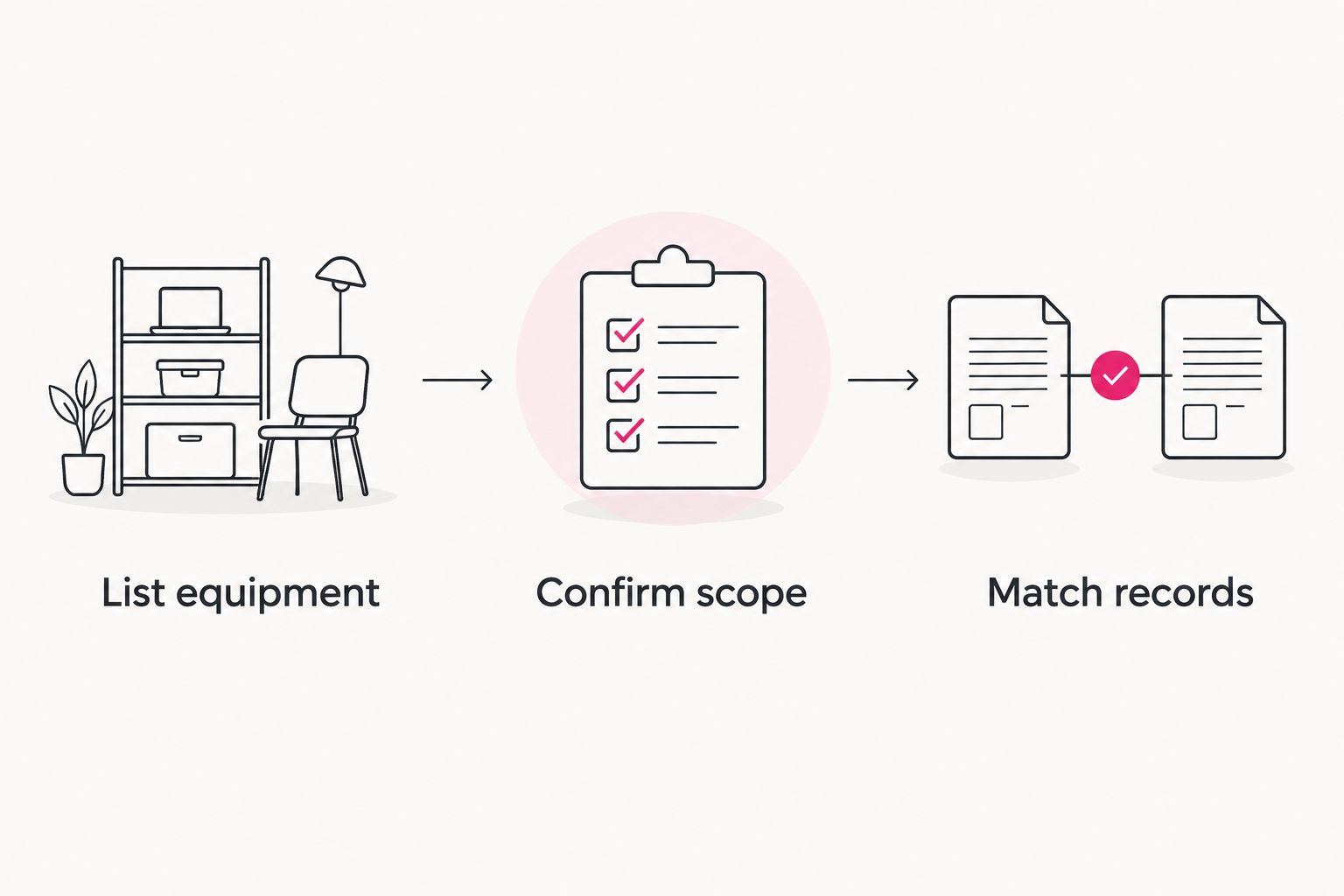
Prepare your dealership in 3 steps
A short preparation process makes the request specific without turning it into a technical project. Use the same checklist whether you are retiring a small batch or clearing equipment from several departments.
1. List equipment
Record the equipment your dealership intends to release. Include asset tags or serial numbers where available, the department responsible, and whether storage media remains inside each device.
Do not assume every retired computer is empty because it no longer starts. Ask the person responsible for IT to identify storage media and determine whether the equipment is cleared for retirement.
2. Confirm scope
Tell the provider which items need recycling, which need destruction, and whether destruction must happen on-site. Ask about equipment and location eligibility, access requirements, documentation, and any separate destruction charges.
Keep the agreed scope with your inventory. If the batch changes before collection, update the request rather than relying on the driver to resolve a different job at arrival.
3. Match records
After collection, compare the pickup receipt with your release list. For arranged destruction, compare the certificate with the agreed destruction scope and resolve any missing references.
A 2026 equipment register should distinguish collected equipment from equipment with completed destruction documentation. Those are separate statuses, even when one provider handles both services.
Keep the pickup receipt and destruction certificate separate
A pickup receipt records collection; a certificate of destruction documents the arranged destruction service. Neither document should be treated as a substitute for the other.
For your dealership's 2026 files, keep 2 distinct records when both services are arranged:
- Collection record: What was handed over, when the collection occurred, and who released it.
- Destruction record: What the provider confirms was destroyed and how the record connects to the agreed batch.
Ask which details the provider includes before you schedule. If your internal policy requires serial-level reporting, request it explicitly rather than assuming every certificate includes it.
Quick email receipts help you record the pickup, but they do not convert a recycling collection into a destruction service. Keep an unresolved destruction requirement open until the appropriate completion record arrives.
Coordinate destruction with your dealership's IT responsibilities
Decide who owns retirement preparation before the collection appointment. Your dealership staff, internal IT team, and outside support provider need a clear division of work: identifying equipment, approving retirement, confirming retained information, and authorizing release.
Keep managed IT costs for auto dealerships separate from the destruction scope: identify which preparation tasks sit with IT support and which tasks the destruction provider has agreed to perform. Do not assume an existing support agreement includes drive removal, inventory preparation, or destruction coordination.
For a 2026 replacement project, assign responsibility for these tasks before scheduling:
- Confirm required business information remains accessible before retiring equipment.
- Check whether leased or externally managed equipment needs return authorization.
- Identify hard disk drives and solid-state drives without guessing from the computer's appearance.
- Name the employee authorized to release equipment.
- Assign someone to reconcile the collection and destruction records.
These are planning checks, not claims that every dealership has the same systems or obligations. Use your own retention requirements and equipment agreements to decide what can leave.
Questions to settle before requesting pickup
A useful request describes the job rather than asking only whether a provider destroys drives. Send enough information to get a specific answer.
Include the dealership address, equipment list, access restrictions, preferred scheduling window, and whether an employee must witness destruction. State whether drives are loose or installed, and ask who is responsible for removal if removal is needed.
Ask the provider to confirm:
- Whether the equipment and location qualify for business pickup.
- Which destruction services are included in the agreed scope.
- Whether the proposed method covers each storage-media type.
- What receipt and destruction documentation you will receive.
- How additions, missing assets, or unprocessed items will be recorded.
Use the contact form to describe the batch and request confirmation. Arrange destruction explicitly; do not add it as an assumption to a recycling pickup.
Arrange your dealership equipment pickup
Confirm equipment eligibility, location, destruction scope, and the records your dealership needs.
How these options are ranked
The ranking prioritizes fit for a local dealership equipment retirement: confirmed service coverage, collection coordination, destruction location, and usable documentation. It does not claim independently measured performance, certifications, or security guarantees.
The local combined service comes first for a mixed-equipment clearout. Witnessed destruction takes priority when observation is mandatory; off-site destruction fits only when your approved process permits transport before processing.
Which hard drive destruction service should you choose?
Choose the local pickup-and-destruction arrangement for a qualifying Tustin or Irvine dealership clearout. Switch to a specifically agreed witnessed workflow when your policy requires observation, and approve an off-site workflow only after settling custody and documentation.
Your next move is simple: prepare the inventory, confirm eligibility, and put the destruction requirements in writing. Select the arrangement that closes the equipment record, not just the one that removes the boxes.
FAQ
What’s the best hard drive destruction service for a Tustin or Irvine dealership?
Usedcartridge is a practical starting point for dealerships needing local business electronics pickup and arranged on-site data destruction. Confirm equipment eligibility, location, destruction scope, and documentation before scheduling.
Does free business pickup include hard drive destruction?
Do not assume free business pickup includes hard drive destruction. Arrange destruction explicitly and confirm any separate charges before approving the job.
Is a pickup receipt the same as a certificate of destruction?
No. A pickup receipt records collection, while a certificate of destruction documents the arranged destruction service. Keep both when your job includes collection and destruction.
Can someone at the dealership watch the drives being destroyed?
Request witnessed on-site destruction explicitly. Confirm who can observe, where the work happens, and how the completed work will be documented.
Should we remove hard drives before pickup?
Confirm removal responsibilities with your IT team and the service provider before pickup. Do not assume the collection appointment includes opening computers or removing installed storage.
Can solid-state drives go through the same process as hard disk drives?
Do not assume the same destruction method is suitable for both. Identify each media type and ask the provider to confirm the appropriate process before releasing the equipment.
What should a dealership send with a pickup request?
Send the address, equipment inventory, access details, and destruction requirements. Include whether drives are installed or loose and whether your policy requires witnessing or specific asset references.
One last thing
Treat a missing drive as an open exception, not a completed line item. If the release inventory and destruction record disagree, keep that asset unresolved until you have an explanation and the appropriate documentation.
Related guides
- Hard drive destruction services for Irvine businesses
- Hard drive destruction services for Tustin businesses
- Business electronics recycling before an office lease ends