
Do not throw a swollen laptop battery in household trash or curbside recycling. Power the laptop down, unplug it, avoid puncturing or bending the pack, and move it to a non-flammable spot. From there, arrange drop-off through a household hazardous waste (HHW) site, a manufacturer take-back program, or a compliant recycler, since swollen lithium cells carry a real fire risk and fall under specific federal handling rules.
TL;DR:
- If the battery hisses, smells sharply chemical, heats rapidly, or smokes, leave immediately and call 911; do not reenter to retrieve the laptop.
- For temporary storage, tape exposed terminals, seal the pack in a plastic bag, then place it in a rigid plastic container with sand or vermiculite.
- Remove the battery only if it is user replaceable; leave glued or sealed packs, overheated cases, or uncertain repairs to qualified professionals.
- Damaged cells are generally barred from air transport, and ordinary mail or parcel services are unsuitable; ground shipment requires specialized packaging under federal rules.
- Households can contact a household hazardous waste site or laptop maker, but should confirm swollen batteries are accepted; retail drop boxes usually serve intact cells.
Table of Contents
- Immediate safety steps to reduce risk in the first 30 minutes
- How to store a swollen battery short-term before disposal
- Should you remove the battery yourself, and how
- Packaging and transporting a damaged battery legally
- Where to take the swollen laptop battery for disposal
- Warning signs that mean you should call for emergency help
- The research behind these safety steps
- What professional disposal or recycling typically costs
- Data security when disposing of a device with a swollen battery
- Legal and environmental rules around swollen battery disposal
- How to identify a genuine battery recycling center
- Safety first, then compliance, then convenience
- How we handle compliant pickup and certificates for businesses
- FAQ
- Sources
Immediate safety steps to reduce risk in the first 30 minutes
A swollen battery means gas has built up inside the cell, usually from internal breakdown, and that gas raises the chance of a fire if the pack is squeezed, punctured, or allowed to overheat. The first half hour matters most.
- Power down the laptop completely and unplug the charger.
- Disconnect any external drives, docks, or peripherals.
- Carry the laptop to a well-ventilated area away from paper, furniture, or anything flammable, ideally on a tile or concrete surface.
- Watch and listen: if you notice hissing, a sharp chemical smell, rapid heat buildup, or smoke, leave the area immediately and call 911.
- If none of those signs appear, tape the battery’s exposed terminals with non-conductive tape and set the laptop into a bucket or bin containing sand, kitty litter, or vermiculite.
Pro Tip: Keep a bag of sand or unscented kitty litter near your home workspace. It costs little and turns a stressful ten minutes into a simple containment step.
A swollen battery shows a heightened fire risk, according to EPA guidance on damaged batteries, which lists swelling, odor, heat, and leaking as warning signs that call for special handling rather than normal disposal.
How to store a swollen battery short-term before disposal
Once the laptop is safely contained, you still need a holding plan, since most people cannot drop a battery off the same hour they discover the problem.
- Wrap the battery or the whole device in a sealed plastic bag after taping the terminals with electrical or packing tape.
- Set the bagged battery inside a rigid plastic container, not metal, filled with sand, kitty litter, or vermiculite to absorb heat and smother any spark.
- Store it away from other batteries, chemicals, or anything flammable, ideally in a garage or outdoor shed rather than a closet.
- Put on gloves and eye protection before handling the pack directly, since swollen cells can leak corrosive electrolyte.
A plastic storage tote with a loose-fitting lid works better than a sealed metal toolbox, since metal can concentrate heat and a tight seal traps any vented gas. For a longer walkthrough of interim storage, our guide to handling a damaged lithium battery in the first 30 minutes covers container choices in more detail.
Should you remove the battery yourself, and how
Whether you attempt removal depends on how the battery is built into your laptop, not just how swollen it looks.
- Skip removal entirely if the pack is glued or sealed into the chassis, if you see visible overheating or deformation of the case around it, or if you lack basic tools like a plastic spudger and insulated gloves.
- If the battery is user-replaceable, power the laptop fully down, let it sit unplugged for a few minutes to allow any residual charge to settle, and use plastic or nylon tools rather than metal screwdrivers near the cell.
- Avoid pressing, bending, or compressing the swollen cell while removing it, since that pressure is exactly what can trigger a thermal event.
- Place the removed battery directly into your sand-filled or vermiculite-filled container, not loose in a drawer or bag.
- If anything feels uncertain, stop and leave the battery in the laptop. A professional pickup service or your local HHW site can remove it safely.
A straightforward walkthrough from Tom’s Hardware on removing a swollen laptop battery echoes the same approach: work in a ventilated, non-flammable area, and evacuate if the battery overheats or smokes during the process.
Packaging and transporting a damaged battery legally
Shipping or driving a swollen lithium battery is not as simple as tossing it in a box, because federal rules treat damaged cells differently from healthy ones.
- Damaged and defective lithium batteries are restricted from air transport in most cases and require specific packaging for ground shipment under PHMSA’s lithium battery guidance, referencing Title 49 §173.185(f).
- If you are transporting the battery yourself to a drop-off point, tape the terminals, pack one battery per inner container, surround it with a non-combustible absorbent like sand or vermiculite, and use a rigid plastic outer container.
- Never place a damaged battery in regular mail or a standard parcel shipment, since postal and most courier services prohibit it outright.
- For multiple batteries, visibly damaged units, or any situation where safe packaging feels uncertain, hiring a compliant hazardous-waste transporter or using an HHW collection event removes the guesswork.
Special transport permits for damaged lithium cells, such as PHMSA’s special permit SP21383, require fire-suppressant packaging materials and dedicated ground-only routes, which underscores why DIY shipping is rarely the right call. Our overview of DOT-compliant hazmat battery shipping breaks down packaging requirements for organizations handling larger volumes.
Where to take the swollen laptop battery for disposal
Once the battery is contained, you have three realistic lawful paths, and the right one depends on how many batteries you have and who you are.
- Household hazardous waste (HHW) collection or municipal drop-off: call ahead first, since not every site accepts visibly damaged or swollen batteries without advance notice.
- Manufacturer or retailer take-back programs: many laptop makers run recall or recycling programs for their own battery packs, so contact the manufacturer directly for shipping instructions or a prepaid return kit.
- Compliant e-waste recyclers: a better fit for businesses retiring multiple devices at once, since these services often handle packaging and transport compliance for you.
- Avoid unattended drop-boxes at retail stores unless signage or staff confirm they accept damaged or swollen batteries, since most of those bins are built for healthy batteries only.
The EPA recommends taking used lithium-ion batteries to a dedicated collection site rather than a standard recycling bin, specifically because damaged cells pose a fire risk in ordinary recycling streams. For a closer look at how laptop batteries move through the recycling chain, see our laptop battery recycling overview.
Warning signs that mean you should call for emergency help
If a battery hisses, smokes, rapidly heats up, or shows flames, leave the area and call 911 immediately. If it is safe to do so, move the device outdoors onto a non-combustible surface like concrete, but never go back inside to retrieve it. Tell first responders that a lithium-ion battery may be involved, since that changes how they approach the fire.
The research behind these safety steps
These recommendations are not guesswork. They track official federal guidance built around how lithium cells actually fail.
- The EPA’s guidance on used lithium-ion batteries treats damaged packs as higher-risk household hazardous waste, not ordinary recyclables, and recommends dedicated collection rather than curbside bins.
- PHMSA’s lithium battery shipping rules restrict air transport of damaged cells and mandate specific packaging for any ground shipment, under Title 49 §173.185(f).
Containment and correct packaging, not speed, are what keep a damaged lithium cell from becoming a fire.
For organizations retiring laptops at scale, we provide compliant battery recycling as part of our broader recycling services.
What professional disposal or recycling typically costs
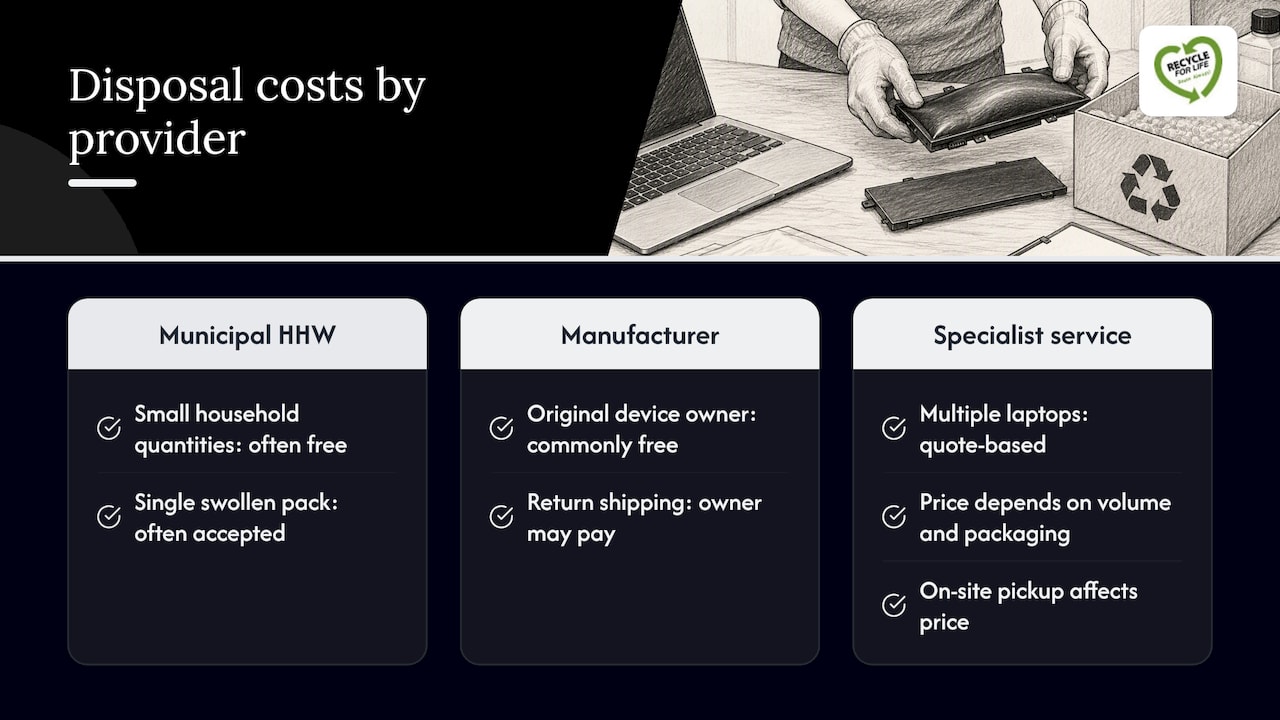
Pricing for swollen battery disposal varies depending on volume and service provider. Many municipal HHW programs accept small quantities of household batteries, including a single swollen laptop pack, often at no charge to residents, funded through local waste management budgets rather than per-item fees.
Manufacturer take-back programs are also commonly free for the original device owner, though you may need to cover return shipping if a prepaid label is not provided.
For businesses retiring multiple laptops or dealing with batteries that are too damaged to package safely, costs shift toward a service model: a compliant transporter or e-waste recycler quotes a price based on volume, packaging complexity, and whether on-site pickup is needed versus drop-off. We do not publish a flat rate for this work, since the right approach depends on how many devices you have and their condition. You can request a free quote for IT asset recovery or disposition to see what a structured pickup would cost for your situation.
The general pattern holds across both residential and business paths: free or low-cost for small, one-off quantities through public programs, and quote-based for larger or more complex collections through specialist services.
Data security when disposing of a device with a swollen battery
A swollen battery is a hardware problem, but the laptop attached to it often still holds a working hard drive or SSD full of personal files, passwords, and account access. Disposing of the battery safely does not automatically protect that data.
Before any device leaves your hands, whether it goes to an HHW site, a manufacturer program, or a recycler, remove or destroy the storage drive if you can do so safely, or confirm that whoever receives the device performs documented data destruction as part of the process. A laptop that still powers on enough to boot can often have its drive wiped through standard software tools, but a device that will not start at all needs physical drive removal or professional destruction to guarantee the data is unrecoverable.
This is especially relevant for businesses retiring employee laptops, since a single device can carry client records, credentials, or proprietary files that create liability if they end up in the wrong hands. We offer on-site data destruction and hard drive destruction specifically so organizations can confirm, with documentation, that data was destroyed before the hardware left the premises. For a broader look at what secure destruction involves, see what you should know about data destruction.
Legal and environmental rules around swollen battery disposal
Two separate sets of rules apply here, and both exist because damaged lithium cells behave differently from intact ones.
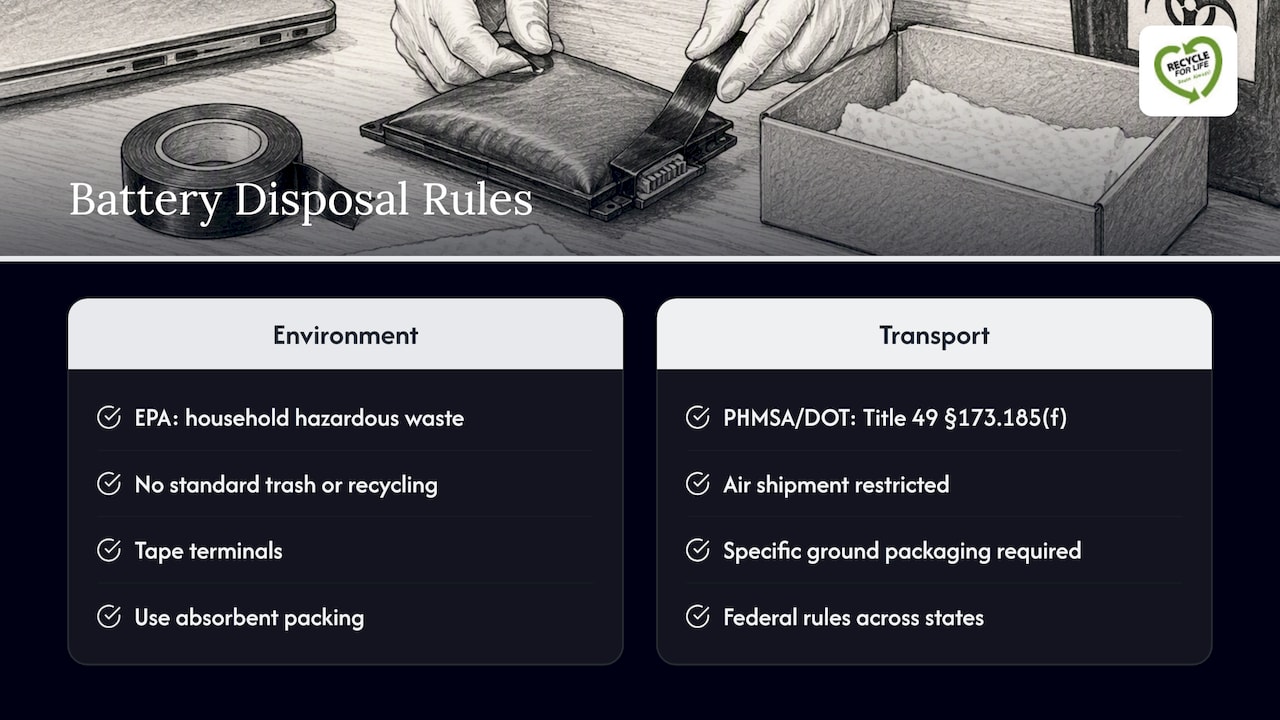
On the environmental side, the EPA classifies damaged or swollen lithium-ion batteries as a form of household hazardous waste that should not enter standard trash or recycling streams, since a punctured or crushed cell in a garbage truck or sorting facility can ignite. The EPA’s battery collection guidance spells out the handling practices, like taping terminals and using absorbent packing material, that collection sites expect.
On the transport side, PHMSA and the Department of Transportation regulate how damaged batteries move between locations under Title 49 §173.185(f), restricting air shipment and requiring specific ground packaging, as detailed in the PHMSA lithium battery guide. These are federal rules that apply regardless of which state you live in, though individual HHW programs may add their own local intake procedures. Businesses generating larger volumes of e-waste often face additional state-level reporting or recycling requirements, which is part of why many choose a compliant service rather than self-managing compliance. Our breakdown of EPA and DOT rules for lithium battery disposal walks through the compliance side in more depth for organizations.
How to identify a genuine battery recycling center
Not every drop-off point is equipped to handle a swollen or damaged battery safely, so it helps to know what separates a legitimate recycler from a bin that only accepts healthy batteries.
A genuine facility should be willing to tell you, before you arrive, whether they accept damaged or swollen lithium cells specifically, not just batteries in general. Staff trained for hazardous materials will typically ask about the battery’s condition over the phone and may direct you to a separate intake process or container.
Look for facilities registered with your state’s environmental or toxic substance control agency, since that registration generally means they are inspected and held to documented handling standards rather than operating informally.
For businesses, a compliant recycler may operate from an EPA-registered facility and maintain registration with state environmental agencies, providing receipts and certificates for pickups to support compliance recordkeeping. That kind of documentation is worth asking for from any recycler, not just us, since it protects you if a regulator or client ever asks where your retired hardware ended up.
Safety first, then compliance, then convenience
Containment beats convenience every time. A five-minute shortcut that risks a fire in your garage or a recycling truck is never worth it. Businesses should lean on compliant transporters and keep audit-ready records; households are usually best served by an HHW site or a manufacturer program.
— Keith
How we handle compliant pickup and certificates for businesses
If you are managing laptop retirements across an office, school, or facility, a single swollen battery is rarely the whole story. It usually shows up alongside a stack of aging devices, old hard drives, and questions about who is liable if something is handled wrong. We built our process around that reality.

- Pickups often follow documented, auditable procedures at EPA-registered facilities with registration from environmental agencies.
- On-site data destruction services may be available for large quantities of hard drives, which matters when laptops still hold sensitive files.
- Receipts and certificates for jobs are typically issued to provide a paper trail for compliance audits.
- Upfront payment for recovered IT assets may be offered when value remains, so retiring hardware is not purely a cost center.
For a handful of damaged batteries, calling your local HHW program is often the fastest path. But if you are coordinating multiple devices, uncertain about safe packaging, or need documentation for a compliance file, it makes sense to skip the self-transport question entirely. You can request a free quote for pickup or recycling and let us handle the packaging, transport, and paperwork from there.
FAQ
What causes a battery to swell in a laptop?
A laptop battery swells when internal chemical breakdown produces gas faster than it can escape the sealed cell, often from age, overcharging, heat exposure, or a manufacturing defect. The buildup pushes against the casing, which is why the pack visibly bulges before it fails.
What happens when you put a lithium battery in a garbage can?
A damaged or swollen lithium battery in household trash can be crushed or punctured during collection or sorting, which risks sparking a fire in the truck or at a waste facility. The EPA specifically advises against putting these batteries in regular trash or curbside recycling for this reason.
What are the odds of a lithium battery exploding?
There is no single published rate for this across all devices, since risk depends heavily on the battery’s condition, age, and how it is handled.
How do I dispose of an iPhone that won’t turn on?
A phone that will not power on should still be treated as a device that might contain a swollen or damaged battery, so avoid trash or standard recycling bins. Take it to an HHW collection site, an authorized manufacturer return program, or a compliant e-waste recycler, and mention that the device does not power on so staff can handle it appropriately.
Can I remove a swollen laptop battery myself?
You can remove a user-replaceable battery yourself if the laptop is powered down, you use non-metallic tools, and you avoid pressing or bending the swollen cell during removal. If the battery is glued in, sealed, or shows signs of overheating, it is safer to leave removal to a professional pickup service or your local HHW program.
Sources
- How to remove a swollen laptop battery | Tom’s Hardware
- Lithium battery guide for shippers (PHMSA / DOT) 2024
Industries we serve
- Hospital e-waste recycling
- Electronics recycling for law firms
- Electronics recycling for accounting firms
- Electronics recycling for dental offices
- Electronics recycling for property managers
- Electronics recycling for hotels
- Electronics recycling for warehouses